


AwardWallet receives compensation from advertising partners for links on the blog. The opinions expressed here are our own and have not been reviewed, provided, or approved by any bank advertiser. Here's our complete list of Advertisers.

Did you know that you can view all accounts with balances that have changed in the last week or month? To filter your loyalty accounts by these options, select the Changed within 1 week or Changed within 1 month option in the Views menu.
Tip of The Day
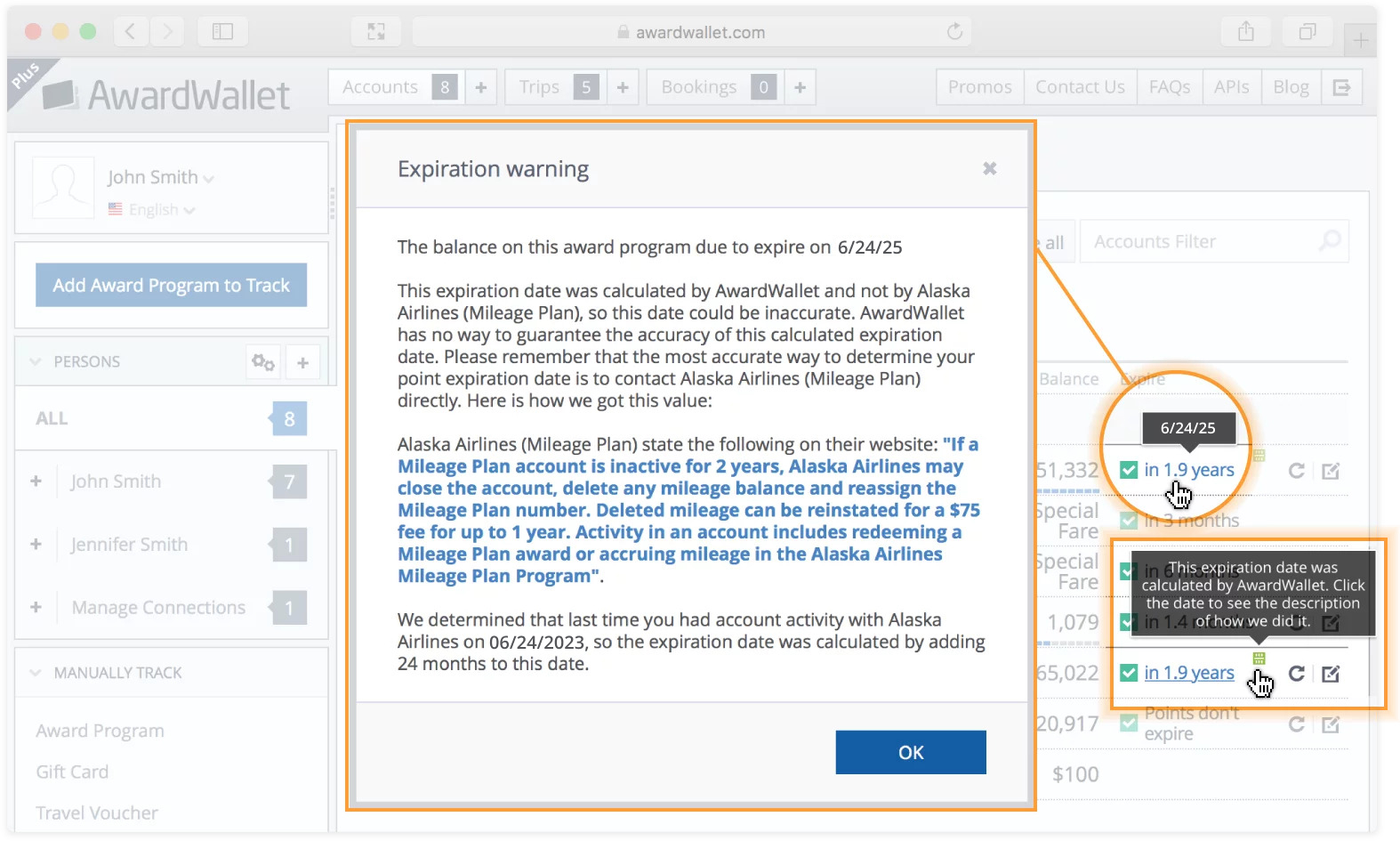
Wondering how AwardWallet determines a loyalty program account expiration date? When you click the expiration date next to your account, AwardWallet will give you a detailed description of how that date was calculated. Expiration dates calculated by AwardWallet (rather than listed on your loyalty program account page) have a special icon to let you know that we did the math for you.
Screenshot showing popup in the AwardWallet dashboard showing how an account expiration date is calculated

The comments on this page are not provided, reviewed, or otherwise approved by the bank advertiser. It is not the bank advertiser's responsibility to ensure all posts and/or questions are answered.