







AwardWallet receives compensation from advertising partners for links on the blog. The opinions expressed here are our own and have not been reviewed, provided, or approved by any bank advertiser. Here's our complete list of Advertisers.
If you’ve ever had a Chase credit card application denied despite strong credit, there’s a good chance Chase’s 5/24 rule was the reason. The “Chase 5/24 rule” is one of the most infamous card application restrictions. Planning around it is key to earning Ultimate Rewards points.
The rule is based on what appears on your credit report (not just Chase cards), so it’s easy to lose track of where you stand — especially if you’ve opened cards across multiple issuers or added authorized user accounts. That’s why one of the most common questions we hear is: How do I check my Chase 5/24 status?
The good news is that you don’t need paid tools or complicated spreadsheets to find out. Below, we’ll walk through the easiest free ways to check your 5/24 count — and what to watch for so you don’t miscalculate it.
Page Contents
A Quick Recap of Chase's 5/24 Policy
Under Chase's 5/24 policy, most applicants will be denied for a new card if they’ve opened five or more new credit card accounts in the last 24 months. This count is based on what Chase sees on your credit report.
Chase applies this restriction to nearly all of its credit cards, including Sapphire, Ink, and Freedom cards, as well as many airline, hotel, and business cards.
Here are the main takeaways from this rule:
- All personal credit cards opened in the past 24 months (from any issuer) count toward your 5/24 status. For example, if you’ve opened one card each with American Express, Bank of America, and Barclays, you’d be at 3/24 even though none are Chase cards.
- In most cases, Chase business cards don’t count toward your 5/24 total. However, though, you still need to be under 5/24 to apply.
- Some business cards do count towards your tally. These include those from Discover, TD Bank, and most Capital One business cards, since these issuers often report small business accounts to your personal credit report.
- Closing a card doesn’t remove it from your count. Chase’s policy is based on when you opened the account, not whether it’s still active.
- Authorized user accounts may be included in Chase’s calculation. If that pushes you over 5/24, a reconsideration call can sometimes help clarify that you’re not the primary account holder.
- Other types of loans (like auto loans, personal loans, mortgages, or student loans) do not count toward your 5/24 status.
Related: Why Starting With Chase Cards Matters if You’re Under 5/24
The Simplest Way to Check Your Chase 5/24 Status
The good news is that you have several free ways to check your 5/24 status, including using apps like Credit Karma or simply counting new accounts on your credit report.
Note that Experian is no longer helpful in calculating 5/24. It was once an excellent option for tracking your 5/24 status, but changes to its website and app have made it much less useful for this purpose.
Let’s take a look at a few tools that are still great options for checking your 5/24 status.
Capital One CreditWise
Probably the simplest option on this list is Capital One’s CreditWise. Just log in to your Capital One account and scroll down until you see the CreditWise tile. Click it and activate the service if you haven’t already. It’s free, so there’s no cost to worry about.
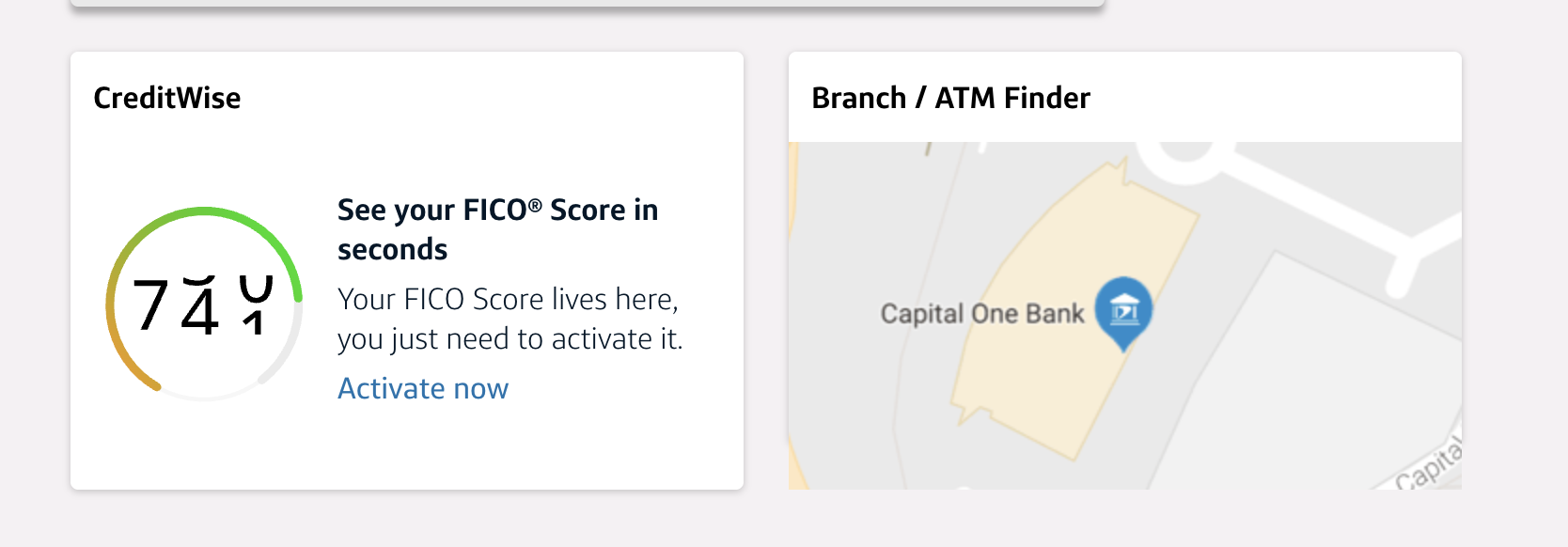
Once inside CreditWise, look for the section labeled “Your TransUnion Credit Report” and click it.

From there, scroll to Accounts & Balances, where you’ll see a category for “New” credit lines. Click that to view all accounts opened recently. Note that the page reportedly shows “Accounts that have been opened within the past 12 months.” However, I'm also seeing cards opened between 12 and 24 months ago — so check carefully.
Regardless, you can see that I’m above 5/24 right now:
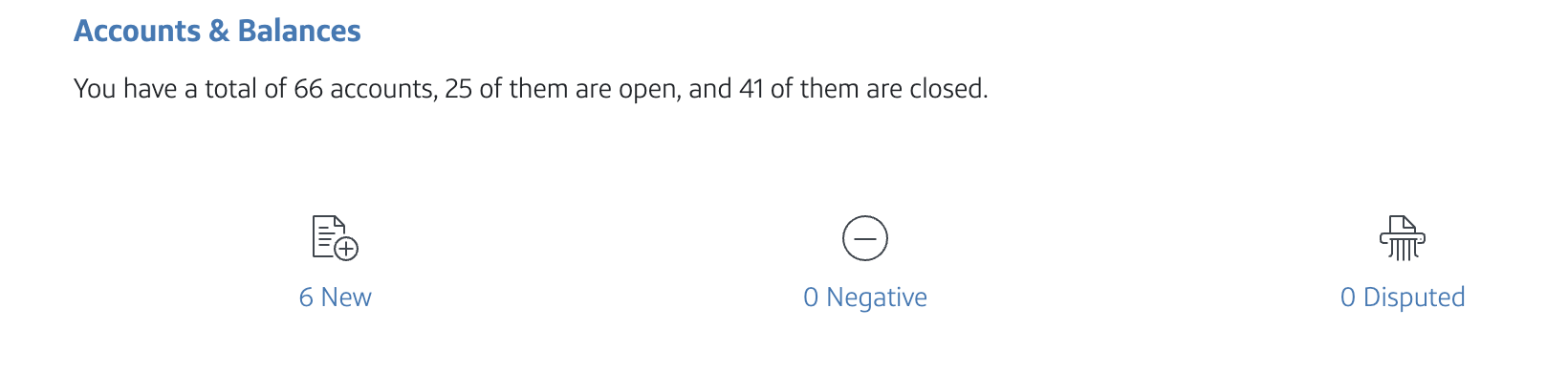
Overall, this was the easiest method I found for quickly checking your 5/24 status. However, if you want more detailed account information or additional credit report features, other tools may be a better fit.
Related: Ways To Check Your Credit Score for Free
Intuit Credit Karma
Another free option for checking your 5/24 status is Credit Karma, which provides access to both your TransUnion and Equifax credit reports.
To get started, create an account on Credit Karma’s site and enter the requested information. Once it pulls your credit profile, select either TransUnion or Equifax from the Dashboard. Then, scroll down to the Credit Health section, find “Credit age,” and click it.
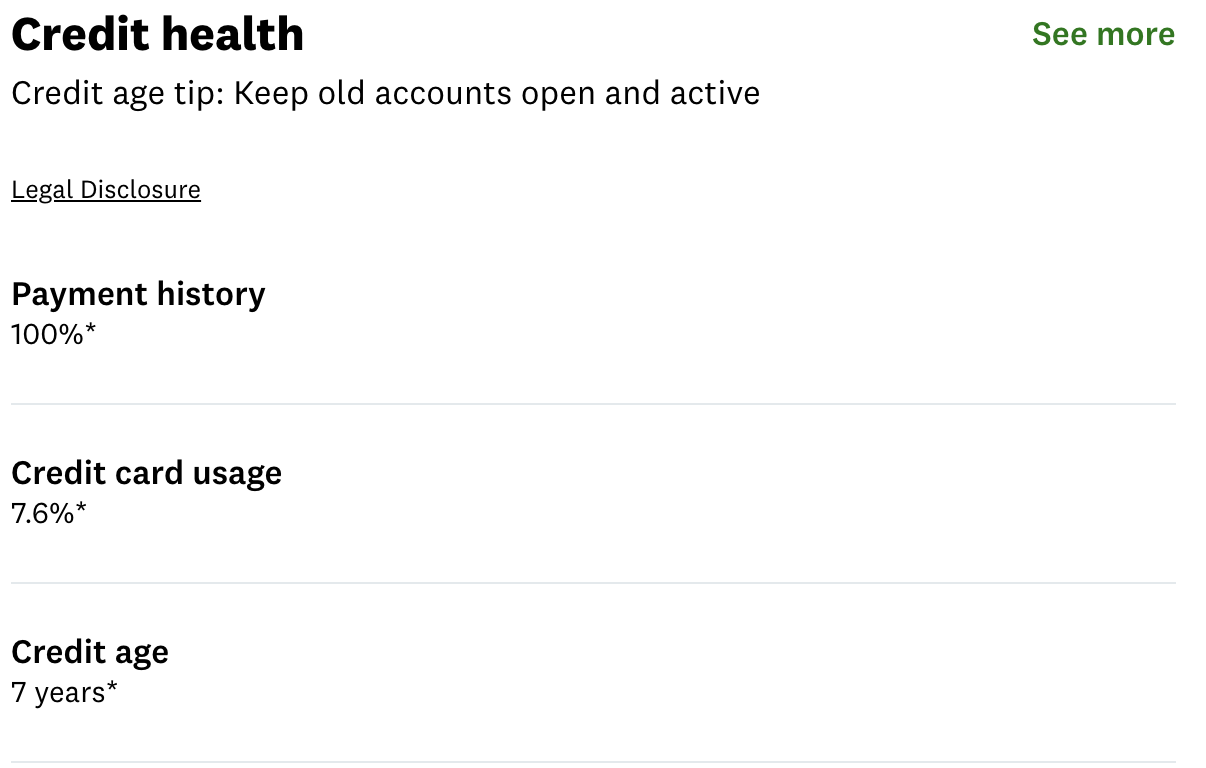
On the next page, scroll down to the “Credit cards” section. Your accounts will be listed from oldest to newest.
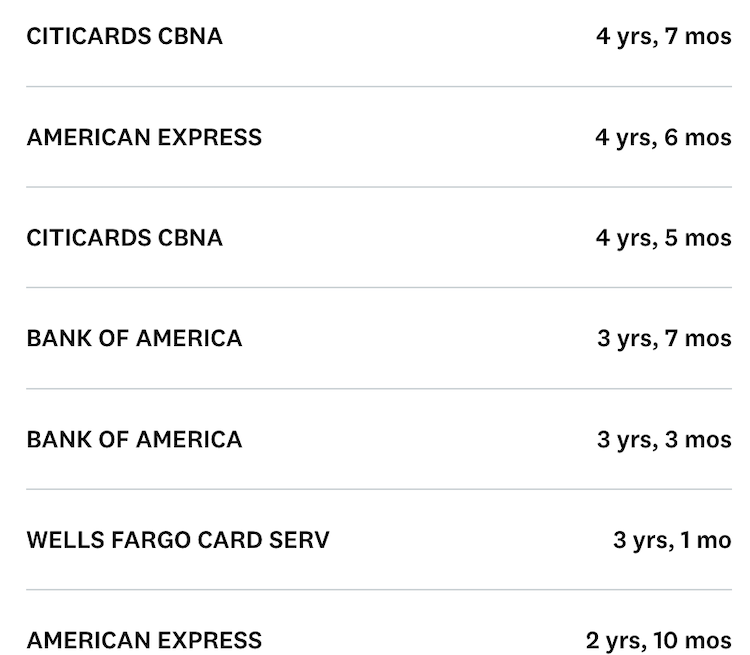
From there, scroll to the newest accounts and note any cards opened within the last two years.
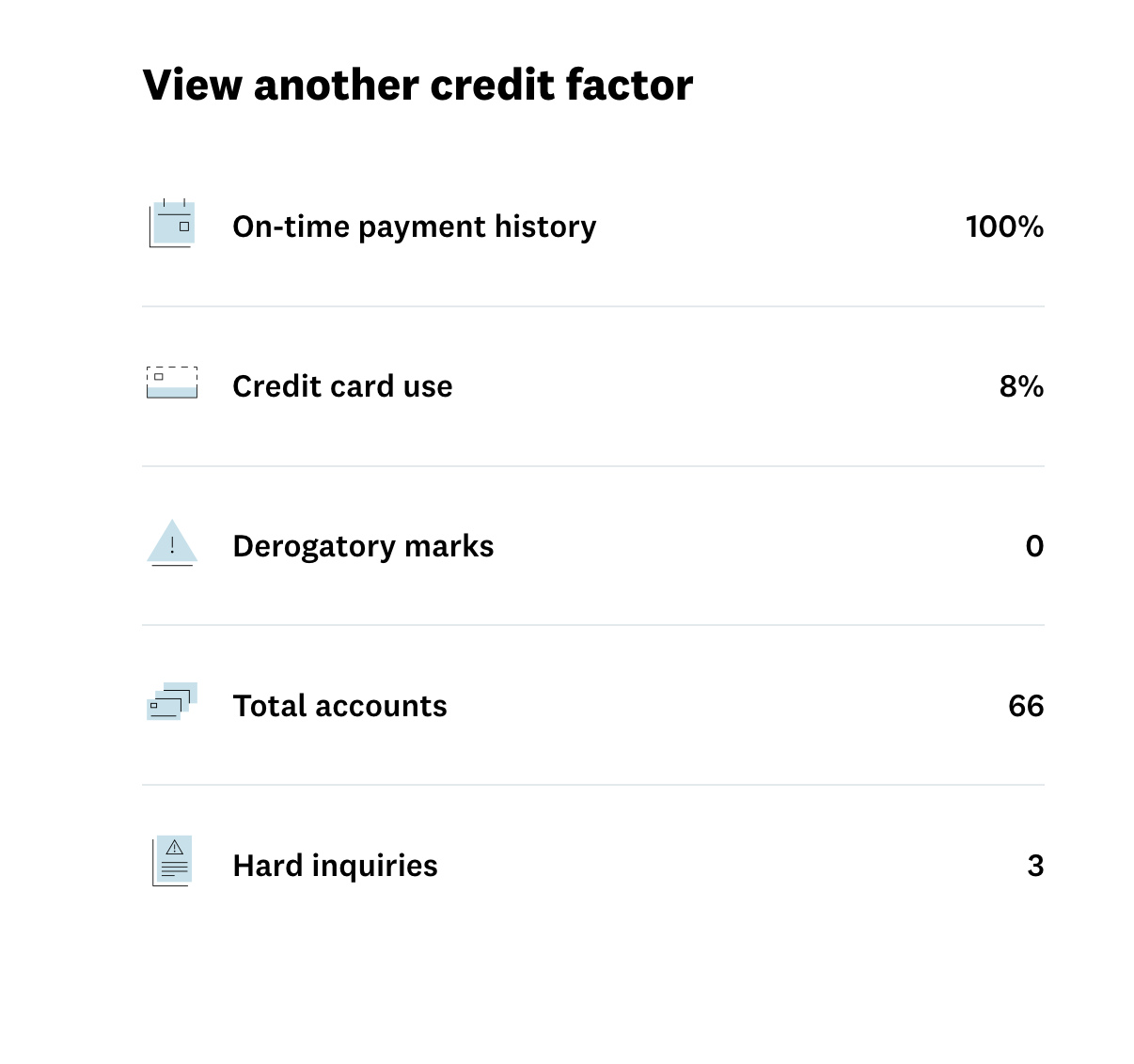
Unfortunately, this list only shows your open accounts. Chase also considers closed accounts when calculating your 5/24 status, so you’ll need to review those as well. To do that, find the “View Another Credit Factor” section and click “Total Accounts.”
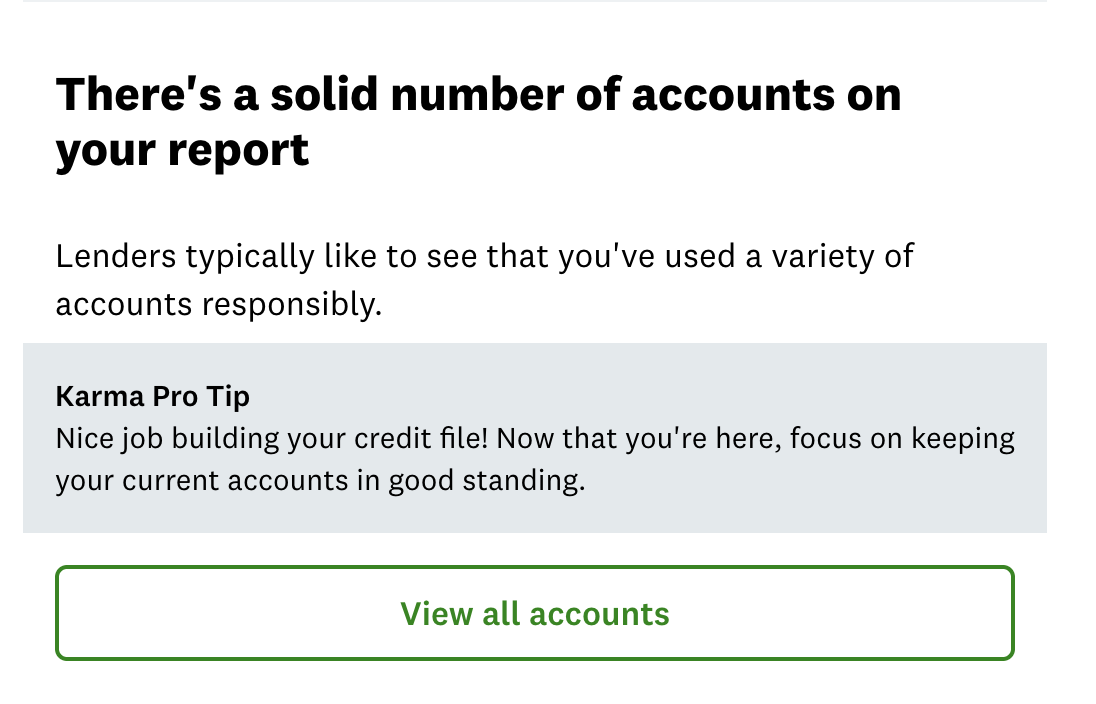
Next, scroll down and select “View all accounts.”
From there, click “Show XX closed accounts” to display your closed accounts.
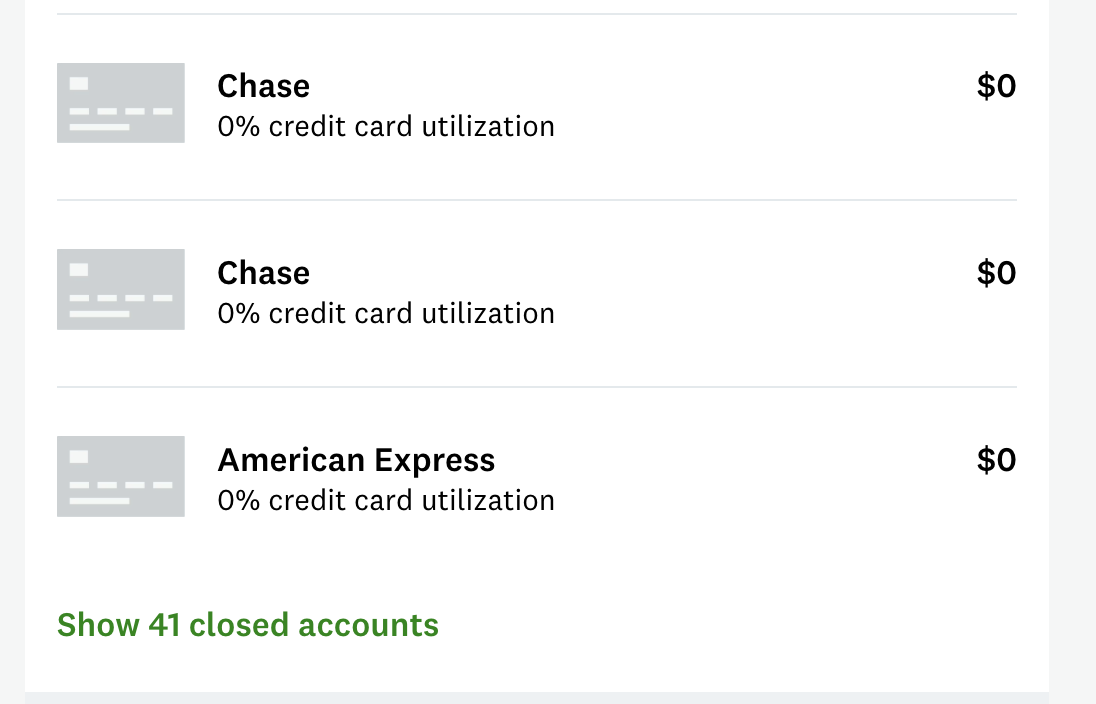
These accounts aren’t sorted by opening date, which is what you really need. Instead, you’ll see the issuer name and the closing date. Cards closed more than 24 months ago can be ignored. For any card closed within the last two years, click the account name to view the opening date.
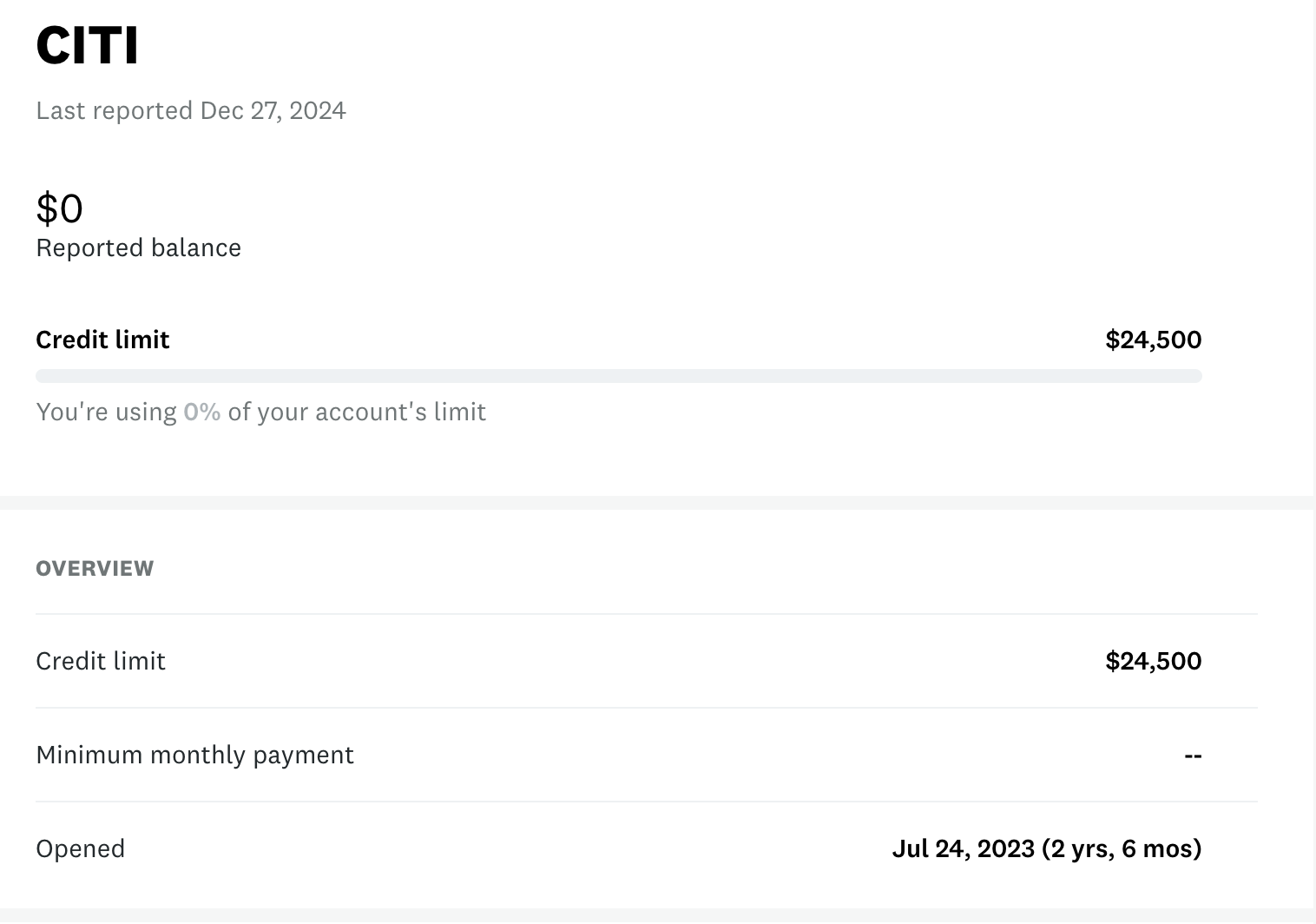
Once you add the relevant closed accounts to your open accounts list, you’ll have the total number of cards you’ve opened in the past 24 months, which is your Chase 5/24 number.
Other Free Ways to Check Your Chase 5/24 Status
There are other ways to check how many new cards you’ve opened, though they do require a bit more legwork.
For example, if you enter your credit card history into Travel Freely, the tool will display your 5/24 status every time you log in. It also shows when each card will fall off your 5/24 count, which can be helpful for planning future applications.

That said, it can take some time to add all of your accounts, especially if you’ve opened a lot of credit cards over the years.
For older accounts, you don’t necessarily need to include details like the bonus you earned or whether you product-changed the card. The most important information is simply the card name and the opening date. You can usually find that date on your credit report or by contacting the card issuer directly.
The good news is that once everything is entered, Travel Freely is easy to maintain. Adding a new card takes just a minute, and updating a card you’ve closed or changed is straightforward. Plus, your 5/24 status will always be visible whenever you log in.
Get your free credit report
You can also get a free copy of your credit report at AnnualCreditReport.com. As the name implies, the site originally provided just one free report per year, and you typically had to pay to access your full report again.
However, since 2023, AnnualCreditReport.com has offered weekly access to your credit report at no cost.
The report includes all the information you need to determine your 5/24 status, but it won’t automatically sort accounts by opening date, so you’ll need to review the list manually.
Track your count in a spreadsheet
If you’d rather track your 5/24 status yourself, you can create a simple spreadsheet with the opening dates of your credit cards. For the best accuracy, it’s a good idea to confirm both opening and closing dates on your credit report.
Regardless of the method you use to check your credit report, you can identify authorized user accounts in the account details. Look for language like “Responsibility: Authorized User” when reviewing a credit line.
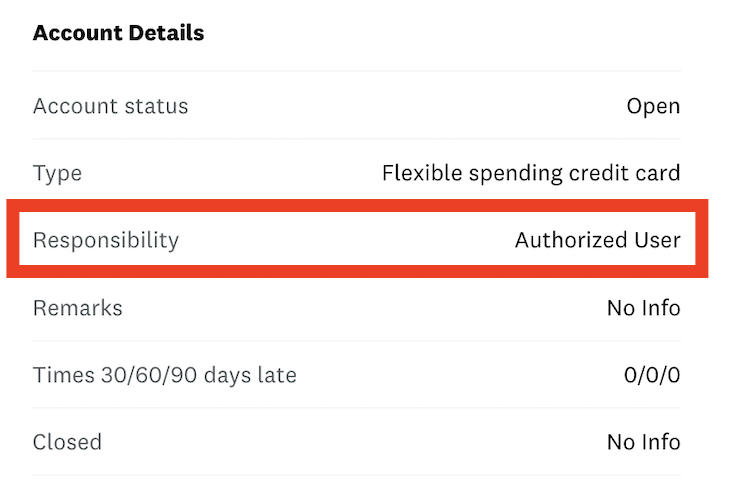
If you’re the primary cardholder, that same field will typically show “Individual.”
When counting accounts opened within the last two years, make note of which ones are authorized user accounts. These accounts usually don’t count toward your 5/24 status, but it’s still helpful to know how many you have in case you need to clarify this during a reconsideration call.
Final Thoughts
Because of Chase’s inflexible application rules, we recommend building your portfolio of Ultimate Rewards-earning cards before branching out into other rewards currencies. If you focus on other issuers first and end up over 5/24, getting back under the limit can take time. And it’s never fun missing out on Chase’s lucrative welcome offers.
Do you know other free, simple methods to check your 5/24 status? Let us know in the comments below.