



AwardWallet receives compensation from advertising partners for links on the blog. The opinions expressed here are our own and have not been reviewed, provided, or approved by any bank advertiser. Here's our complete list of Advertisers.

Keeping track of points and miles is only half the battle. Making sure they don’t quietly expire is the other. AwardWallet already does the heavy lifting by tracking balances and expiration dates across your loyalty accounts and alerting you about upcoming expirations. But there’s an easy way to make those deadlines even harder to miss.

With AwardWallet’s calendar expiration import, you can sync your points and miles expiration dates directly to your digital calendar — whether you use Google Calendar, iCal, or Outlook. That means upcoming expirations show up right alongside your meetings, trips, and reminders, giving you one more safety net against losing hard-earned rewards.

Here’s how the AwardWallet account expirations calendar import works and how to set it up in just a few minutes.

Don't have an AwardWallet account yet? Sign up for free and track unlimited rewards programs and travel plans!

Setting Up AwardWallet Calendar Expirations

Adding expiration alerts to your calendar is simple. Follow these two steps:

Generate your AwardWallet calendar link

Log into your AwardWallet dashboard. Click on “Views”, then select “Account Expirations Calendar Import”:
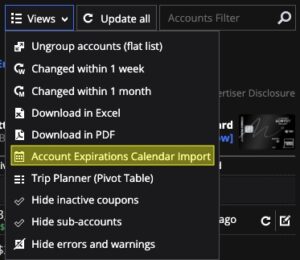
Screenshot of AwardWallet account expirations calendar import
Screenshot from AwardWallet account dashboard

Next, you will be prompted to make your AwardWallet calendar public. This does not mean that everyone will be able to see your calendar. Only those people who have your specific link will be able to see your expiration dates.
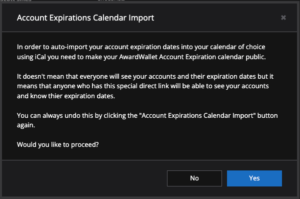
Screenshot of AwardWallet account expirations calendar import instructions
Screenshot from AwardWallet

Once you click “Yes”, you will be presented with your individual mileage expiration calendar URL. Copy the link and leave it on your clipboard.
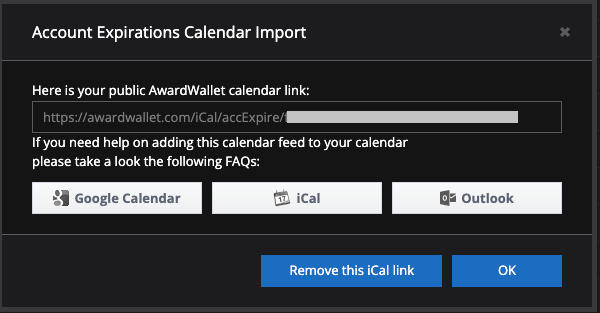
AwardWallet calendar export link
Screenshot from AwardWallet

Add the calendar link to your preferred digital calendar

Now, the process will depend on the calendar you are using. There are step-by-step directions for each of the three calendar options:

For those using Google Calendar, you can open your calendar and click on the plus sign next to “Other Calendars” on the left side of screen. Then select “From URL”:
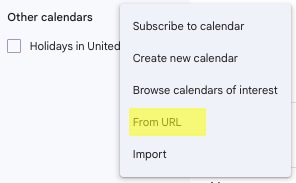
Google-Calendar-import-points-expiration-1-1
Screenshot of Google Calendar

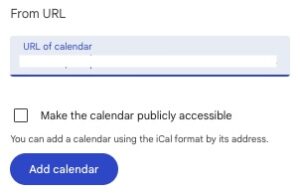
Finally, paste your calendar link into the new window and click “Add calendar”.
Google-calendar-expiration-points-2-300x195
Screenshot of Google Calendar

How the AwardWallet Account Expiration Calendar Import Works

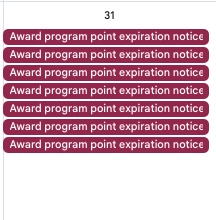
Once added, your expiration dates will automatically appear in your calendar. For example, if you have multiple points expiring on December 31st, you'll see all related notices in your calendar on that date. In my case, I have a LOT of notices.
Google-notifications-expiring-points-1
Screenshot of Google Calendar

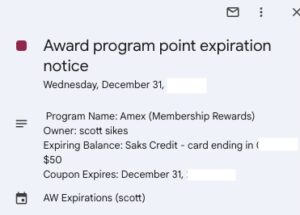
Clicking on an event will display detailed information and a direct link back to AwardWallet, allowing you to manage your accounts with ease.
Google-notifications-expiring-points-2-300x215
Screenshot of Google Calendar

Final Thoughts

The team at AwardWallet is working hard to improve the tools available to its customers. AwardWallet members have the option to receive balance expiration emails and push notifications through the AwardWallet app. The ability to link your day-to-day calendar with the points expiring notification provides an easy way to track your rewards expiration dates.

You never want to lose your hard-earned credits, points, and miles; this is another great option in your toolbelt to maximize your travel capabilities!
Tip of The Day
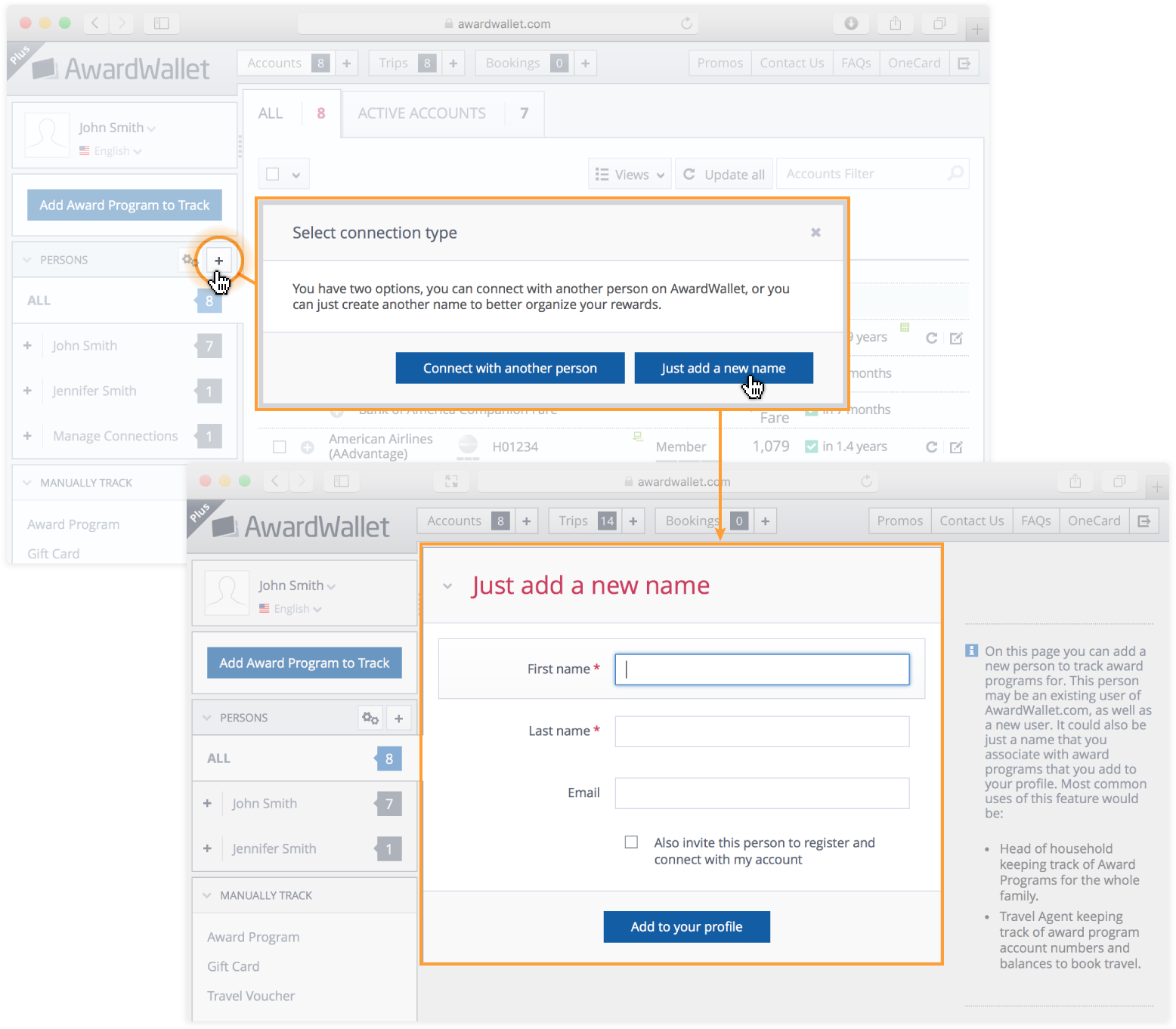
Did you know that you can automatically import all of your travel plans from AwardWallet into your calendar? All you have to do is to grab the iCal link from the left menu of your timeline and create a calendar subscription in your preferred calendar.
Composite image shows how to import your AwardWallet travel plans into your digital calendar of choice

The comments on this page are not provided, reviewed, or otherwise approved by the bank advertiser. It is not the bank advertiser's responsibility to ensure all posts and/or questions are answered.

28

Your email address will not be published. Required fields are marked *

Comments

  • ssss says:

    What data does AwardWallet have access to on my calendar when I do this? Can AwardWallet see my calendar or just add this terrific information?

    • JT Genter says:

      AwardWallet would have no access to any info on your other calendars. This is just added as an ‘other calendar’ (in Google Calendars) that relays your expiration dates from your AwardWallet account.

  • Pinchas says:

    This is a very useful feature. I used to have to do this manually – look out for email with exp dates etc. and manually enter it my calendar…

    keep it up

  • Andrew says:

    This is great! Thanks for adding this feature to keep up with rewards.

  • Mercedes says:

    Such good news!! Would not have noticed my miles are close to expire otherwise.

  • Neil McPherson says:

    Excellent enhancement and available to all members! Thank-you.

  • Kara says:

    Thank you very much for adding this feature, I think this will be a fantastic benefit. Thanks!

  • Clinton says:

    This new feature is great. I would have completely lost out on my AA points w/o the reminder that I received via email. During these times, the last thing I’m thinking about are my mileage expiration dates.

  • Danielle Martin says:

    Great tool – you just didn’t mention that this feature is only available to AwardWallet Plus members.

  • askmrlee says:

    I love this feature and I’ve been using more calendar feeds in general. But when I went into this, it gives only the option for individual account calendar feeds. I keep track of 6 people’s accounts, so in the current iteration of this feature it looks like I’d have to create 6 feeds. Is that correct?

    In your next version of this, could you consider a consolidated calendar feed? If not possible, or too technically difficult, I understand as this would just a very nice to have.

    Thanks again for always improving.

  • Rosario says:

    Very useful feature.
    Now it would be even easier keep active our accounts.

  • jc says:

    is there a COVID discount for premium Awardwallet?

  • greyhk says:

    I’m always paranoid of expiring miles. This is a welcome feature addition.

  • Ricardo says:

    Awardwallet keeps getting better and better

  • Gwen says:

    wow! very cool. thank you guys, im going to try it out right now. 🙂

  • KareK says:

    Wow! I love this! Now my husband can see when his miles/points expire on our shared calendar. What a great thought! Thank you whoever thought of this!

  • Darren says:

    This is awesome! Thanks for continuing to make the site better and better!

  • Nuno says:

    That’s a great feature! Going to try it right away

  • Patty says:

    Thank you. This is very helpful!

  • Florencia says:

    Excellent news, is it a feature available for all accounts or only premium ones? Thank you.

    • Yes, for all accounts.

      • Katie says:

        Wow, thank you. You guys are constantly looking out for us. 🙂

      • EC says:

        Just a heads up… when I followed the steps, selecting Account Expirations Calendar import… it allowed me to proceed successfully, but it also gave me a popup saying it was for AW Plus members only. Here’s the text of the popup:

        “This feature is only available to AwardWallet Plus members. By upgrading to Plus you support our development efforts, which makes the service better. We appreciate your support!

        Please click OK to proceed to the upgrade page, or Cancel to close this window.”

        Again, it worked fine, so you likely just have to turn this popup off.