




AwardWallet receives compensation from advertising partners for links on the blog. The opinions expressed here are our own and have not been reviewed, provided, or approved by any bank advertiser. Here's our complete list of Advertisers.
If you haven't noticed, we've ramped up the points and miles coverage on the AwardWallet Blog. We're striving to make it the go-to resource for earning, redeeming, maximizing, and helping you avoid the expiration of your hard-earned points and miles. However, the blog has so much information that it may be hard to keep up with all of the helpful content that we publish each day.
With regular posts about buy and transfer bonuses, program guides, redemption sweet spots, expiration policies, elite status, credit card reviews, loyalty program promotions, and much more, missing a post could keep you from maximizing your points and miles strategy.
The good news is that you can customize your AwardWallet notifications to stay up to date on every update and keep your travel goals on track. Let's map out four ways to stay current on the points, mileage, and status news that matters most to you.
Topics Covered on the AwardWallet Blog
If you're new around here, the AwardWallet Blog brings you the latest information about points/miles promotions and earning opportunities. We generally focus on opportunities that will be around for at least a few days.
Every now and then, we'll serve up a can't-miss flash sale or deal alert. However, you will usually have at least a few days to act on the information in a blog post.
Don't have an AwardWallet account yet? Sign up for free and track unlimited rewards programs and travel plans!
Managing AwardWallet Blog Notifications
We publish between five and eight blog posts each day, which can include new posts and updated guides. That's a lot of great information, and thankfully, you have several options for how you see it.
To manage your notifications, log in to your AwardWallet account. Then click this link to edit your Blog Notifications.
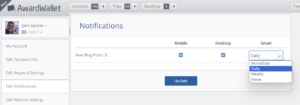
You have four options for customizing your notifications: immediate, daily, weekly, and never. Below, I'll walk through each option and share a note on my personal favorite.
Option one: Weekly digest
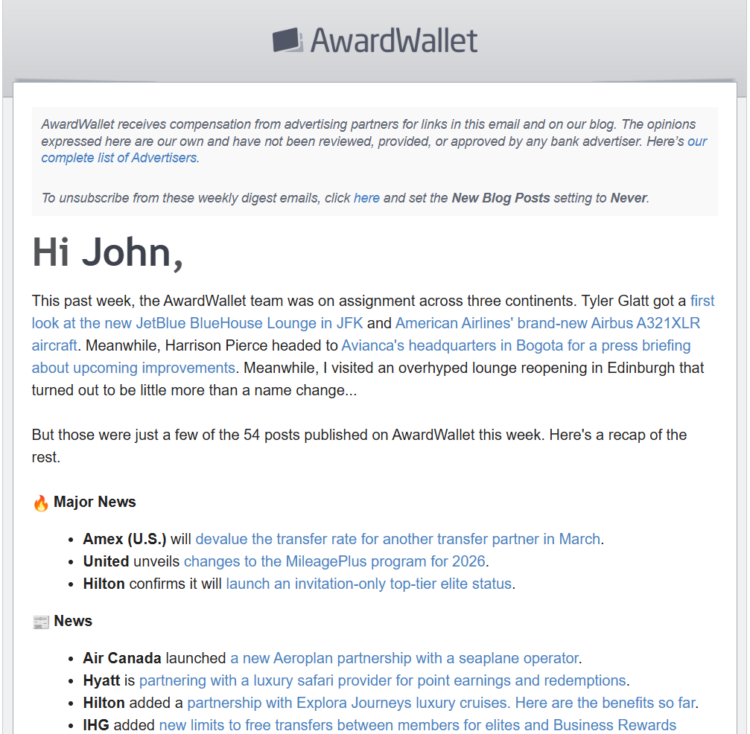
The weekly digest is the most effective way to manage your email inbox. Each week, a member of the AwardWallet editorial team recaps all of the posts from the previous week. Posts are grouped into sections including Major Updates, News, Promotions, Card Offers, Elite Status Shortcuts, Redemption Guides, and more. We know you're busy, so we design this weekly digest for ultimate skimability.
Here's an example of what the weekly digest looks like:
Option two: Daily digest
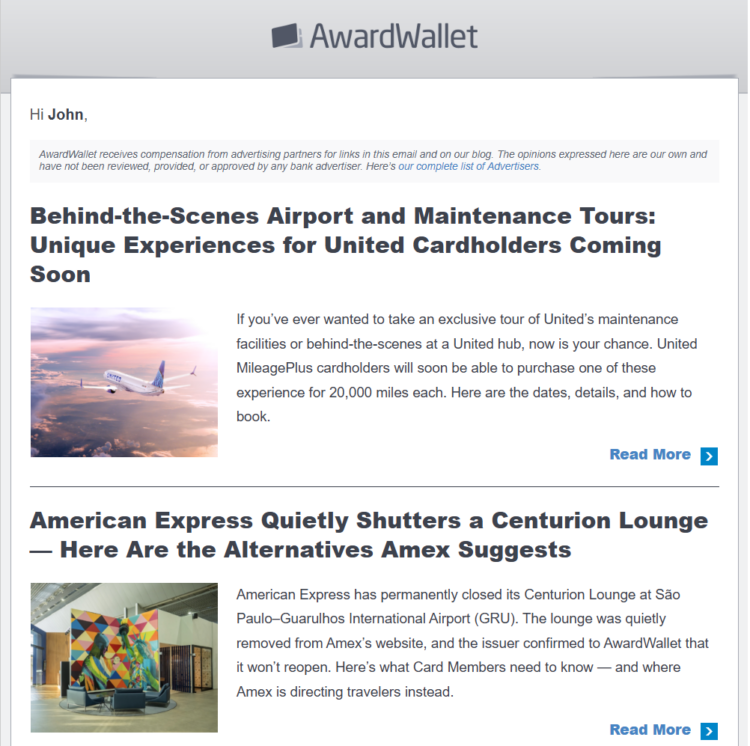
Does sorting through 40 to 50 posts seem daunting? Want to avoid missing out on short-term offers? In my opinion, the daily digest is the sweet spot. The daily digest will arrive by email once a day with a quick summary and links to all of the new/updated blog posts from the past 24 hours with a short recap of each post.
Opting into the daily digest gives you plenty of time to act on offers and updates while keeping your inbox from overflowing. Again, any deals or opportunities highlighted in AwardWallet posts are generally good for at least several days. That timeframe means that the daily digest delivers all the news you need in a timely and manageable format once each day.
The daily digest currently looks like this:
Option three: Immediate notification by email
Can't wait? If you want every update hot off the press, “immediate by email” may be the choice for you. Each piece published on the AwardWallet Blog will be emailed to you as it is published.
AwardWallet generally publishes five to eight posts a day, ranging from sweet spots using United Airlines MileagePlus miles and the latest on shopping portal promos to an overview of the British Airways Avios program. With so much news, there will be plenty of content coming to your email inbox throughout each day.
For reference, we typically publish posts between 10 a.m. and midnight Coordinated Universal Time (UTC). For our U.S. readers, that's between 5 a.m. and 7 p.m. Eastern Time during the winter.
Option four: Immediate by mobile app or browser notification
This option will allow for push notifications through the AwardWallet app — which you can download via Google Play or Apple App Store — or via your desktop browser. The process for selecting these options is the same. Visit the Notifications page and check the boxes under Mobile and/or Desktop to have notifications pushed to you as each blog post is released.
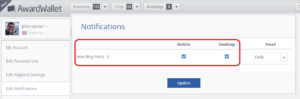
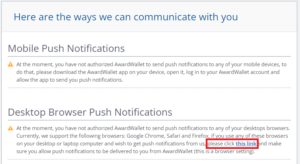
If you choose this option, make sure that you enable push notifications. To confirm that you've done so, scroll down to the bottom of the Notifications page and click the “this link” hyperlink if notifications aren't enabled. Note that you won't get a confirmation when you do, but you can refresh the page to confirm that you're enrolled.
Final Thoughts
While there is no wrong way to enjoy AwardWallet blog content, we want to let you know you have options!
We hope that one of the options listed above works for you. Heck, you can even experiment and try out each option to see which best fits you. To make changes, visit the Edit Notifications section in your AwardWallet account anytime. Let us know your favorite delivery option below!


