



AwardWallet receives compensation from advertising partners for links on the blog. The opinions expressed here are our own and have not been reviewed, provided, or approved by any bank advertiser. Here's our complete list of Advertisers.
Virgin Atlantic Flying Club is one of the few remaining airline
This is especially true considering that Delta Air Lines often charges an outrageous number of SkyMiles for premium cabin award flights. Would you rather pay 323,000 SkyMiles or 105,000 Flying Club points for a Delta One seat from New York (JFK) to Athens (ATH)? The answer is simple. Plus, Flying Club points transfer from all major bank programs, whereas SkyMiles can only be transferred from
But here’s something many travelers don’t realize: After booking a Delta-operated flight through Virgin Atlantic, you can still link that reservation to your
Here’s how.
Why Should You Add Virgin Atlantic Bookings to Your Delta Account?
As anyone who has booked partner awards knows, it can be frustrating and annoying to search through multiple airline apps and websites to find your flight information. If I'm flying on Delta, I want to be able to open my Delta app and see my flight, regardless of whether I used Virgin Atlantic Flying Club points or Air France-KLM Flying Blue miles.
So, the most obvious reason for adding your flight booked through Virgin to your Delta account is that it allows you to pull up your flight information right from your Delta app. However, there are a few other benefits.

Selecting seats
First, when you book an award flight through Delta, you are typically allowed to pay for an upgrade when selecting seats. While these offers vary in value, you can sometimes get a great deal to upgrade to extra legroom seats, domestic first class, or even Delta One. If you book through Virgin Atlantic Flying Club, you will not have this opportunity unless you add the booking to your Delta account.
Upgrades
If you are a Delta frequent flyer with Medallion elite status, you are eligible for complimentary space-available upgrades on domestic routes. If you add your Delta number to your Virgin Atlantic booking, you will be eligible for those same upgrades as if you booked with SkyMiles rather than Flying Club points. This alone is worth the few seconds it takes to swap out your frequent flyer account numbers on your booking.
Related: SkyTeam Elite Plus Status: What It Is and Why You Should Earn It
How To Add a Virgin Atlantic Booking to Your Delta SkyMiles Account
First, log into your Delta account and locate your trip. Click on the tab labeled “My Trips,” select “Confirmation Number,” and enter your Virgin Atlantic booking reference number and your first and last name. If it doesn't pull up with the Virgin Atlantic confirmation number, you can also search by ticket number.

Once you have pulled up your booking, click “Show More” on the top menu bar, then click “Loyalty & Benefits.”

You should see Virgin Atlantic selected as your
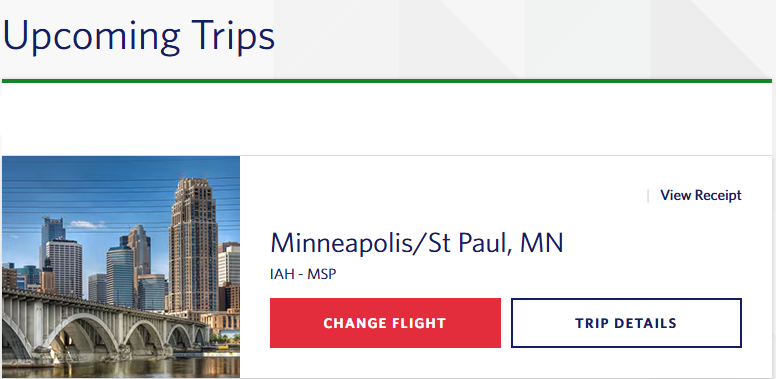
Finally, confirm that your Virgin Atlantic booking is showing in your Delta account. Navigate back to the “My Trips” section. If your itinerary does not show, you may need to log out and back in. Once it shows, you have successfully connected your booking to your Delta account and can now reap the benefits outlined above.
Bottom Line
Booking Delta flights through Virgin Atlantic can save you a lot of miles, and adding your SkyMiles number afterward can make the experience even better. With easier trip management and possible upgrade benefits, it’s a small step worth taking.