






AwardWallet receives compensation from advertising partners for links on the blog. The opinions expressed here are our own and have not been reviewed, provided, or approved by any bank advertiser. Here's our complete list of Advertisers.
Offers for the Costco Anywhere
Shopping online has never been easier. Unfortunately, it's also never been easier for your credit card information to be compromised. Every online purchase requires handing over your card number, and if that information is exposed in a data breach, you could end up dealing with fraudulent charges or replacing your card. One way to reduce that risk? Use a virtual card number.
Fortunately, Citi offers eligible cardholders access to Virtual Account Numbers, which generate unique card numbers linked to your existing credit card account. Here's how Citi Virtual Account Numbers work, how to create one, and when it makes sense to use one.
What Are Citi Virtual Account Numbers?
A Citi Virtual Account Number is a temporary credit card number tied to your Citi credit card account. Rather than entering your actual card number when you're checking out online, you use the virtual number generated by Citi instead. Virtual Account Numbers are designed for online purchases and generally can't be added to a mobile wallet or used for in-person transactions.
The merchant ultimately sees a different card number but purchases still post to your Citi credit card account. You'll earn
One of the biggest advantages of Citi Virtual Account Numbers is the ability to customize them before making a purchase. Depending on your needs, you can:
- Set a maximum spending limit.
- Create multiple virtual card numbers for different merchants or purchases.
For example, if you're buying a $75 item from an unfamiliar website, you could create a virtual card with an $80 spending limit. Even if the card number were compromised, it couldn't be used for larger unauthorized purchases.
Virtual Account Numbers can also be useful for free trials and subscription services. Rather than giving a merchant your actual card number, you can create a virtual number with a limited spending amount.
Related: Comparing
Which Citi Cards Offer Virtual Account Numbers?
Citi doesn't publish a list of eligible credit cards, and availability can vary by account. In general, many Citi-issued consumer credit cards offer Virtual Account Numbers, while some co-branded, business, and store cards may not.
In my own wallet, which cards are eligible has been a bit of a mystery. My Costco Anywhere Visa® Card by Citi wasn't eligible for Virtual Account Numbers, and neither was my P2's.
On the other hand, my Citi Strata Elite℠ Card was eligible, as was one of my two Citi Double Cash® Card cards. Same product, same account holder — one had the feature, and one didn't.
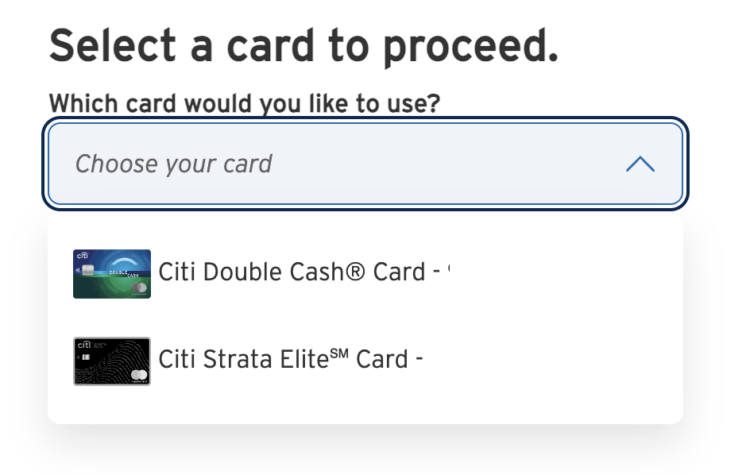
The easiest way to check if your card is eligible is to log in to your Citi account and look for the Virtual Account Numbers option under your card's services or management menu. If you don't see the feature, your card most likely isn't eligible.
How To Create a Citi Virtual Account Number
Creating a Virtual Account Number only takes a few minutes. First, you'll need to log in to your Citi online account and navigate to the Virtual Account Numbers section. If your card is eligible, you'll have the option to generate a new virtual card number.
Next, choose the credit card you want to use if you have multiple eligible Citi cards on your account.
Then you can customize your virtual card by selecting your spending limit and adding a nickname.
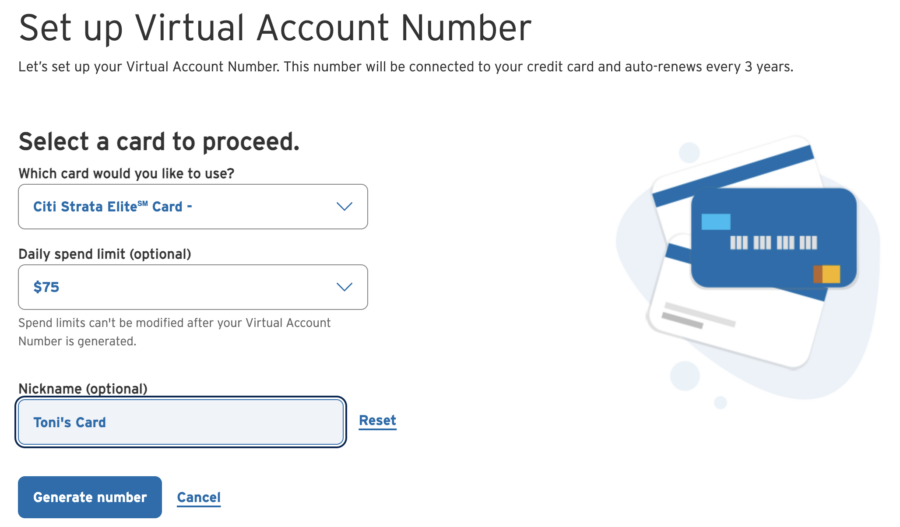
Once you've saved your preferences, you'll be asked to verify your account. Finally, Citi will generate a virtual card number along with an expiration date and security code. You can then use that information just like a credit card when checking out online.
After completing your purchase, the charge will show up on your regular Citi credit card statement, and you'll earn rewards exactly as if you had used your physical card.
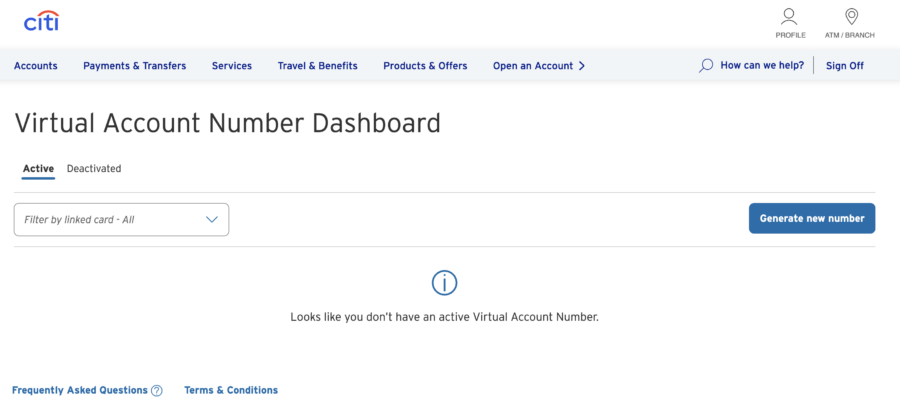
If you need to access that number again, head to Citi's Virtual Account number dashboard where your card info is stored.
Why Use a Citi Virtual Account Number?
Virtual Account Numbers won't replace your physical credit card, but they're a useful tool in several situations.
Shopping with unfamiliar merchants
If you're buying from a retailer you've never used before, using a virtual number helps protect your actual card information in the event of a data breach.
Managing subscriptions
Virtual card numbers can make recurring subscriptions easier to control. Setting a spending limit can help limit unexpected charges if you forget to cancel a free trial or subscription.
Limiting fraud exposure
If a virtual card number is ever compromised, you can simply stop using that number or generate a new one without replacing your physical credit card.
Related: 7 Ways To Prevent Credit Card Fraud When Traveling Abroad
Extra peace of mind
Even if you trust a merchant, using a unique card number for online purchases reduces the number of businesses that have access to your real credit card information.
That being said, virtual card numbers aren't ideal for every purchase. Merchants like hotels, rental car companies, or businesses that may need to adjust the final charge after authorization can sometimes have issues with virtual cards. In those cases, using your physical credit card is usually the better option.
Bottom Line
Citi Virtual Account Numbers give you an easy way to add an extra layer of security when shopping online. Instead of sharing your actual credit card number with every merchant you shop at, you can generate a unique virtual card number.
The ability to set spending limits makes the feature especially useful for retailers you don't normally shop at, free trials, and subscription services. If your eligible Citi card offers Virtual Account Numbers, it's a valuable tool worth taking advantage of whenever you're shopping online.
- Earn 60,000 bonus ThankYou® Points after spending $4,000 in the first 3 months of account opening, redeemable for $600 in gift cards or travel rewards at thankyou.com.
- Earn 10 Points per $1 spent on Hotels, Car Rentals, and Attractions booked on CitiTravel.com.
- Earn 3 Points per $1 on Air Travel and Other Hotel Purchases, at Restaurants, Supermarkets, Gas and EV Charging Stations.
- Earn 1 Point per $1 spent on all other purchases
- $100 Annual Hotel Benefit: Once per calendar year, enjoy $100 off a single hotel stay of $500 or more (excluding taxes and fees) when booked through CitiTravel.com. Benefit applied instantly at time of booking.
- No expiration and no limit to the amount of points you can earn with this card
- No Foreign Transaction Fees on purchases
- 10X on Hotels, Car Rentals, and Attractions booked through CitiTravel.com
- 3X – Earn 3 Points per $1 spent on Air Travel and Other Hotel Purchases
- 3X – Earn 3 Points per $1 spent on Restaurants
- 3X – Earn 3 Points per $1 spent on Supermarkets
- 3X – Earn 3 Points per $1 spent on Gas and EV Charging Stations
- 1X – Earn 1 Point per $1 spent on All Other Purchases
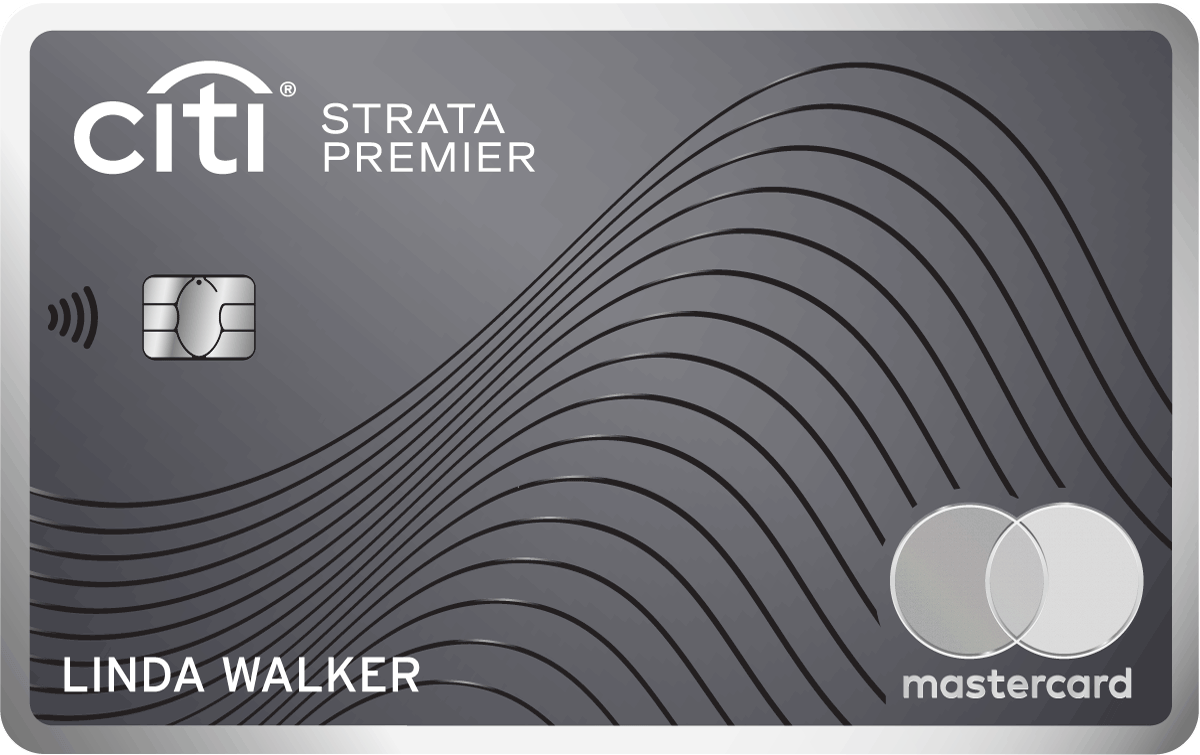
For rates and fees of the cards mentioned in this post, please visit the following links: Citi Strata Premier® Card (Rates & Fees)










![Goodbye [CC_AW_ShortName slug=CitiRewardsPlus], Hello [CC_CardName slug=CitiStrata] — Here’s What That Means for You](https://awardwallet.com/blog/wp-content/uploads/2024/02/Mikhail-Nilov-Pexels-credit-card-featured.png)