






AwardWallet receives compensation from advertising partners for links on the blog. The opinions expressed here are our own and have not been reviewed, provided, or approved by any bank advertiser. Here's our complete list of Advertisers.
Offers for the
Capital One virtual card numbers can make online shopping more convenient and more secure. Instead of entering your physical card number at checkout, you can generate a unique digital card number linked to your Capital One account.
That can be useful in several situations. You might want a merchant-specific card number for recurring purchases, a one-time card number for an unfamiliar website, or just want to make a purchase when your physical card isn’t with you. Virtual card numbers also add a layer of protection by helping keep your actual credit card number private.
Here’s how Capital One virtual card numbers work, how to create and manage them, and when they might be worth using instead of your physical card.
Creating a Capital One Virtual Card
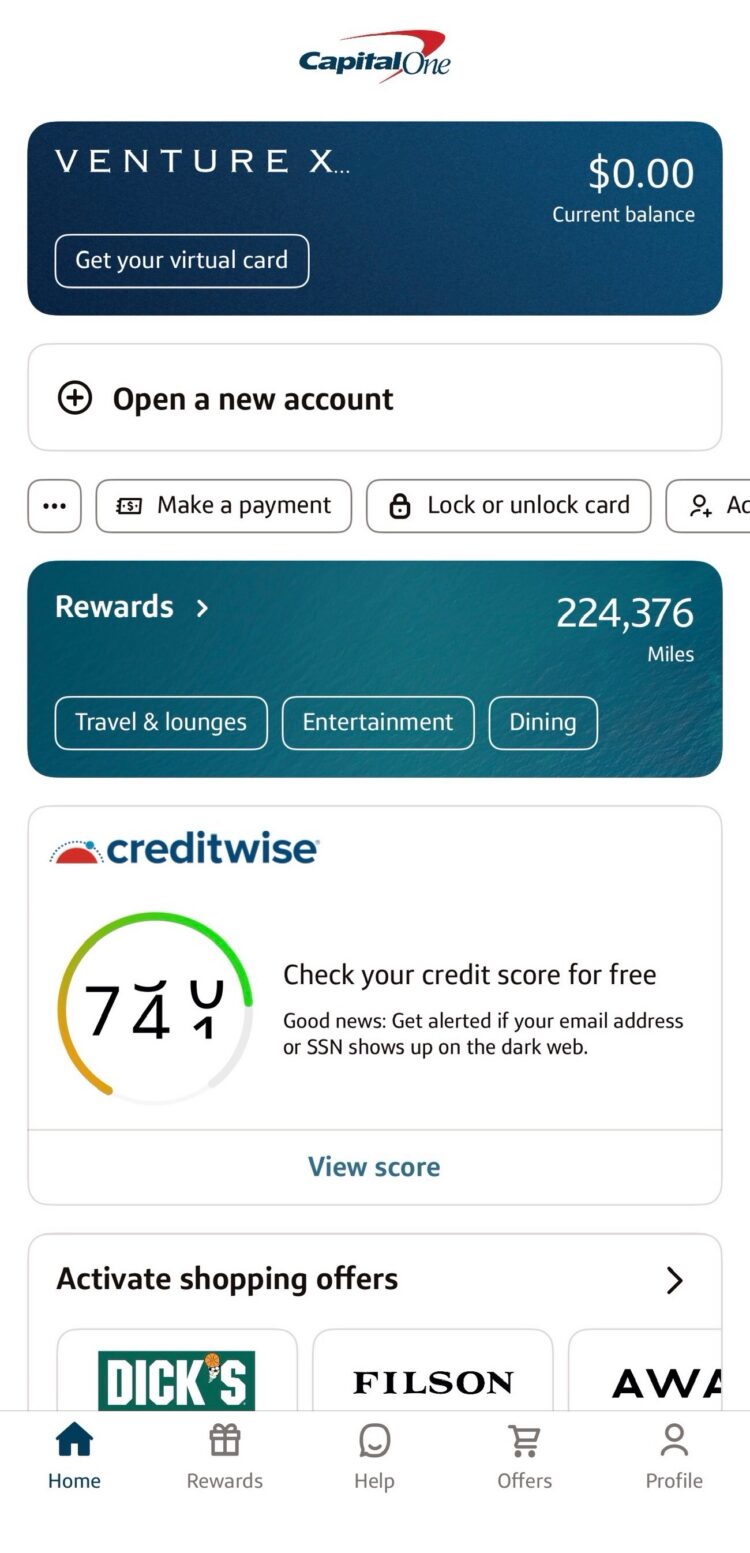
Generating a virtual card from your desktop is very simple. First, log in to your Capital One account and navigate to the account for which you want to generate your virtual card numbers. Then, just click on ‘Get your virtual card' in the top right corner.

You will be taken to the virtual card site where you'll see any existing Capital One virtual cards you've created by going to ‘Virtual card manager'. To create a new one instead, click ‘Create a virtual card'.
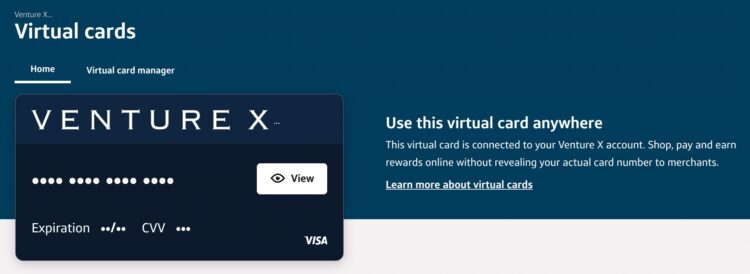
Capital One offers a pre-created virtual card that can be used at any and all merchants. Further virtual cards that you can create are for use only at one store. For additional protection, you'll also be able to choose whether the card should be used only once.
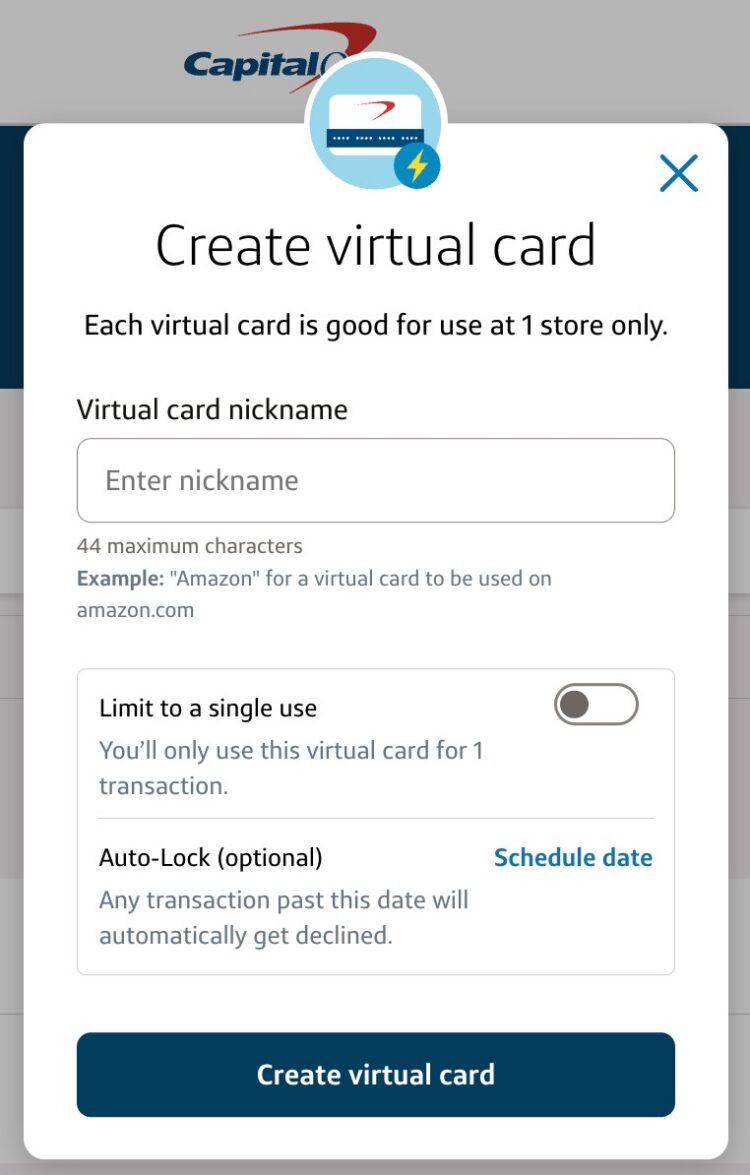
Fill out the required information to create the new virtual card, including its nickname for easier recognition when using, and select whether this will be for ongoing use or just a one-time card number. After setting up your Capital One virtual card, you'll see its details, including the card number, expiration date, and security code, ready for use at the designated store.
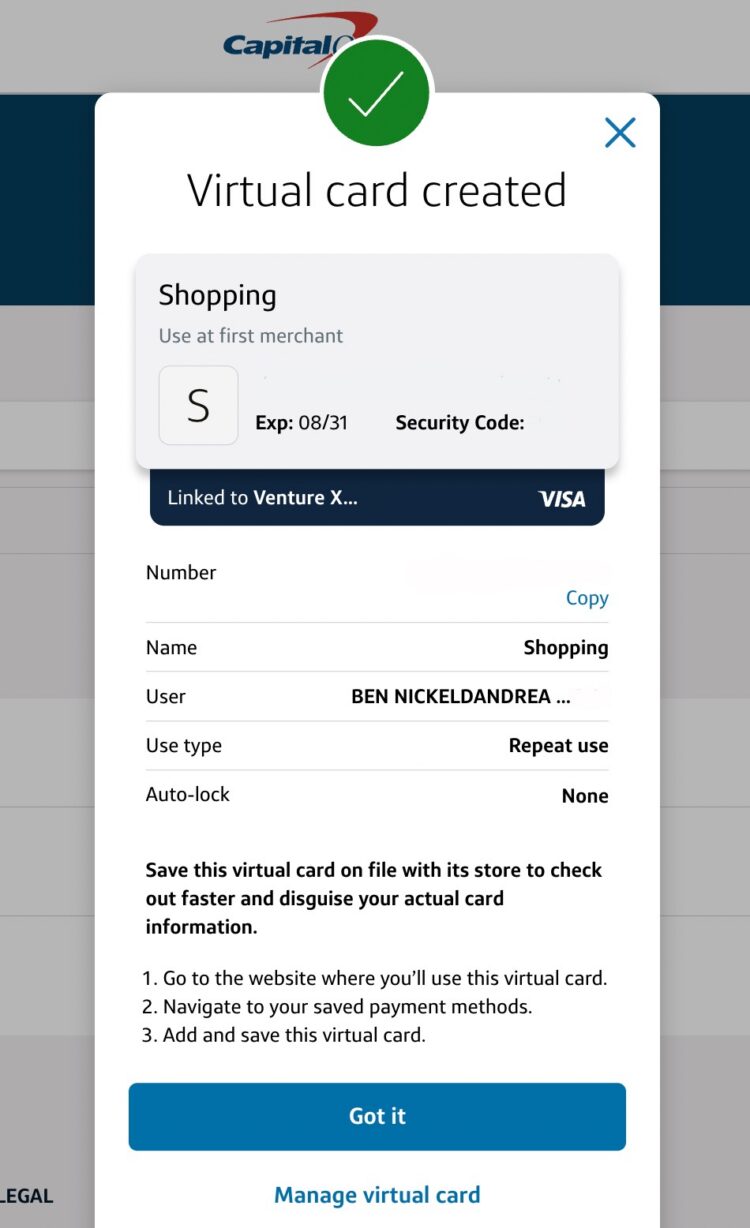
Virtual cards stay active even after your physical credit card expires and you're mailed a new one, and even if you replace your card after it's lost or stolen. That way, virtual cards are the perfect way to ensure you're still able to access your credit card even if you no longer have access to your actual card.
Accessing Capital One Virtual Cards
Whether using a desktop or the mobile app, the process for accessing your virtual card remains the same. Start by logging in to Capital One and heading to your account. Then click ‘Get your virtual card', which will once again take you to the virtual card site. From there, click ‘Virtual card manager', where you can click and open any of your previously created virtual cards (or edit, as needed).
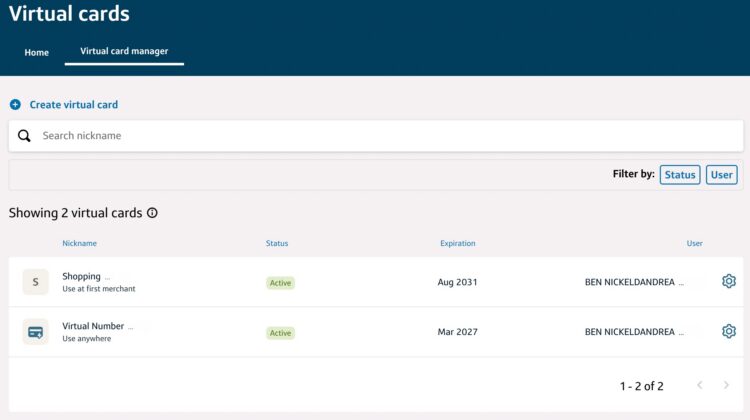
On the mobile app, the Virtual Card Manager functions just like it does on desktop. Once logged into your account, you can quickly generate or easily manage your Capital One virtual cards directly from your phone by tapping ‘Get your virtual card'.
Other Virtual Card Options with Capital One
Eno
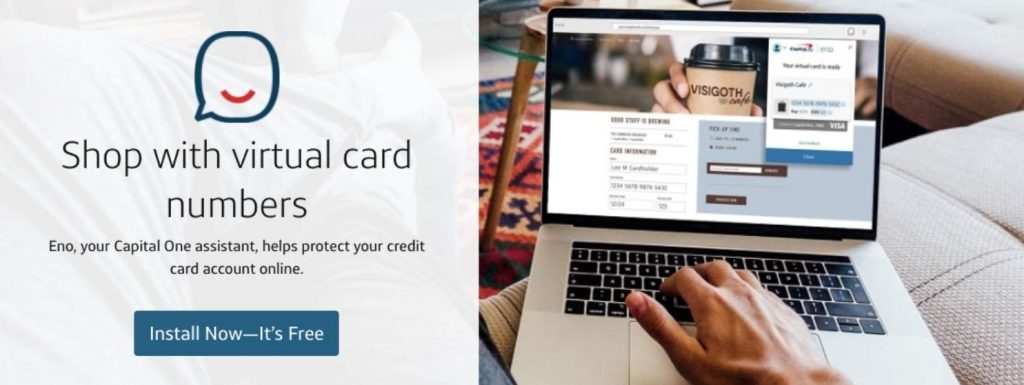
Eno is Capital One's virtual assistant with a browser extension that can generate merchant-specific virtual cards linked to your Capital One account. Each card is automatically assigned to a single retailer.
To use Eno, download the extension for a supported browser (Chrome, Firefox, Edge, or Safari), log in to your Capital One account, and verify your information with your physical Capital One card. Once the browser extension is installed, you can begin customizing from there.
Digital Wallets
It's worth noting that there is a difference between Capital One virtual cards and a digital wallet. Most modern smart phones have a version of a digital wallet to which you can add your credit card — as well as some virtual cards — so you can use your phone to tap-to-pay or check out online without the need for your physical credit card to leave the comfort of your actual wallet.
Setting your digital wallet is different depending on your exact device, but you can do so by opening your Capital One app and going to your profile, then ‘Digital wallet manager'.
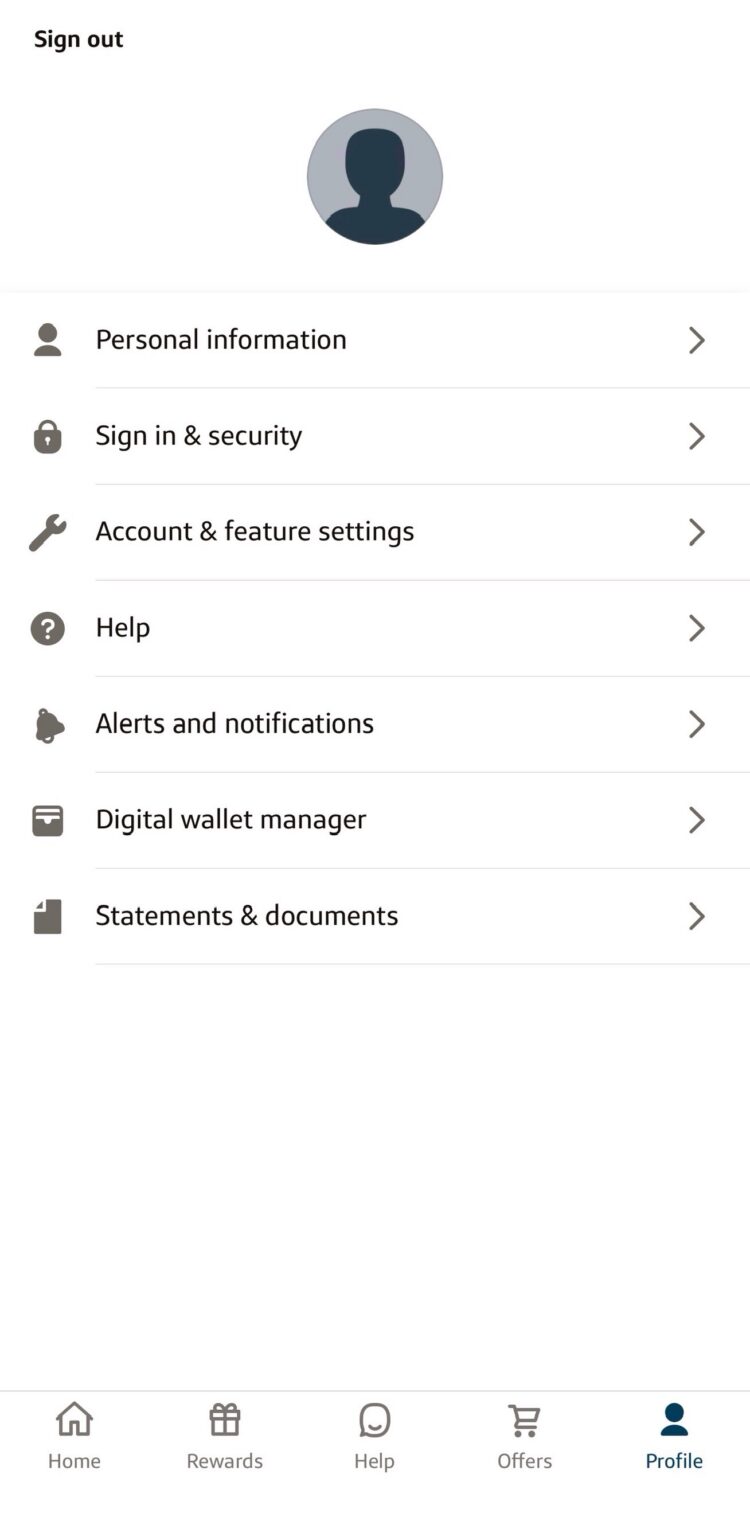
Once there, you will be able to set up Paze, Google Pay, Apple Pay, or PayPal accounts, as well as any of the Capital One virtual cards you may have previously generated.
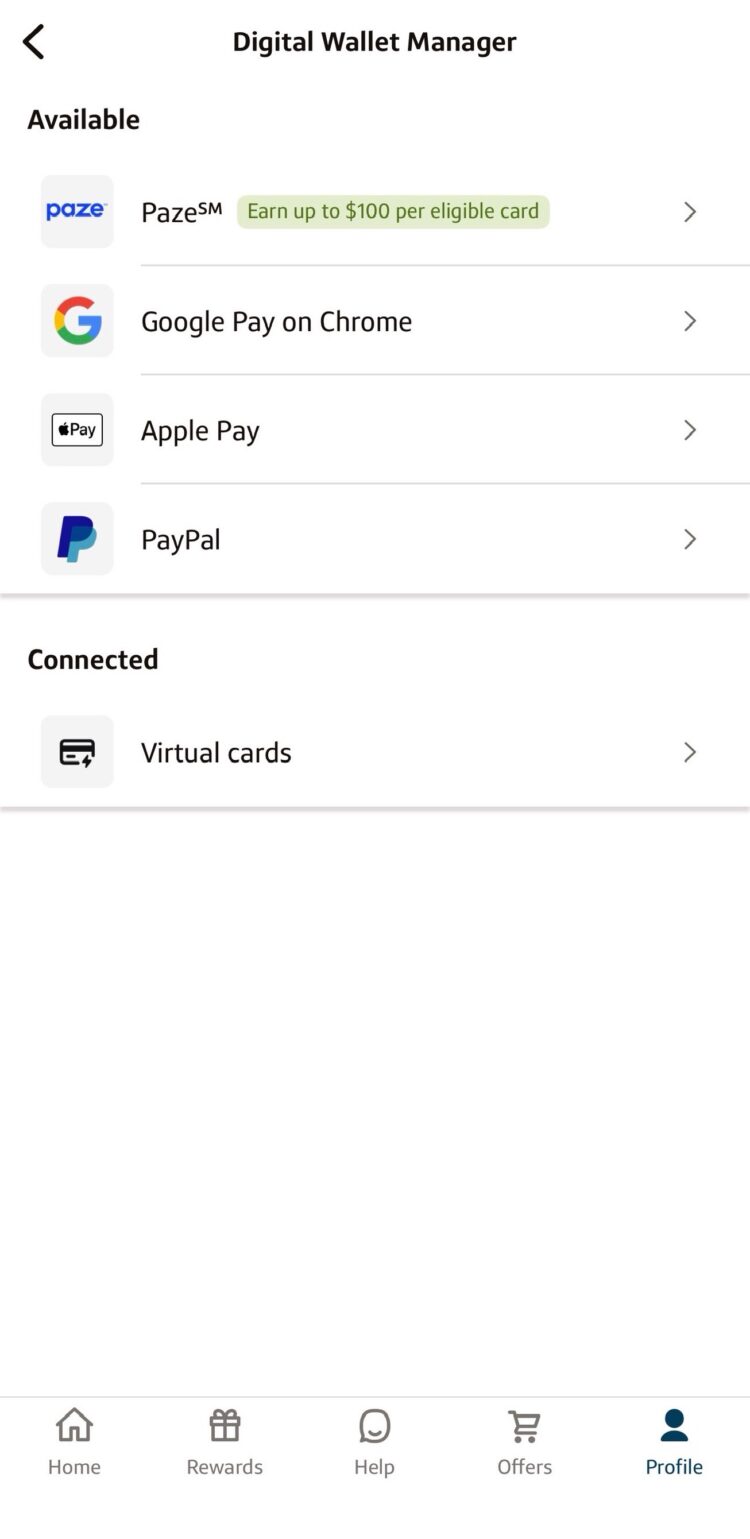
This adds an extra layer of security when checking out at online merchants that accept these two payment methods.
Authorized Users
If you have any authorized users on your account, they will also be able to manage their own virtual numbers for their cards once you have created the cards for them. As these are user-specific, rest assured none of your authorized users or account managers will have any visibility to the virtual card numbers you have generated for yourself and vice versa.
Limitations
Occasionally, you may run into issues using your Capital One virtual card numbers, and this may be for a number of different reasons. Virtual cards, just like normal
All of your virtual card numbers are also associated with your credit card, which is tied to a billing address. If the merchant requires a billing address to complete your purchase, make sure the information you enter matches. Otherwise, your purchase will not go through.
If you created a Capital One virtual card number and have recurring payments set up with it, make sure not to delete or lock your virtual card, as transactions cannot be processed under those conditions.
Lastly, there are some merchants that simply block transactions from virtual card numbers outright, so if you have verified that none of the above conditions are present, your transaction may in fact be declined just because the merchant has chosen not to process the purchase using virtual numbers.
Capital One Credit Cards That Offer a Virtual Card Number
One of Capital One's most valuable features is obtaining a virtual card number immediately upon opening an account. This feature can give you a head start on earning miles or cash back. A spokesperson for Capital One confirmed that most cards are eligible for a Capital One virtual card number.
Below are some personal Capital One cards offering a virtual card number. Clicking a card's name will take you to our review of that card.
- Capital One Venture X
Rewards - Capital One Venture Rewards Credit Card
- Capital One VentureOne Rewards Credit Card
- Capital One Quicksilver Cash Rewards Credit Card
- Capital One Savor Cash Rewards Credit Card

$395
- 10X miles per $1 on hotels and rental cars booked via Capital One Travel
- 5X miles per $1 on purchases through Capital One Entertainment
- 5X miles per $1 on flights when booking via Capital One Travel
- 5X miles per $1 on vacation rentals booked via Capital One Travel
- 2X miles per $1 on all other eligible purchases

$95
- 5X miles per dollar on purchases through Capital One Entertainment
- 5X miles per dollar on hotels, vacation rentals and rental cars booked through Capital One Travel
- 2X miles per dollar on all other purchases

$0
- 5% cash back on hotels, vacation rentals, and rental cars booked through Capital One Travel
- 5% cash back on purchases through Capital One Entertainment
- 1.5% cash back on every purchase, every day
Here are some of the business cards that offer a virtual card, with our review of each:
- Capital One Venture Business
- Capital One Venture X Business
- Capital One Spark Cash Select
- Capital One Spark Cash
- Capital One Spark Cash Plus

$95
- 5X miles per $1 on hotels, vacation rentals and rental cars booked via Capital One Business Travel
- 2X miles per $1 on other eligible purchases

$395
- 10X miles per $1 on hotels and rental cars booked via Capital One Business Travel
- 5X miles per $1 on purchases through Capital One Entertainment
- 5X miles per $1 on flights booked via Capital One Business Travel
- 5X miles per $1 on vacation rentals booked via Capital One Business Travel
- 2X miles per $1 on other eligible purchases

$0 intro for first year;
$95 after that
- 2% Cash Back on every purchase
- 5% Cash Back on hotels and rental cars booked through Capital One Business Travel
Related: All of the Cards That Earn Capital One Miles
Final Thoughts
Virtual credit cards can make online shopping more secure by keeping your actual card details private. With Capital One, you can generate a unique card number for each store or even for a single-use transaction. Plus, Capital One virtual cards integrate with PayPal and Google Pay for added convenience. If you're looking for a simple way to secure your online purchases, Capital One’s virtual credit cards are a great option.