





AwardWallet receives compensation from advertising partners for links on the blog. The opinions expressed here are our own and have not been reviewed, provided, or approved by any bank advertiser. Here's our complete list of Advertisers.
As an AwardWallet Plus member for years, I’ve really come to appreciate all the features that come with the Plus subscription compared to the free service. Beyond just tracking all my points and miles balances — a core benefit of the free version — I’ve come to value several other features. One of my favorites is the AwardWallet Travel Summary.
Let me back up for a moment to highlight another feature. With its ability to compile flight, hotel, rental car, and other travel reservations, AwardWallet is an excellent tool for trip planning. You can use it to keep all your travel plans in one place. Just connect an email account or forward your plans to your dedicated AwardWallet email address, and they’ll be automatically added to your trips. From there, you can organize your trips with ease.
Post-travel is when the AwardWallet Travel Summary really shines. This is how you'll see all the key stats from your trips over the years.
Don't have an AwardWallet account yet? Sign up for free and track unlimited
Page Contents
How to Find and Use the AwardWallet Travel Summary
The AwardWallet Travel Summary Report is both awesome and helpful. As much as I enjoy reading and writing, I’m still a numbers guy at heart. So a feature that tracks your completed travel and gives you stats is right up my alley. If you’re already tracking your travel plans in AwardWallet, using the Travel Summary Report is a cinch. The two work together seamlessly.
Related: 3 Powerful AwardWallet Tools to Maximize Your Rewards
How to see your travel stats
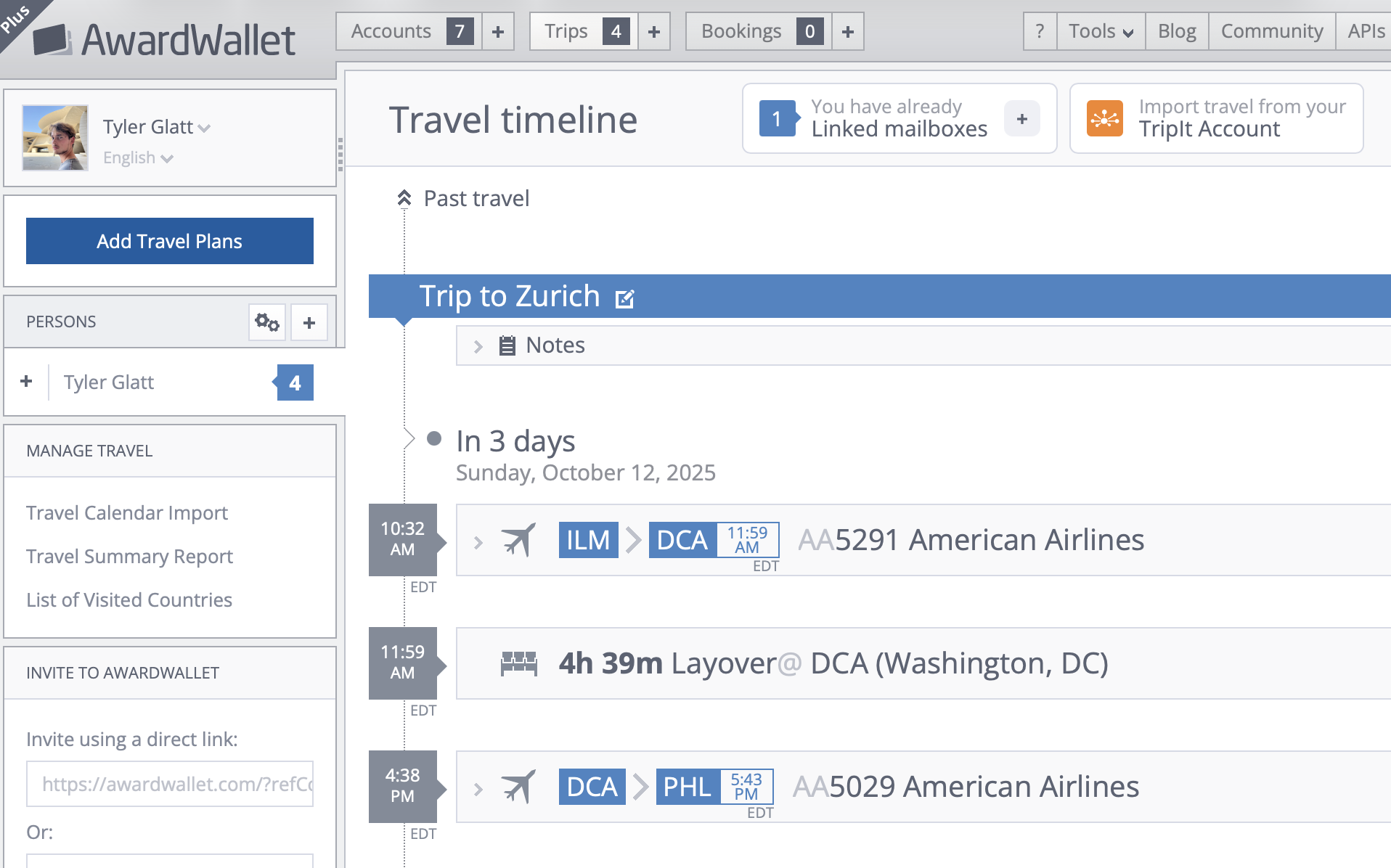
To access your AwardWallet Travel Summary, you’ll first need to log in to your AwardWallet account and then click on “Trips.” You’ll then see a link to your Travel Summary Report in the left sidebar under “Manage Travel.”
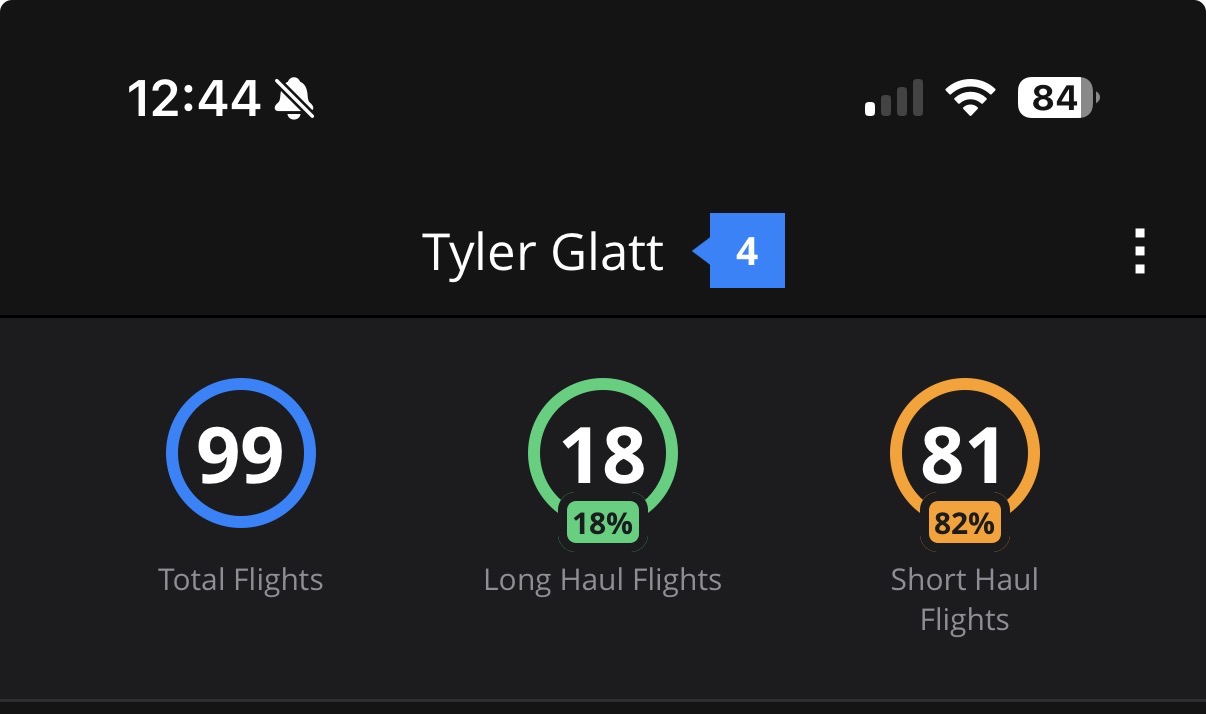
If you’re accessing the AwardWallet Travel Summary from the app, head to “Trips” there as well. At the top of the page, you’ll see summary stats for your travel this year. Tap any of the three items, and you’ll be taken to the map where you can explore past years’ travel and see more details.
Related: How to Use the AwardWallet Lounge Tool to Find All the Airport Lounges You Can Access
Features of the travel summary
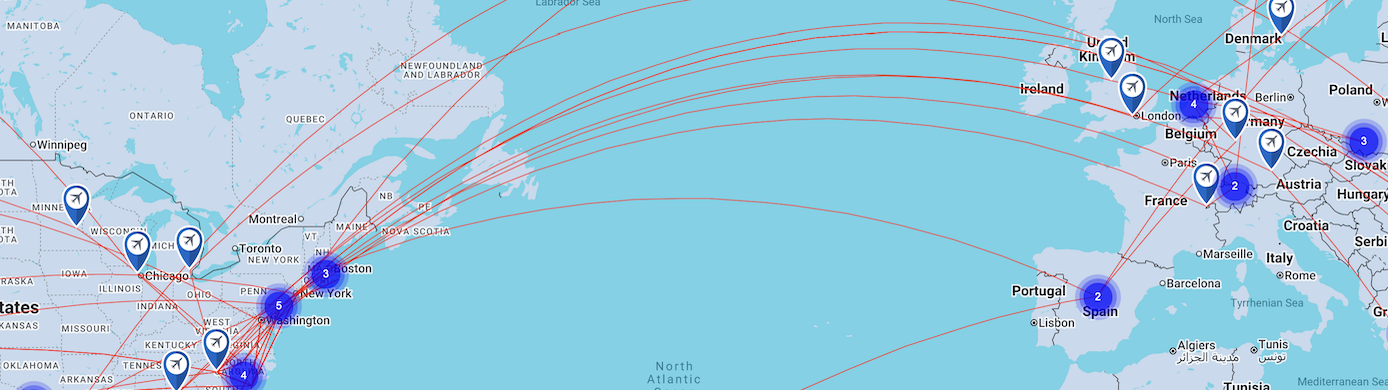
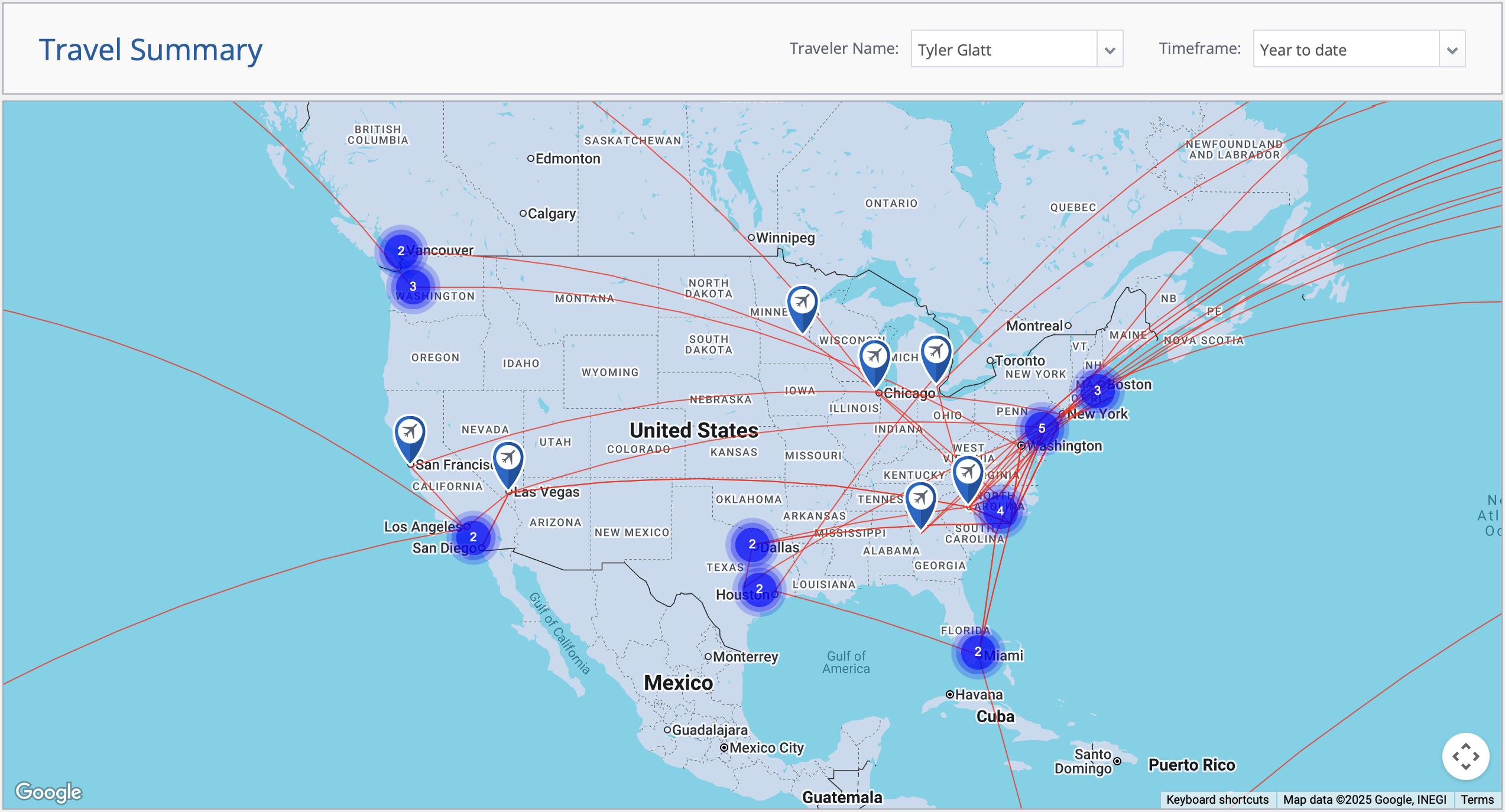
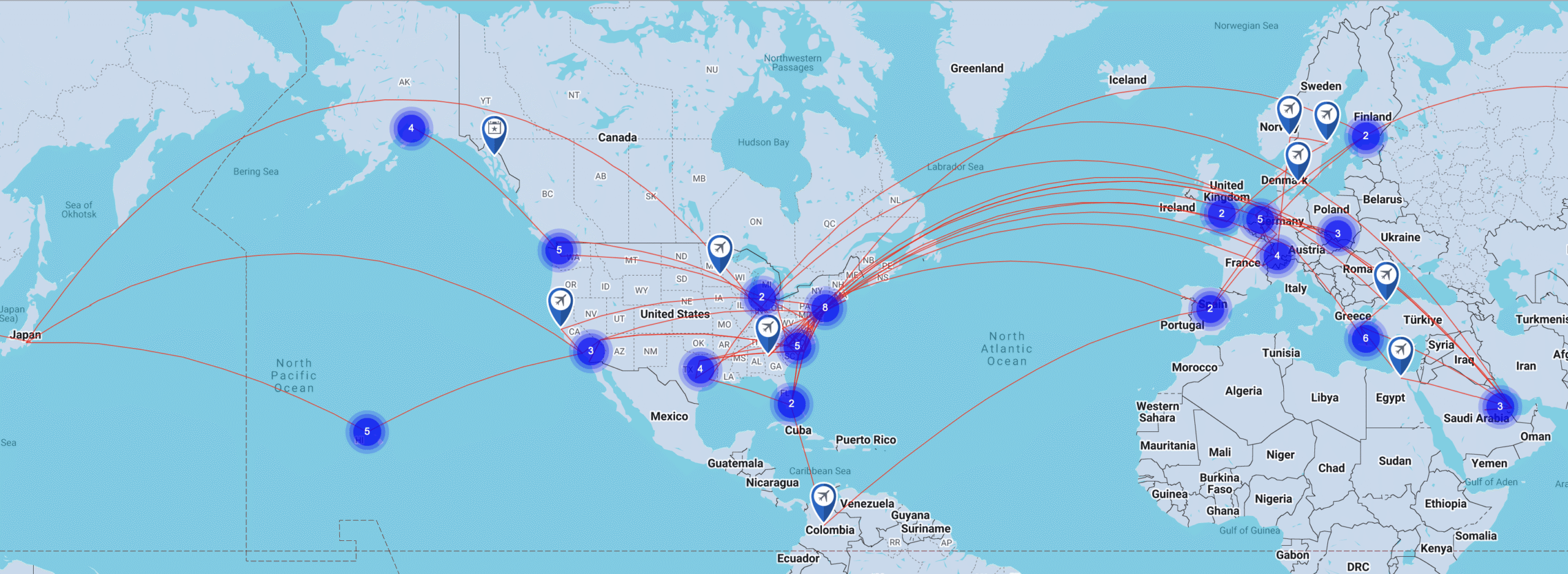
The AwardWallet Travel Summary starts by showing you a map of your travels for the current year. This is the default landing page when you open the feature in a browser. From there, you can zoom in, zoom out, and pan around the map.
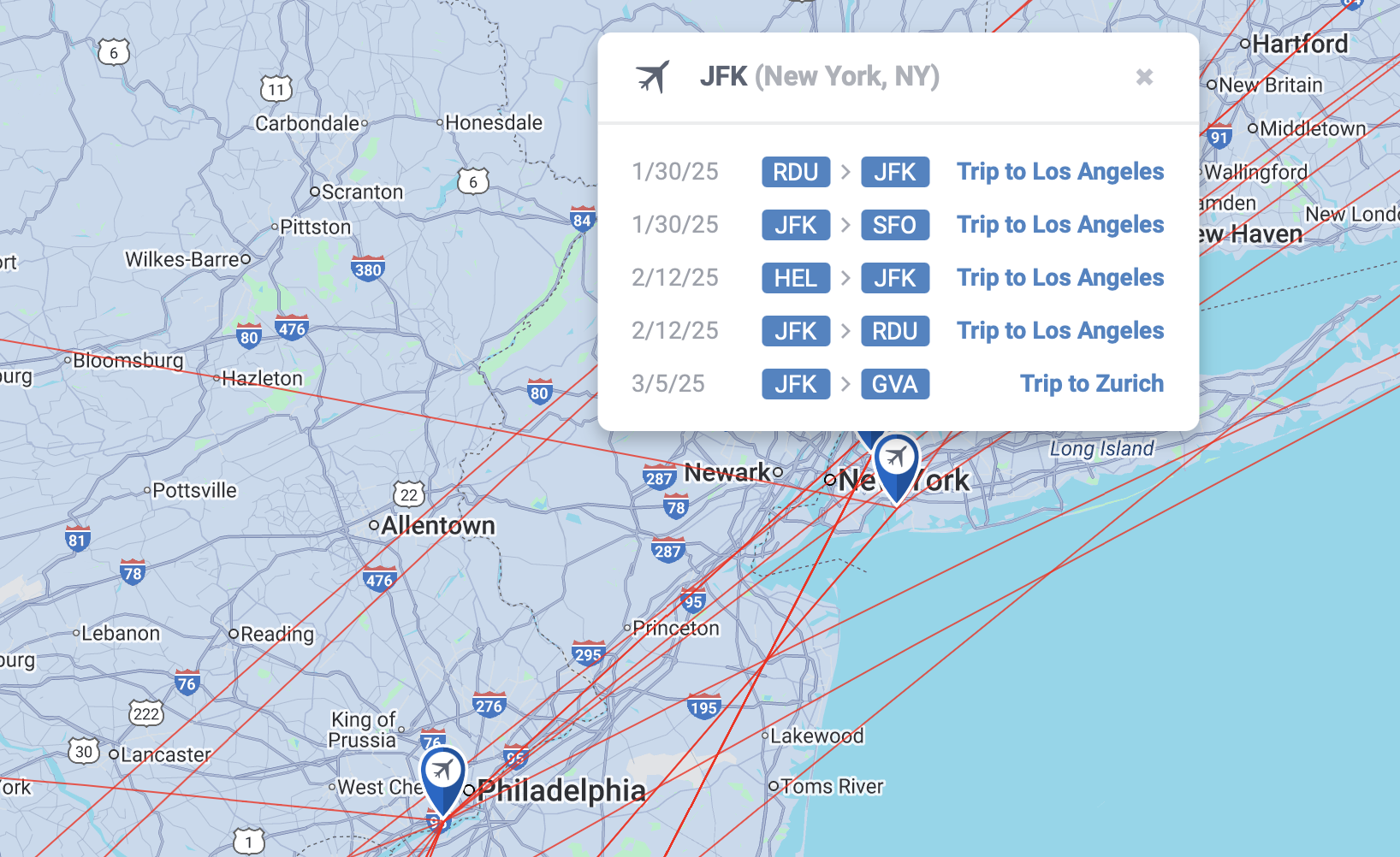
If you click on an airport, you’ll see the individual flight logs linked to it. For example, here’s my travel activity out of New York (JFK) so far this year:
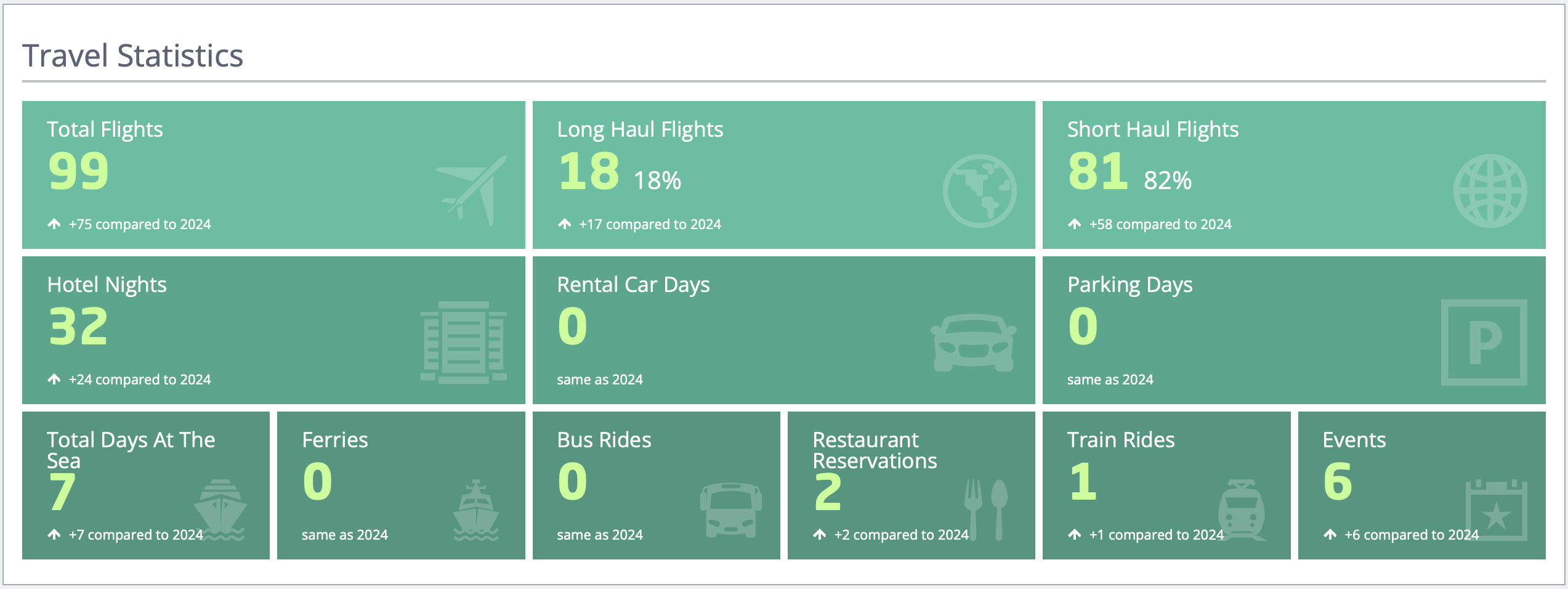
As you scroll down the page, you’ll find a set of travel summary stats. This includes your total flights, broken down by long-haul and short-haul. You’ll also see other stats like total hotel nights, days at sea, train rides, and more.
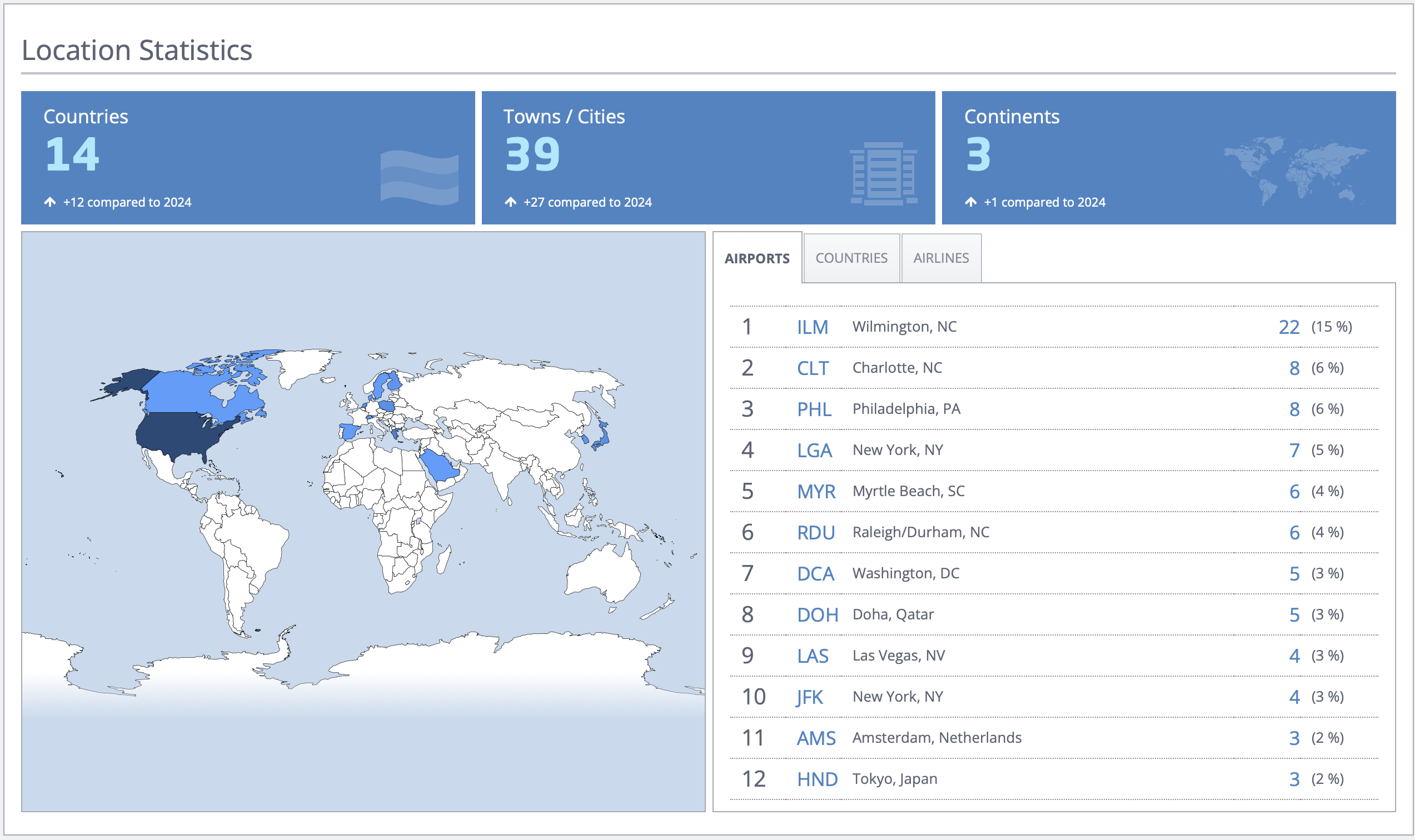
Right below that section, you’ll find location statistics showing how many countries, towns, and cities you’ve visited, along with the number of continents. AwardWallet also displays the airports you’ve flown out of and the airlines you’ve traveled with.
At the very bottom, you’ll see the total distance you’ve traveled, along with the equivalent number of times you’ve circled the globe.

Scrolling back to the top, I looked through my travels from previous years. Since I’ve gotten in the habit of adding all my trips to AwardWallet, the flight maps were mostly accurate for this year. To change the timeframe, just use the list input in the upper right. Here are my travels so far in 2025:
One helpful feature I don’t want you to miss is the country entry/exit export tool. This can be especially useful if you need to apply for a
Related: How to Track Your Travel Plans With AwardWallet
Making your travel summary more accurate
As I dug through what AwardWallet was showing, I noticed a few trips were missing. In particular, a couple of my work trips on United Airlines didn’t appear. Fixing this was easy. I went to my email, pulled up the original itineraries, and forwarded them to my dedicated AwardWallet inbox.
That said, this doesn’t always work with older itineraries. I tried sending some of my past trips, and the automatic import didn’t pick them up. To get those into your AwardWallet Travel Summary, you’ll need to enter them manually.
Related: Supercharge Your AwardWallet Account by Connecting Your Email
I also noticed that some trips I hadn’t actually taken were showing on the map. This was confusing at first, but it turned out I’d forgotten to remove a few canceled trips from my AwardWallet travel timeline. I’d also left in flights I’d booked for my parents.
Fortunately, fixing this is simple. Just click on one of the airports linked to the trip, then open the flight log for that trip. From there, you’ll be taken to your trip timeline where you can delete it.
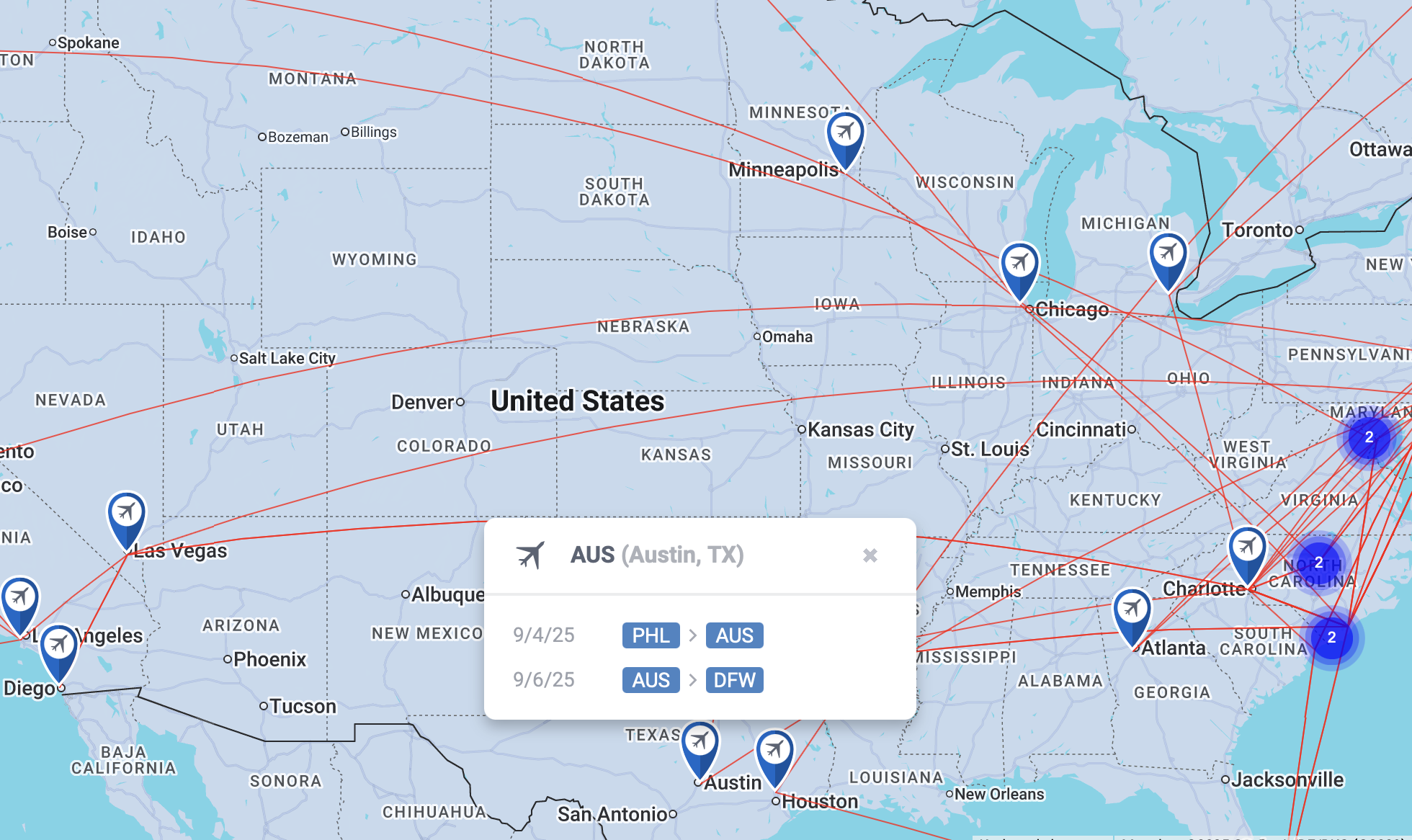
And don’t worry; you can still view deleted trips by selecting “Show Deleted Segments” or by loading this page. The Travel Summary map is definitely the easiest way to track down missing or canceled trips.
Final Thoughts
The AwardWallet Travel Summary is a great feature. I already log my travel in myFlightradar24, which lets me add details like aircraft type, tail number, and even my assigned seat. The AwardWallet feature isn’t quite as detailed as the other service, but I still find a lot of value in using both.
What really sets the AwardWallet Travel Summary apart, though, is how easy it is to use. Since your trips are imported automatically, you save a ton of time compared to manually logging flights.
Plus, it also makes AwardWallet even more of a one-stop shop for tracking your travel. Almost everything happens automatically.
By using the AwardWallet Travel Summary, you’ll be able to keep an eye on where you’ve been and where you’re headed, enjoy some interesting stats about your travel, and avoid the headache of trying to recall every country you’ve visited the next time you’re filling out a form that asks for this information.