






AwardWallet receives compensation from advertising partners for links on the blog. The opinions expressed here are our own and have not been reviewed, provided, or approved by any bank advertiser. Here's our complete list of Advertisers.
If you’ve got a stash of points and miles but aren’t quite sure where to go, Point.me’s Explore tool offers a helpful starting point. It provides a bird’s-eye view of award flight options across multiple destinations, making it easier to find trips you can book with points, even if you don’t have a specific place in mind.
And luckily for you, the Point.me Explore tool just got a huge refresh, complete with a ton of new exciting features. Here's how the Point.me Explore tool can help you pick a place to go, based on your available
To use the Point.me Explore tool, you'll need a paid membership. Subscriptions typically start at $19.99 per month or $129 per year for a Standard plan, while the Premium Plan costs $260 per year. Use Point.me promo code “AWARDWALLET4” to save 25% on annual plans (pay just $95.99 for Standard or $193.47 for Premium).
The Point.me Explore Tool
For the unfamiliar, Point.me is a tool that searches several airline
If you’re not sure where to go, Point.me's Explore tool can help you sort through options. You can enter your departure airport and a range of travel dates, then browse destinations all over the world. The Explore tool got a huge refresh in 2026, with a brand-new look and a variety of helpful filters to help you find the perfect place to go.
The most revolutionary update to the Explore tool is that it now shows real-time results. The tool pulls live data for hundreds of the most popular routes (or more) worldwide. Plus, if any consumer searches for a route (whether on Point.me or a linked travel portal), it will appear on Explore for the hour after the search, with data refreshed every 20 seconds. This real-time availability is shown for all paid Point.me users on both standard and premium plans.
If you want even more help, you can use Point.me's more expensive
Related: Which Flight Award Availability Search Tool Is Best?
How the Explore tool works
After you've signed in, click “Explore” in the top menu bar. The newly refreshed Explore page displays some example flights on the map from all top origin airports to anywhere in the world over the next two weeks.
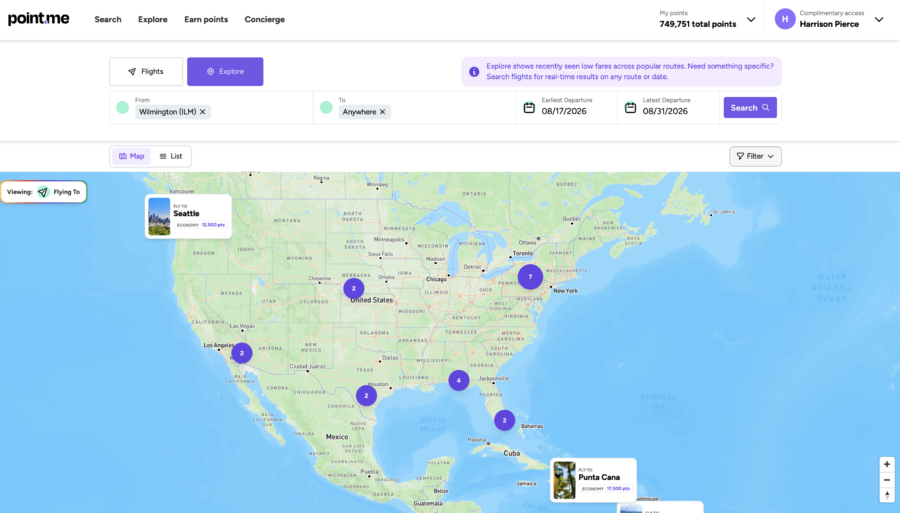
First, enter your departure airport (which can be a specific airport, a region, or all top departure airports), your destination airport (which can be a region or anywhere in the world), and your date range. If you're flexible on dates, you can search up to a year at a time.
Once you’ve entered your criteria, click “Search” to view your results. You can take advantage of a variety of helpful filters, including the opportunity to “Search with my points,” so the results displayed are bookable with the points you have linked to your Point.me account. This is a huge improvement.
For instance, let's say you have a stash of
Now, you can explore destinations to travel to using only points and miles you have available. You can also set your maximum points cost in both economy and business to filter out results that are far too expensive.
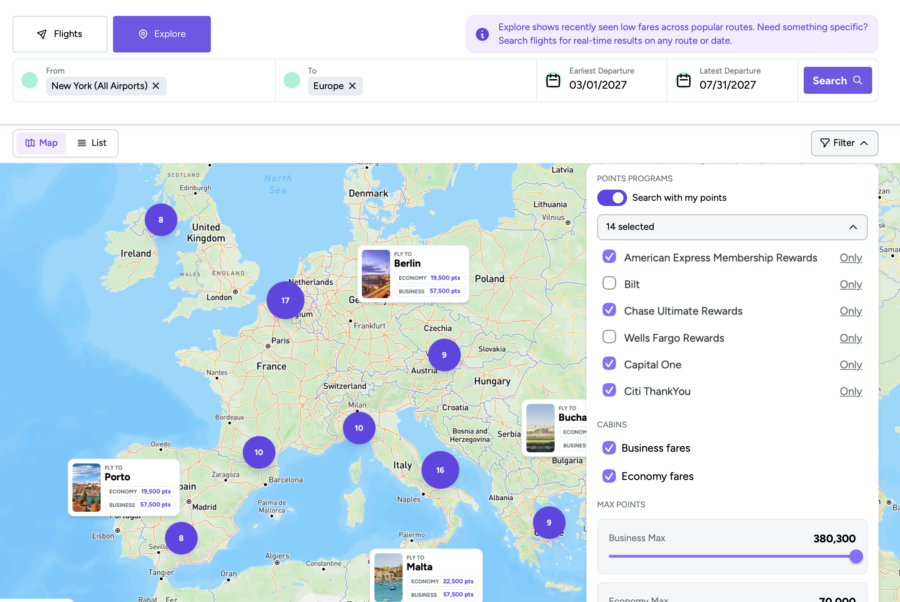
Once the results start rolling in, you’ll see available flights spread throughout the map. You can zoom in and out to see different airports and compare award pricing between cities right from the map.
For instance, here are the results for a search from New York to Europe in business class from March to July 2027 using my points. I zoomed in to focus on Hungary, Austria, and Croatia:
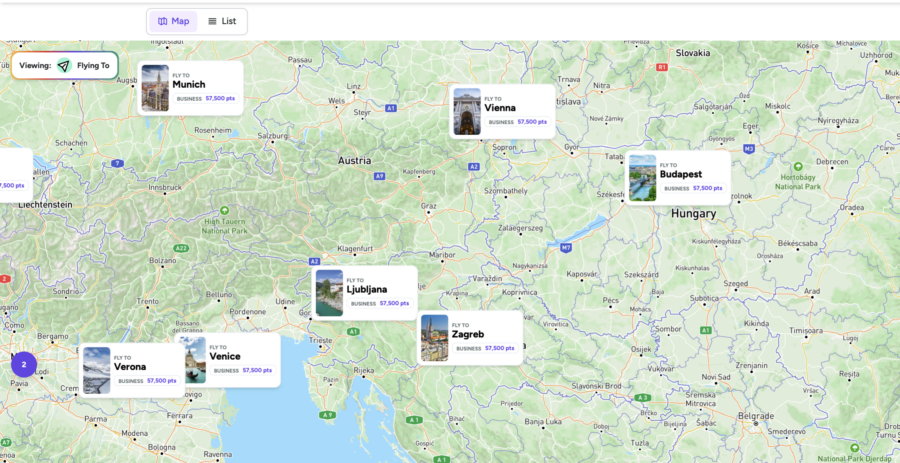
When you click on a destination, you'll see an award calendar. Green dates show good award pricing, while red dates reflect high award pricing.
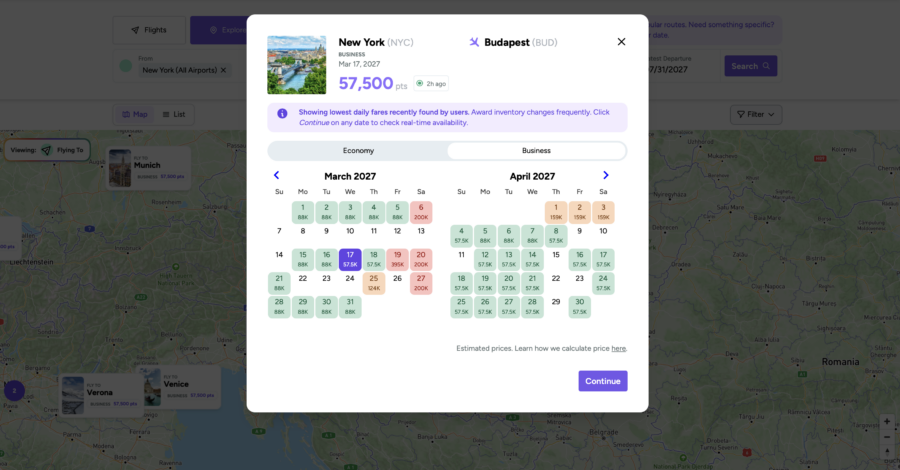
Select your date from the calendar, click “Continue,” then click “Search flights” on the pop-up. You’ll be taken to Point.me’s standard search results page. Your Explore criteria will carry over, and the results will begin populating automatically.
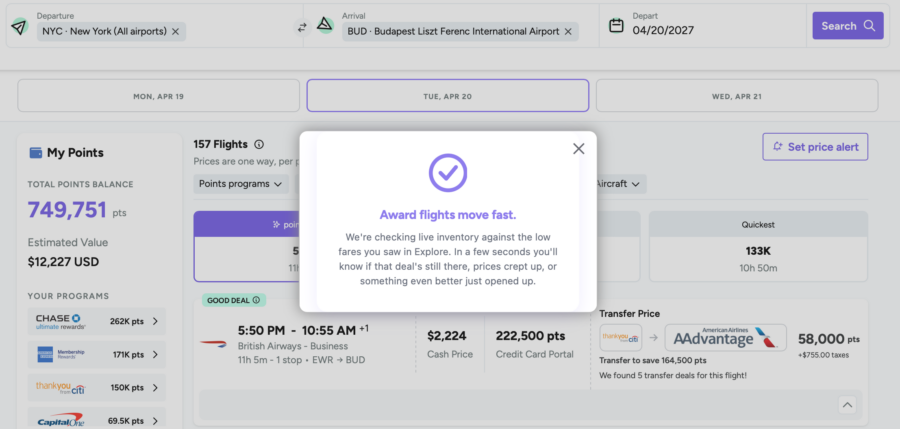
From there, you can refine your results by filtering for points programs, airlines, cabin, number of stops, times, airports, and even aircraft. You can also sort results in a few different ways — the Point.me pick, fewest points, or quickest journey.
And, as with typical Point.me searches, you'll get a snapshot of the currencies you can transfer to make the booking. You'll now also see the cost of the flight in cash and how many points it would require if you booked through a travel portal. That typically makes the transfer price look substantially better.
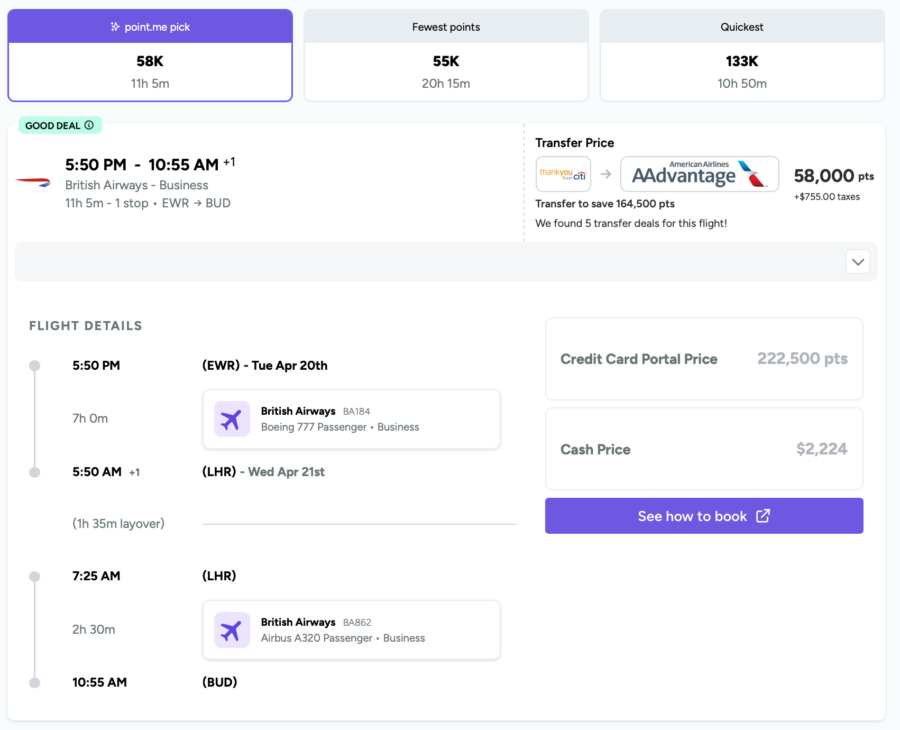
For instance, you could spend 225,500
From there, the final steps are to confirm availability with the airline, transfer points (if necessary), and complete your booking. It's that easy.
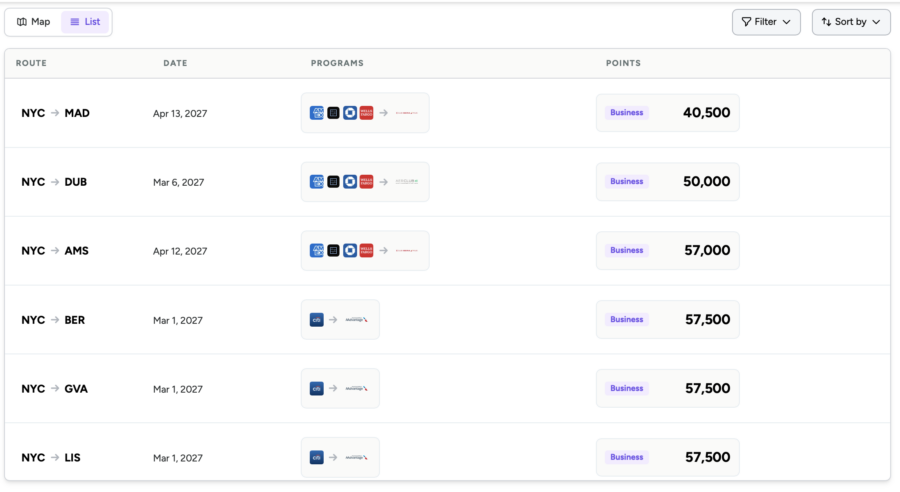
The new Explore tool also offers a list view if you prefer to sort through results that way. You'll be able to see the route, date, number of points or miles required, and the program you can use to book. When you click on a route, you'll be taken to the search results page where you can follow the same process to book your flight.
The biggest gripe we had with the old Explore tool was that the results you saw were often extremely outdated. It wasn't all that uncommon to see listings in the Explore tool that were weeks or months old. Award availability and pricing can change on a dime, so that wasn't all that helpful.
After some rigorous testing, we're thrilled to report that this has significantly improved, and the new tool features much more up-to-date availability. However, no tool is perfect, so it may still show some incorrect fares. Phantom award availability is sometimes inevitable, and any newly updated tool that features such an impressive swath of data is bound to have the occasional mishap.
You'll need to use some common sense — if an award sounds too good to be true, it probably is. Always confirm real-time availability before you transfer your points.
Related: Which Credit Card Should You Use to Pay Award Taxes and Fees?
Final Thoughts
Whether you're indecisive or just looking for another way to explore all the places your points can take you, Point.me's Explore tool is a handy resource to keep in your back pocket. To try it out, head over to Point.me and start planning your next vacation. You'll likely find that the new Explore tool is significantly more useful than the old one.
And if you haven't already signed up for a Point.me premium membership, make sure to use promo code AWARDWALLET4 for 25% off.