





AwardWallet receives compensation from advertising partners for links on the blog. The opinions expressed here are our own and have not been reviewed, provided, or approved by any bank advertiser. Here's our complete list of Advertisers.
Shopping portals are an easy way to earn extra rewards on everyday purchases. Shops Away, Virgin Atlantic’s shopping portal, lets you earn Virgin Points on eligible purchases. Here are the details and how Shops Away stacks up against other online shopping portals.
Virgin Atlantic Shops Away Shopping Portal Overview
Virgin Atlantic Shops Away is a shopping portal that lets Flying Club members earn Virgin Points on eligible online purchases. There are separate U.S. and UK portals, each with its own set of merchants based on country and currency. So, pay attention to which country shows up in the top right corner of the page.
Unlike other airline shopping portals, Shops Away doesn’t run frequent bonus promotions.
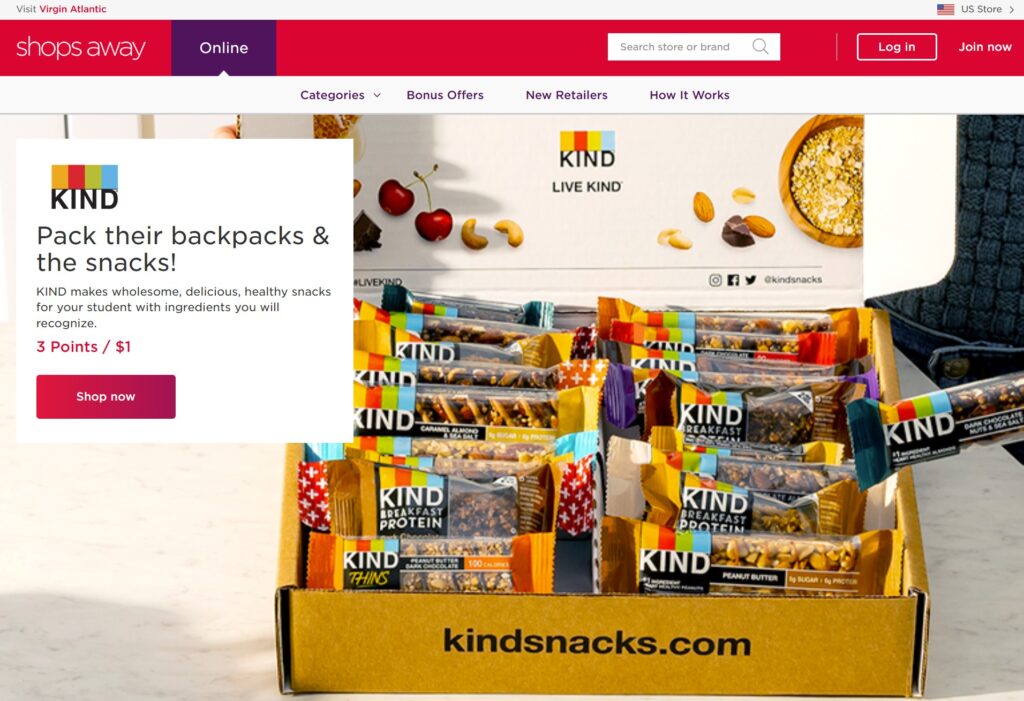
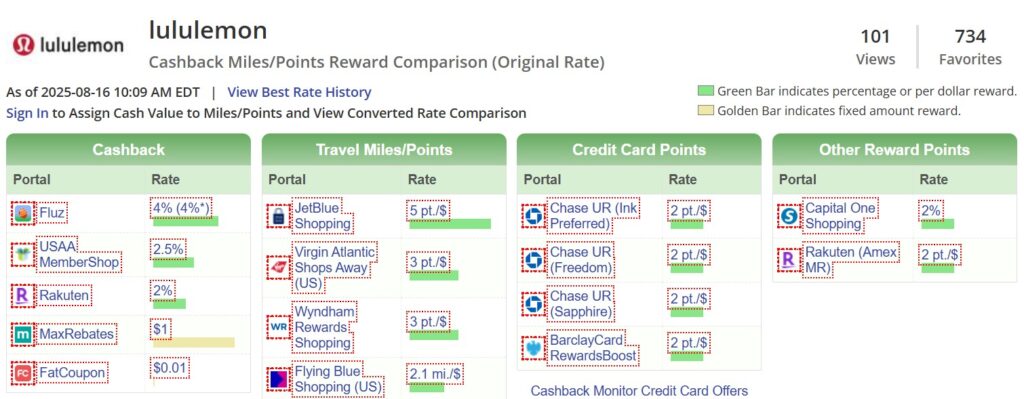
That said, you’ll still find regular opportunities to earn extra points. In some cases, Shops Away even offers the highest rewards among airline portals for certain retailers. For example, here's how it stacks up for Lululemon purchases:
As with other portals, not all purchases qualify. You won’t earn points on gift cards, gift certificates, cash equivalents, taxes, or delivery charges.
To maximize rewards, pay with a credit card that offers bonus points for online purchases. This lets you double-dip by earning both credit card rewards and Virgin Points.
Our Take
If you’re a Virgin Atlantic Flying Club member, it may be worth using the Shops Away shopping portal. Ultimately, the value depends on how you value Virgin Points and where you can find the best return. Be sure to check Cashback Monitor to compare shopping portals and ensure you’re getting the best deal.