




AwardWallet receives compensation from advertising partners for links on the blog. The opinions expressed here are our own and have not been reviewed, provided, or approved by any bank advertiser. Here's our complete list of Advertisers. Offers for Bank of America cards mentioned in this post have been updated as of 10/02/2026
Offers for the Bank of America® Premium
Most banks now have an internal portal for cardmembers to book travel. You've likely heard about (or used) Chase Travel℠,
These travel portals let you use your hard-earned rewards to book flights, hotels, and activities available on the platform, or you can use a linked credit card to earn bonus points on your purchase.
Well, Bank of America wants to stay competitive in a continuously evolving market, and it just enhanced its travel portal. Here's everything to know about booking travel through the Bank of America Travel Center.
What Is the Bank of America Travel Portal?
Bank of America's recently revamped portal, the Bank of America Travel Center, allows you to book travel with over half a million hotels worldwide, 170 airlines, 170 rental car companies, and a whopping 400,000 activities.
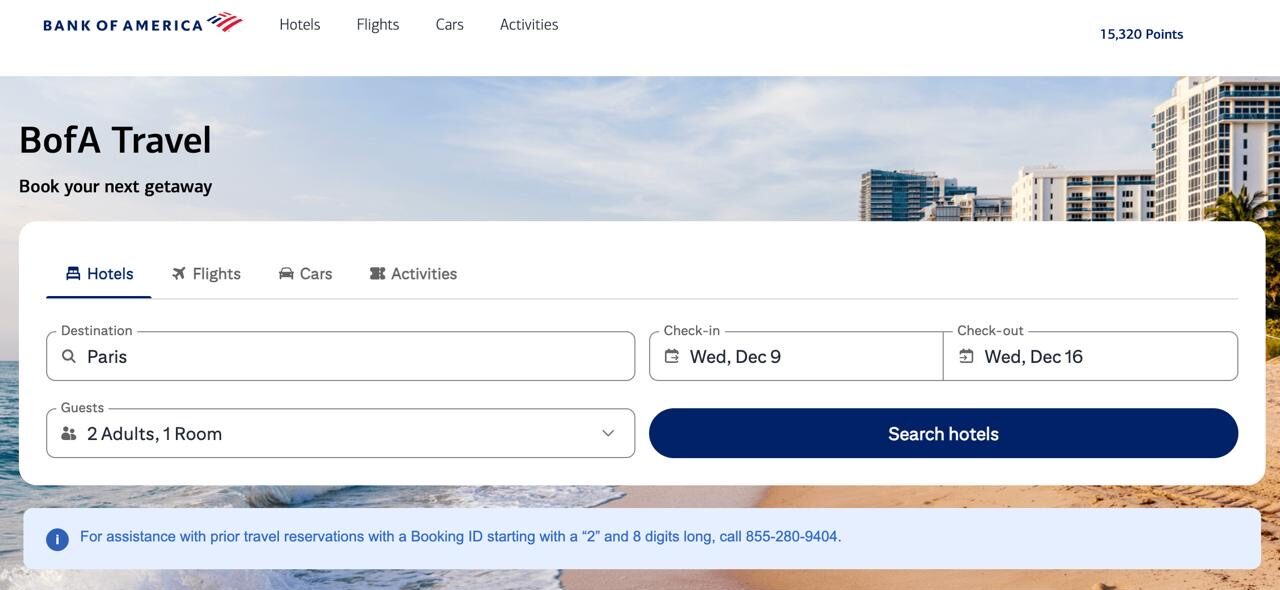
The Bank of America travel portal engine is powered by Rocket Travel by Agoda. You may be more familiar with other brands under the same parent company: Booking.com, Priceline, Kayak, OpenTable, Rocketmiles, and a few other travel-related brands.
Who Has Access to the Bank of America Travel Portal?
For now, only a few Bank of America cards have access to the Travel Center. However, not all cards have the ability to redeem rewards for the travel available through the portal, and that's simply because not all cards earn travel rewards.
Use rewards and/or card as payment:
- Bank of America® Premium Rewards® credit card
- Bank of America® Premium Rewards® Elite Credit Card
- BankAmericard® credit card
It's interesting that Bank of America includes the BankAmericard credit card in this category, since it doesn't actually earn rewards.
Use card as payment:
- Bank of America® Travel Rewards credit card
- Bank of America® Customized Cash Rewards credit card
- Bank of America® Unlimited Cash Rewards credit card
Bank of America has teased that it expects to roll out access to the Travel Center to other cards in the future as it expands its offering.
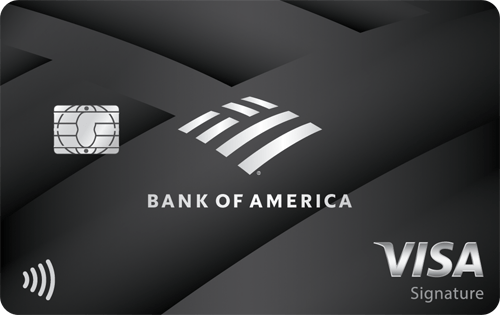
$95
- 2 points for every $1 spent on travel and dining purchases
- 1.5 points per $1 spent on all other purchases

$550
- 2 points for every dollar spent on travel and dining purchases
- 1.5 points per dollar on all other purchases
$0
How To Use the Bank of America Travel Portal
You can either go directly to the Bank of America Travel Portal website or access it through your usual account login by going to the Rewards tab and then clicking “Redeem points.”
If you used a travel portal before, you shouldn't have any issue navigating the new Bank of America travel portal. It's powered by Rocket Travel by Agoda, which is the same provider as the Citi Travel portal and several other portals. It offers most of the same features, allowing you to book flights, hotels, rental cars, and even activities. Here's how.
How to book flights on the Bank of America Travel Center
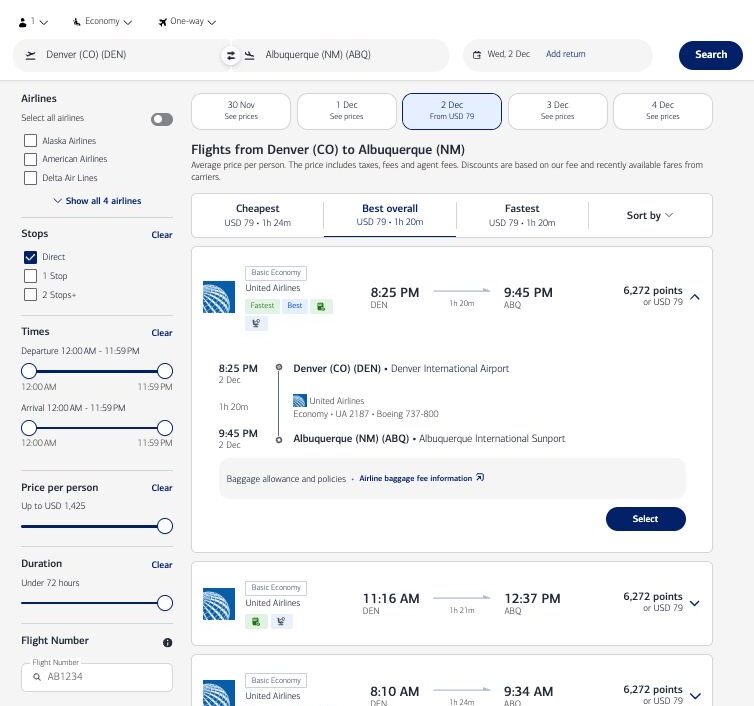
Booking flights couldn't be easier. Click the “Flights” tab, then enter your departure and arrival airports, dates, number of passengers, cabin class, and whether this will be a round-trip, one-way, or multi-city flight. Next, click “Search flights.”
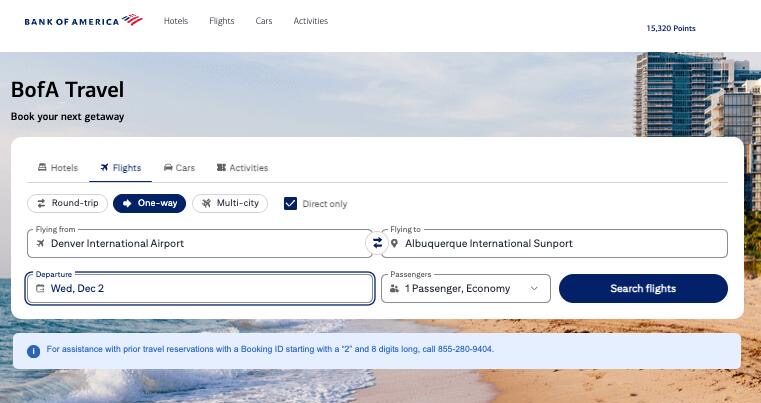
You can then narrow the search results using the filters on the left-hand side of your screen: operating airline, number of stops, time of day, price, and more.
Click on a result to see additional details for that flight, including pricing in both cash and points, flight numbers, and connection information. Once you've found flights that work for you, just click “Select.”
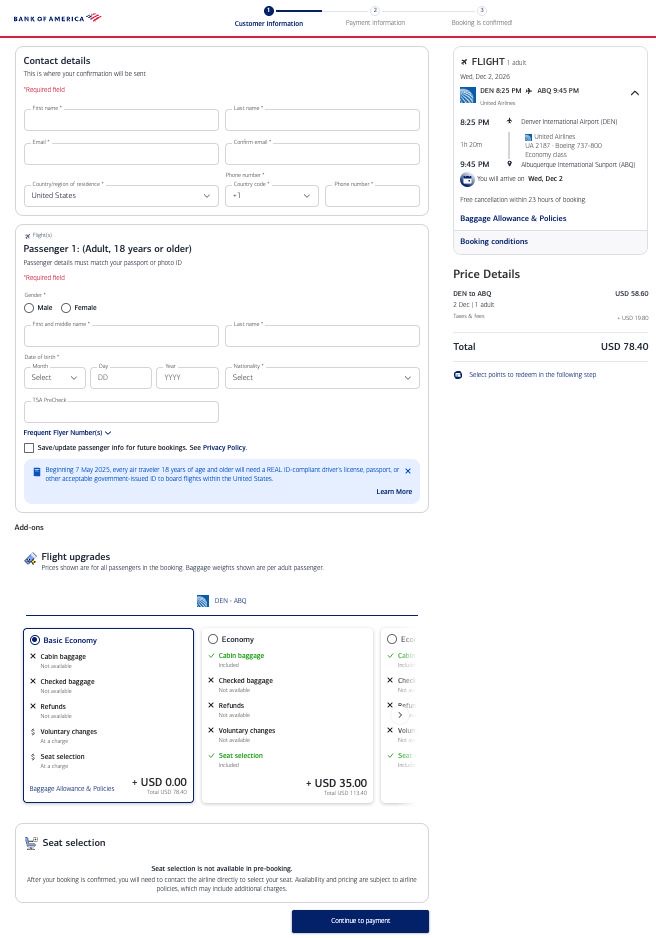
Next, enter all passenger information for the booking, choose the cabin class and fare you want, and select any available extras for your flights. To proceed, click “Continue to payment.”
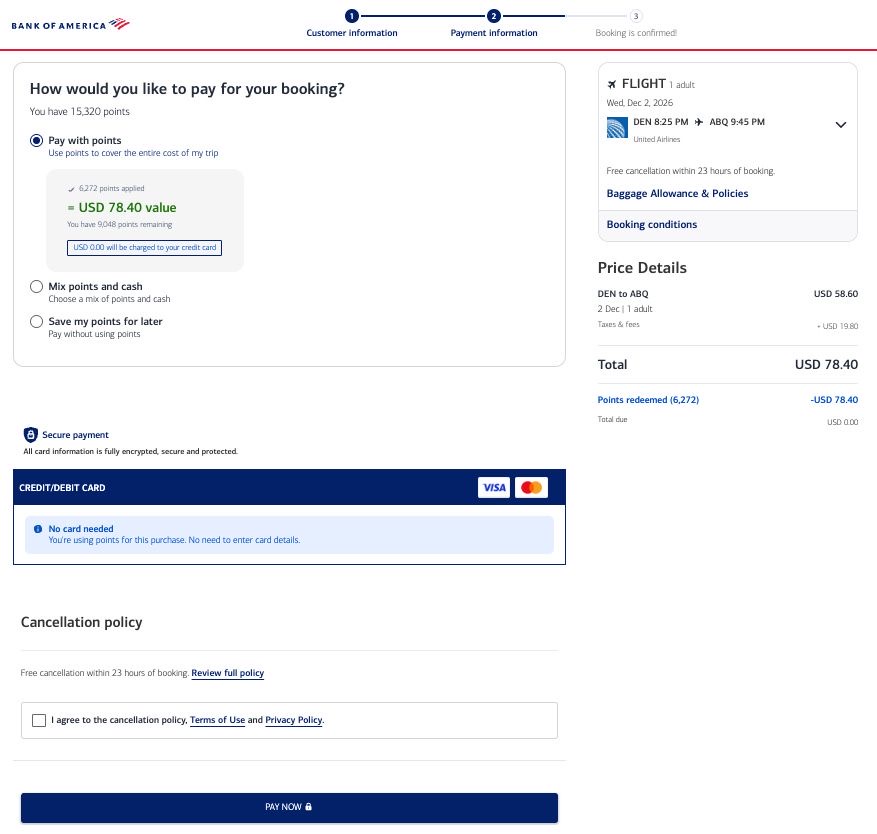
You'll be offered the option to pay with points, a mix of points and cash, or your card, with pricing for all options clearly shown onscreen. Once you've made up your mind, click “Pay now.”
You will receive an onscreen booking confirmation and an email confirmation in your inbox.
How to book hotels on the Bank of America Travel Center
You can use the Bank of America Travel Center to book hotels just like you would on any other online travel portal. Click the “Hotels” tab, enter your destination, desired check-in and check-out dates, and the number of passengers, then click “Search Hotels.”
You will see all results matching your search, which you can further refine using the filters provided.
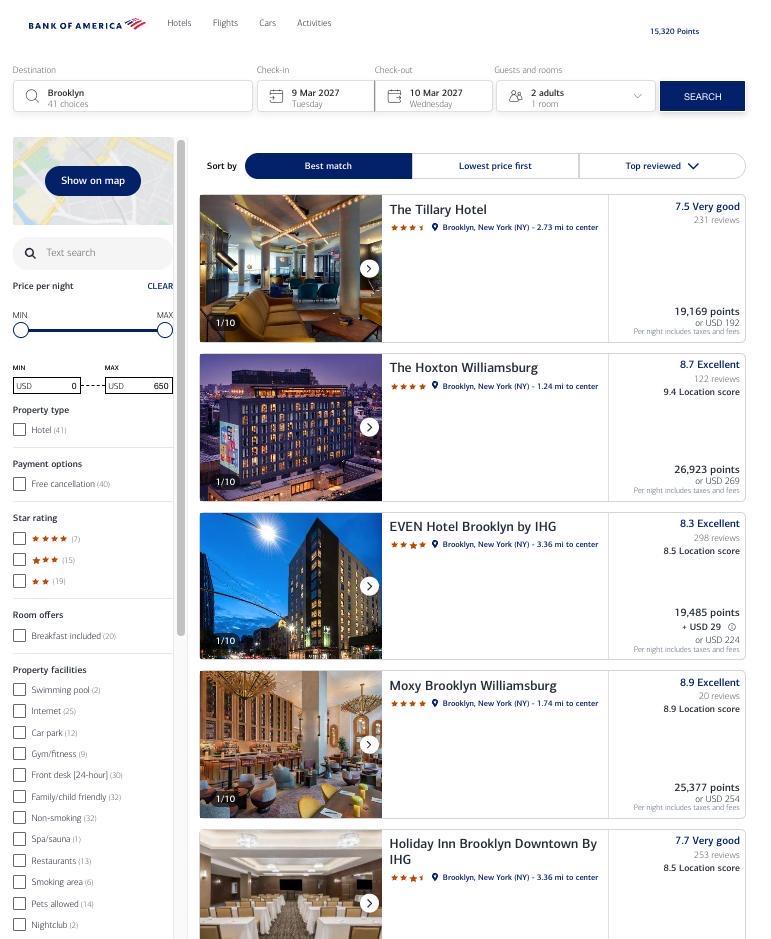
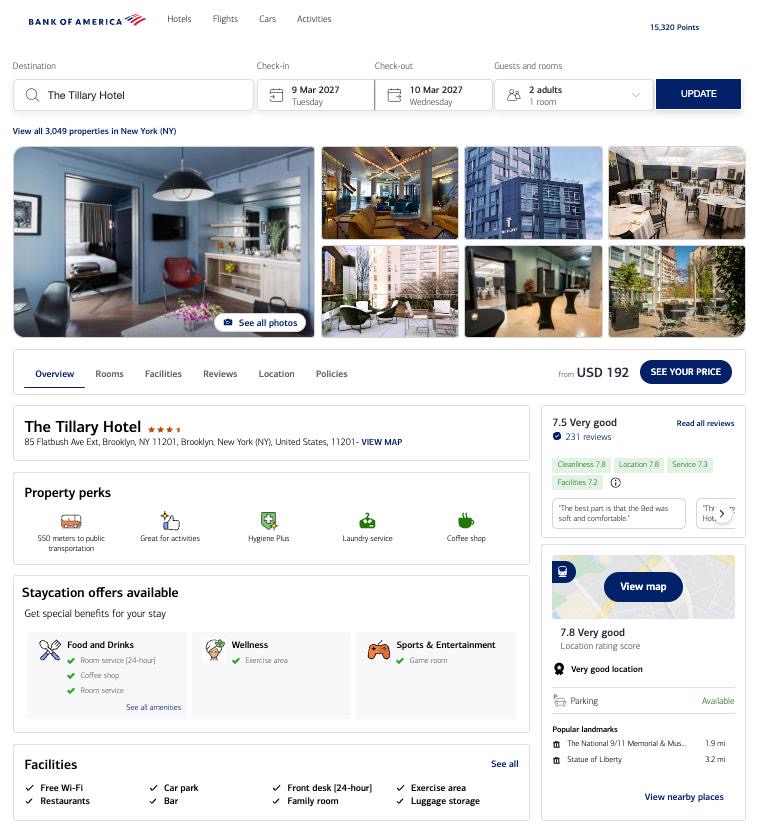
Clicking on a result will pull up all the details for the specific property, including several photos, pricing, and hotel amenities. Once you're ready to move forward, click “See your price.” All prices will display, showing the points and cash cost.
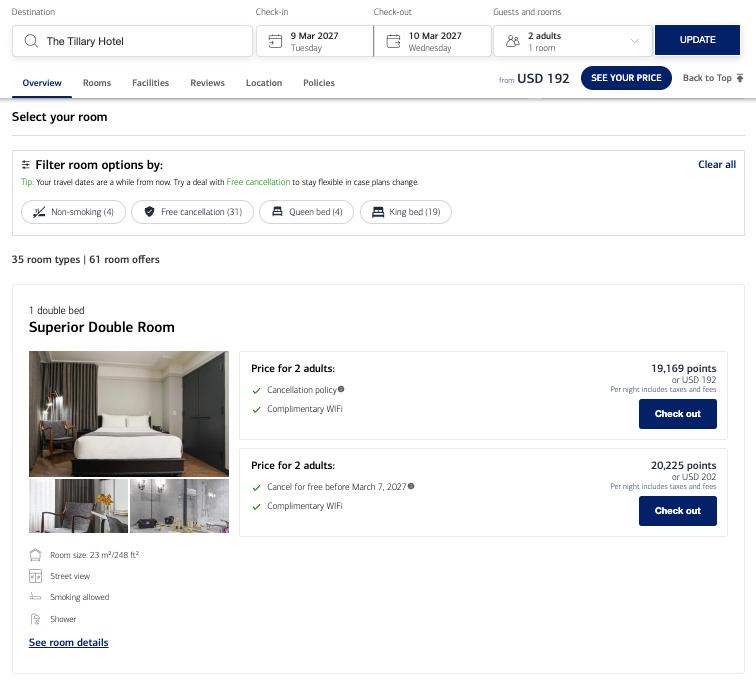
All room types and rates will be shown for you to select, and once you find one that works for you, click “Check out” and follow the prompts to enter your information and check out using your rewards or charge to your credit card.
You'll follow the same checkout process as when booking flights. Enter your contact information and select whether you'll pay with your points, a credit card, or a combination of both. If you don't have enough points to cover the full cost, the system will offer the other two options instead. If you're using a card, enter your card information, then click “Pay now.”
How to book rental cars on the Bank of America Travel Center
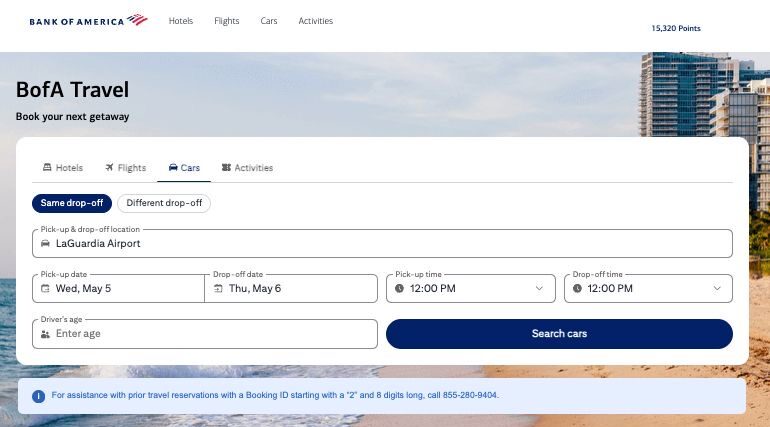
Rental car reservations through the Bank of America travel portal are just as simple. Click the “Cars” tab, then enter the pick-up and drop-off locations, dates and times, and the driver's age before clicking “Search.” You can choose to pick up and drop off at the same location or do a one-way rental to a different location.
You can slice and dice your results using the filters to show or remove specific rental agencies, vehicle types, pricing, and more. Each result shows pricing in points or cash, plus other pertinent information to help you decide.
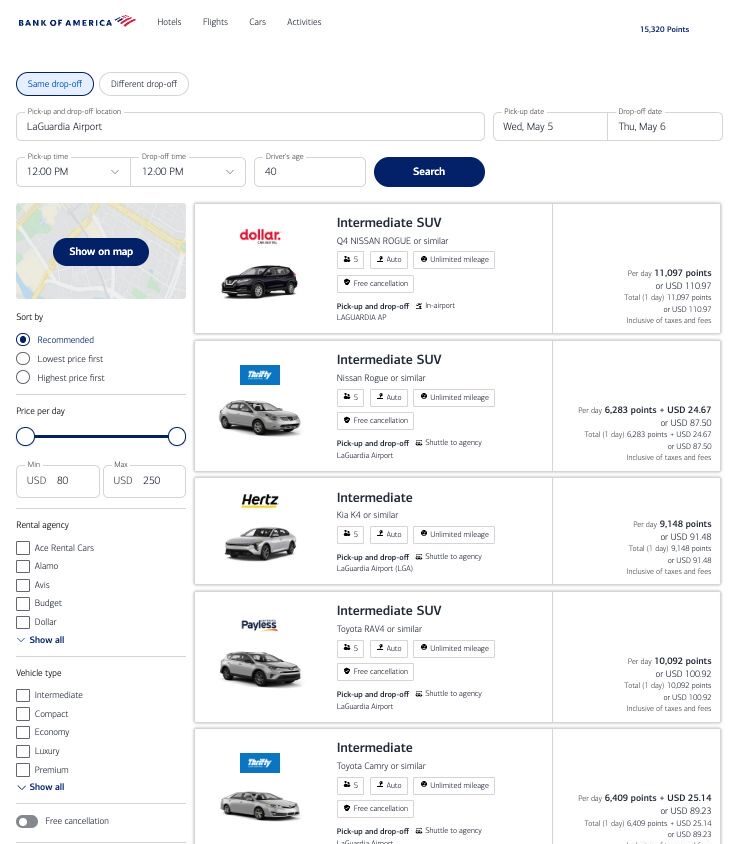
Clicking any result expands the booking details, then lets you click “Check out” to move forward with the reservation.
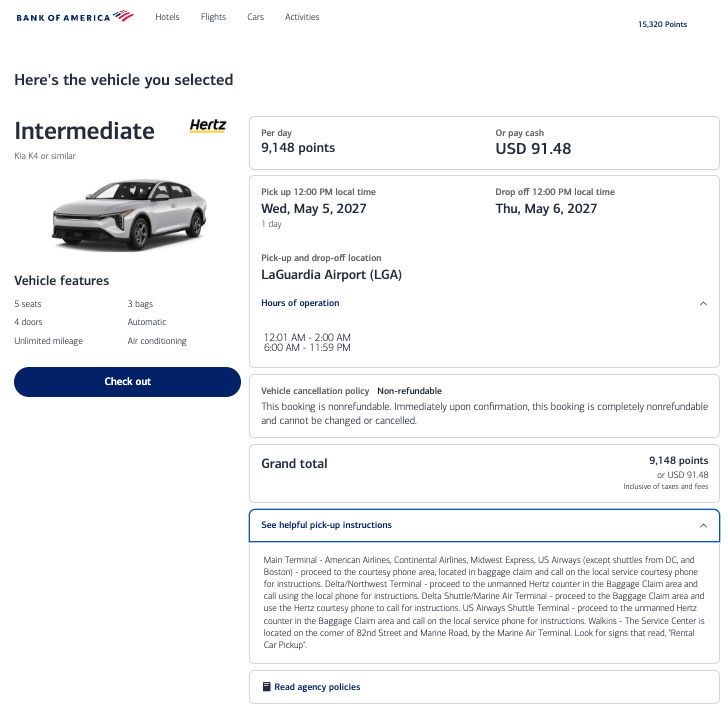
You'll once again follow the same process — enter your contact details (including driver information), select how you'd like to pay for your reservation, and complete the booking.
How to book activities on the Bank of America Travel Center
Finally, the Bank of America travel portal consolidates virtually endless activities you can book with points or cash. To get started, click “Activities” and enter the city you want to run your search for.
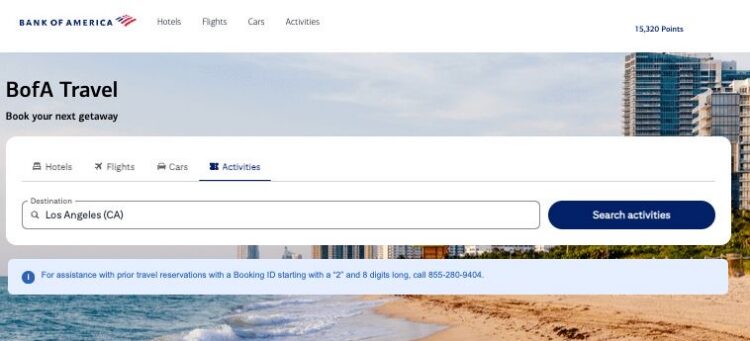
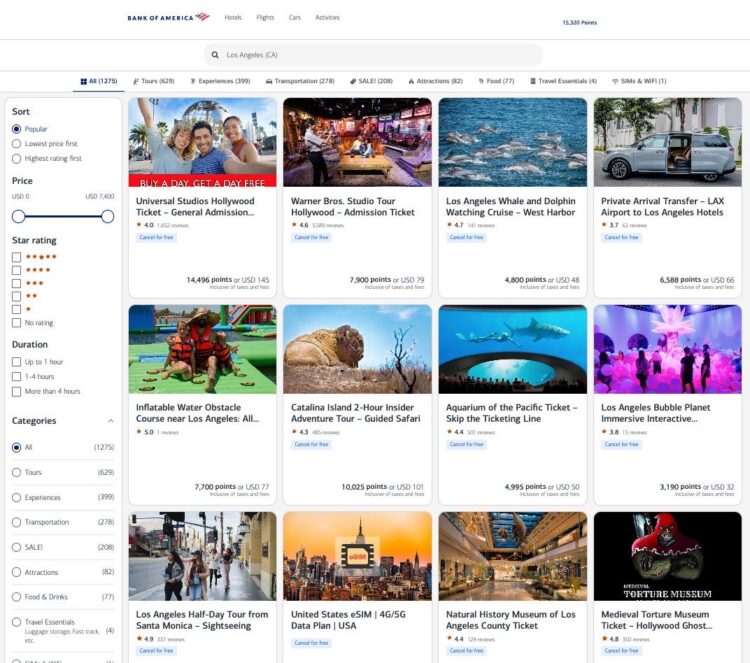
You can review and filter results by rating, duration, experience type, and more. Prices are shown in both points and cash.
Clicking a result expands the details and shows all options for your booking — details will vary depending on the activity you're reserving. Click “See options” to continue.
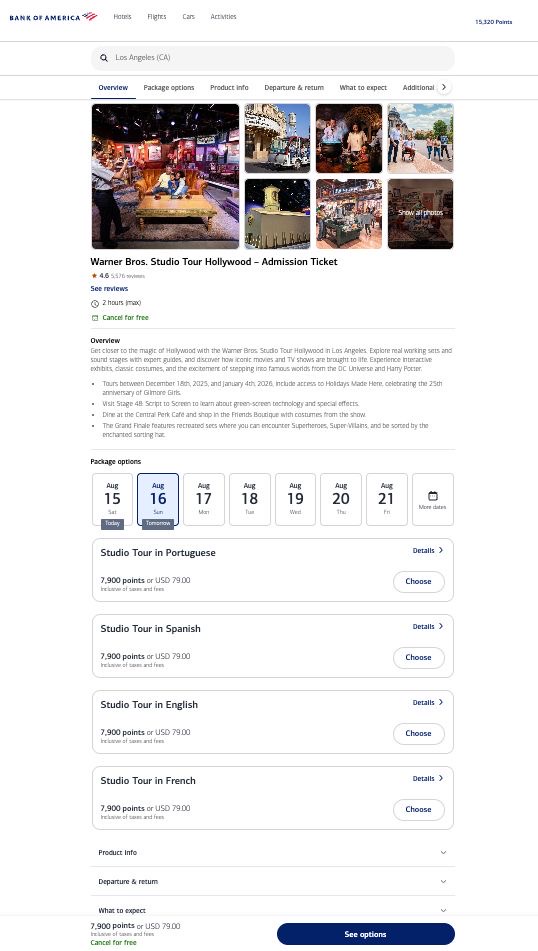
You'll be able to select which time slot you'd like and enter the number of guests. This is also where you'll find important information like what to expect on the experience, the cancellation policy, and more. Finally, enter all required information for this booking, which will vary slightly depending on the type of activity you're booking. Complete your booking as you would with any other option.
Why Use the Bank of America Travel Portal?
Beyond the obvious advantage of redeeming your hard-earned points for travel, there are a few other times when the Bank of America travel portal can be useful.
First, if your travels take you to places with mostly boutique, independent hotels that aren't part of a
Another reason to use the Travel Center is if you want to use a combination of points and cash for your bookings. While not available on all cards, this option lets you adjust how many points you're willing to trade to lower the cash cost of your travel bookings.
Lastly, the Bank of America Premium Elite Card offers a 20% discount on airfare booked through the Travel Center when you pay in full with points. If you find a flight at a good price point in the portal, your points can take you even farther.
However, always compare pricing. While you can find the same flights or hotels through a travel portal, they're not always the same price as booking directly on the airline or hotel website.
Related: Travel Portals Price Comparison: Citi Travel Portal Shines, Bilt Stumbles in AwardWallet Analysis
How Much Are Your Rewards Worth?
At a minimum, your points are worth 1¢ each when redeeming for hotels, rental cars, activities, and flights. If you have one of the premium travel
Related: How To Boost Bank of America Card Earnings Up to 75% — Plus More Perks
Bottom Line
The Bank of America travel portal is an easy one-stop shop for using your rewards from Bank of America credit cards. If you're a Bank of America Premium Elite Card, you should focus on booking flights through the portal to take advantage of the 20% discount.
For other cardholders, there isn't much incentive to book through the portal. Your rewards are worth the same amount whether you redeem them through the portal or as cash back, and cardholders don't earn bonus points by booking through the portal.
- 2 points for every dollar spent on travel and dining purchases
- 1.5 points per dollar on all other purchases