


AwardWallet receives compensation from advertising partners for links on the blog. The opinions expressed here are our own and have not been reviewed, provided, or approved by any bank advertiser. Here's our complete list of Advertisers.
If you haven't logged into your ExpertFlyer account in a while, it might be worth checking in to see what's new. The ExpertFlyer team just improved a couple of its most useful features and introduced a new “Elite” subscription tier. However, the updates also come with higher pricing.
Here's what to know about these ExpertFlyer changes.
ExpertFlyer Adds and Enhances Features, Increases Pricing
On March 5, 2026, at 4 PM Eastern Time, ExpertFlyer rolled out a couple of big updates to its product offerings. Some of these changes will be especially welcome if you're particular about where you sit on the plane or if you're an AAdvantage elite status holder with Systemwide Upgrades (SWUs) to use.
Let's roll through them one by one.
New Elite subscription tier
The newest ExpertFlyer tier is called “Elite” and offers the most benefits. If you subscribe monthly or annually (more on pricing below), you'll get access to everything included in the Premium plan, plus expanded SWU search capabilities (see next section).
Related: The Ultimate Guide to ExpertFlyer: How to Find Award Space, Upgrades, Seat Maps, and More
Expanded American Airlines Systemwide Upgrade search
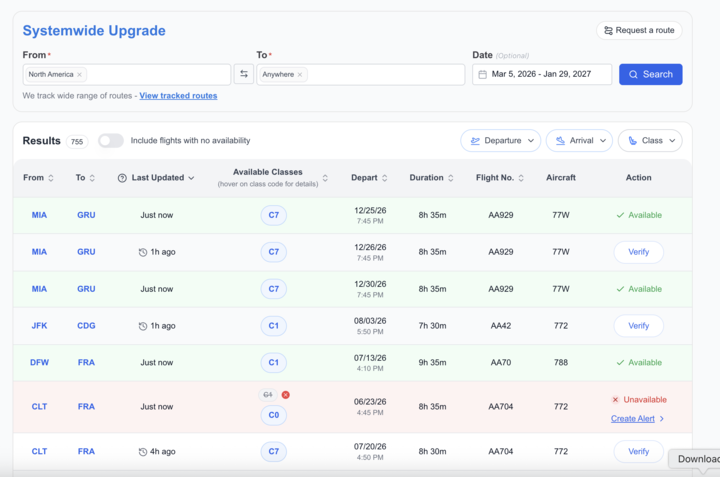
If you subscribe to ExpertFlyer's newest tier, you'll get a much better view of current systemwide upgrade space.
This includes the ability to search up to 330 days in advance and get results in seconds, as well as broader searches such as from anywhere in the U.S. to anywhere in Europe. You can also verify with one click that upgrade space is available before applying your SWU.
Related: How to Use SeatsAero to Find American Airlines Systemwide Upgrade Space (Even For Free)
Enhanced visual seat maps
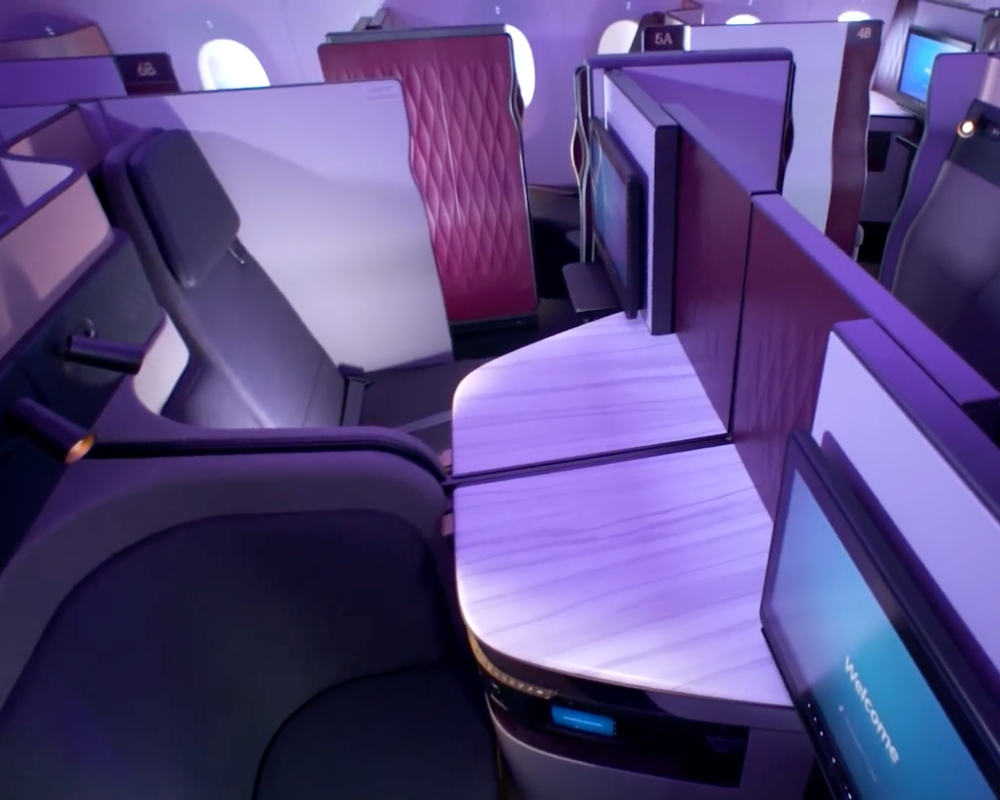
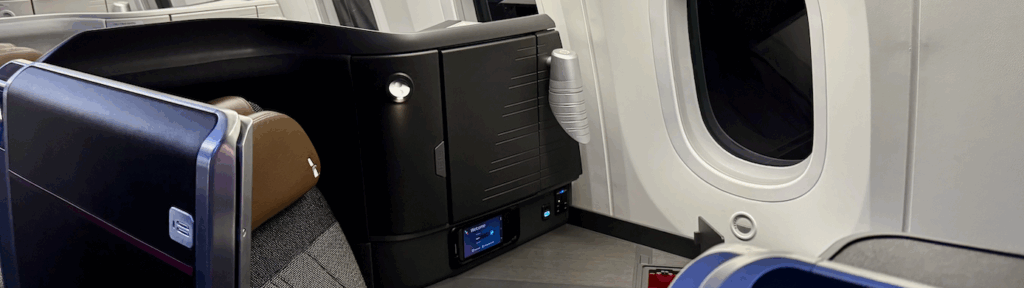
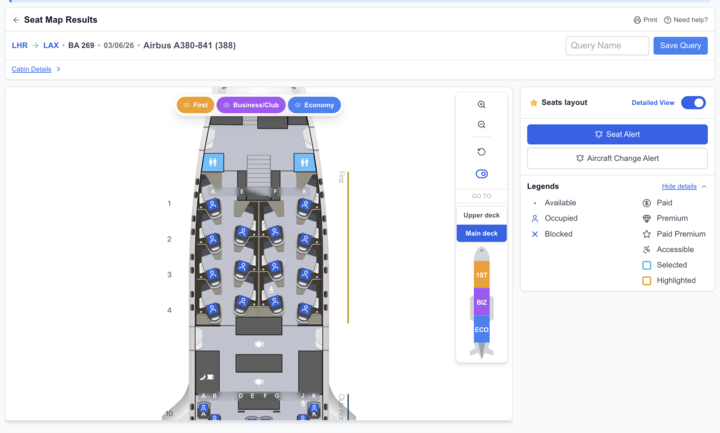
The seat maps on ExpertFlyer are now far more comprehensive than they were before. Through a partnership with AeroLOPA, ExpertFlyer has introduced enhanced visual seat maps that provide a clearer look at cabin layouts, including seat direction (forward or backward facing), window positioning relative to the seat, and more.
In addition, you can toggle between the new detailed map and the classic interface with one click.
Quick alerts — and more of them
With these updates, ExpertFlyer also expanded the number of alerts available to users.
Basic users can now set up to 50 combined alerts (up from 4), while Premium users can now set 250 alerts (up from 200), which is also the number Elite users will get. Additionally, ExpertFlyer is introducing quick alerts, allowing you to queue alerts for schedule changes, aircraft changes, and space availability, all from the same screen.
New pricing
While it would be nice to get more benefits without paying more, that’s not the case with these ExpertFlyer changes. Long story short, prices are going up.
ExpertFlyer will continue to offer both monthly and annual subscription plans, but here’s what you can expect to pay if you sign up today or when your plan renews:
- Basic — $6.99 per month or $71.88 per year ($5.99 per month × 12)
- Premium — $12.99 per month or $131.88 per year ($10.99 per month × 12)
- Elite — $19.99 per month or $239.88 per year ($19.99 per month × 12)
On the bright side, ExpertFlyer will continue to offer a Free plan. This includes basic seat maps, seat alerts, and the ability to set one alert at a time.
Related: Which Flight Award Availability Search Tool Is Best?
Bottom Line
ExpertFlyer is making several changes — all of which are already live! Among them are a new Elite tier (which it says will be especially useful for top-tier AAdvantage elites with systemwide upgrades to use), a refresh to its seat map interface, more alerts, and…higher pricing.
Whether the higher price tag is worth it will depend on how you currently use ExpertFlyer and whether these updates encourage you to keep using the tool instead of trying alternatives that offer (somewhat) similar capabilities.