







AwardWallet receives compensation from advertising partners for links on the blog. The opinions expressed here are our own and have not been reviewed, provided, or approved by any bank advertiser. Here's our complete list of Advertisers.
If you collect transferable credit card points, you likely have access to dozens of airline and hotel transfer partners. When you're ready to book a flight, you probably don't want to search for award availability on each individual airline's website. Thankfully, over the past few years, several tools have emerged to make the award search process a bit easier.
One of them is Roame.Travel — a platform that searches award space across dozens of
Let’s take a closer look at what Roame.Travel offers and whether it's worth signing up for a pro membership.
What Is Roame.Travel?
Similar to tools like point.me and PointsYeah, Roame.Travel — often just called Roame — lets users search award availability across multiple frequent flyer programs. The site currently supports dozens of airline and hotel loyalty programs, though the exact number included in each search may vary by route.
Roame offers a few key features to help award travelers save on their next trip:
- Real-time search: Search for award flights up to 365 days in advance across all cabin classes, with results in 10 to 15 seconds.
- SkyView: The free plan gives you access to SkyView Lite, with a seven-day search window for flights departing within 60 days. Upgrade to a paid plan for advanced functionality.
- Roame Wallet: Manually add your credit card and loyalty accounts to track benefits and balances.
- Alerts: Only available to premium subscribers, Super Alerts allow you to track up to 60 days per route, even for region-to-region searches.
What does Roame.Travel cost — and what does a subscription get you?
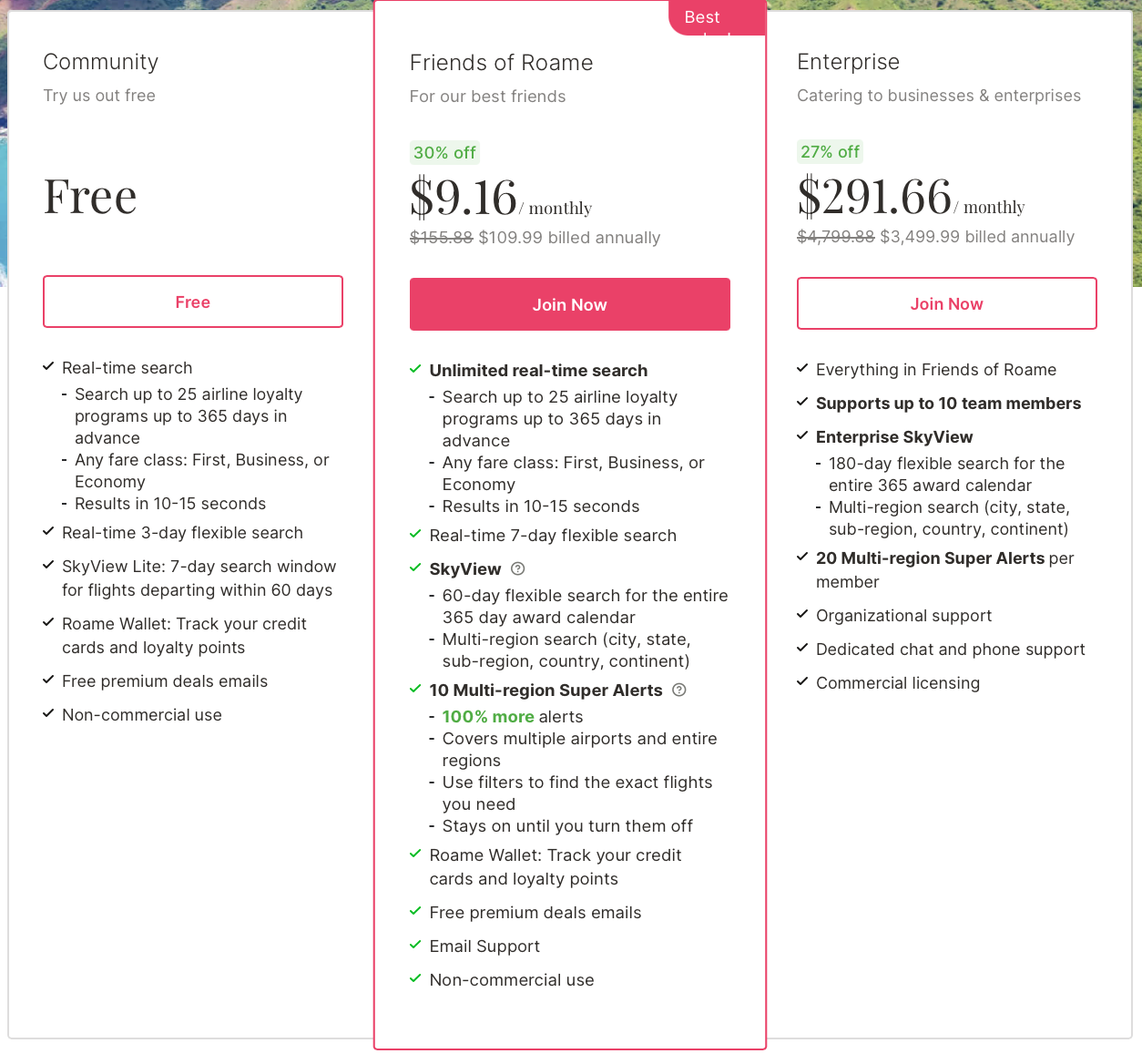
Roame.Travel has both free and paid subscription options. The free version includes core features like one-way award searches, basic filtering, and access to SkyView Lite.
When you sign up for a Friends of Roame annual plan for $109.99 per year, your benefits are much more robust:
- Unlimited real-time searches
- Expanded SkyView access (60-day search and 365-day access)
- 10 multi-region alerts
- Seven-day window standard search
- Access to email support
Interestingly, if you sign up for a monthly plan, you'll receive only five multi-region alerts compared to the 10 given with an annual plan.
The Enterprise tier costs $3,499.99 per year and includes everything in the Friends of Roame plan, plus support for up to 10 team members, 20 alerts, 180-day SkyView search windows, dedicated support, and more.
How To Use Roame.Travel
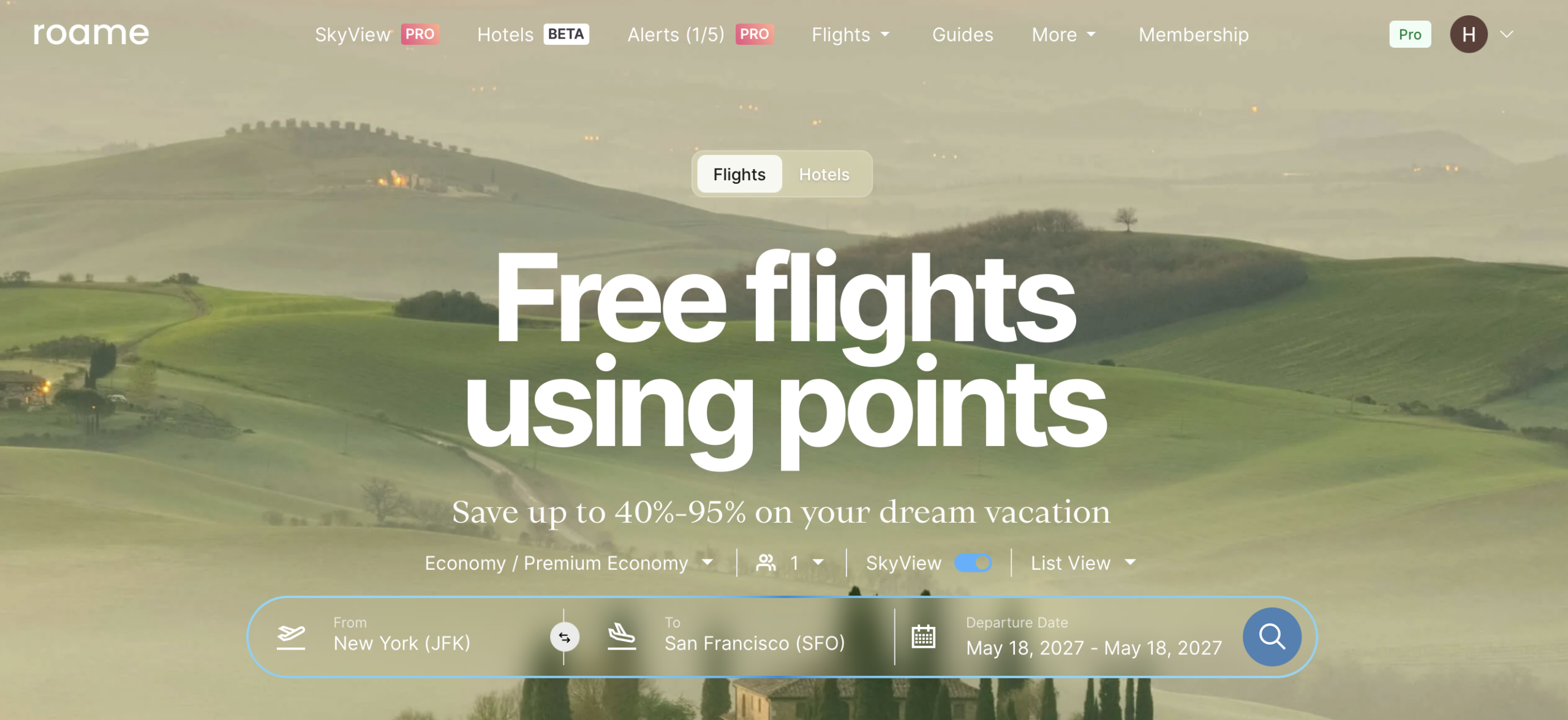
To get started, create a Roame.Travel account. You can choose the free plan or one of the paid tiers, which unlock additional features. While Roame has a useful guide built into the platform, the interface is straightforward enough that you can start using it right away.
What programs does Roame.Travel track?
Roame tracks a wide variety of loyalty programs. For instance, you can search for Singapore Airlines’ first-class awards through the KrisFlyer program, or find awards only available through Qatar’s Privilege Club. These are hard-to-search programs, so that's where a tool like Roame comes in handy.
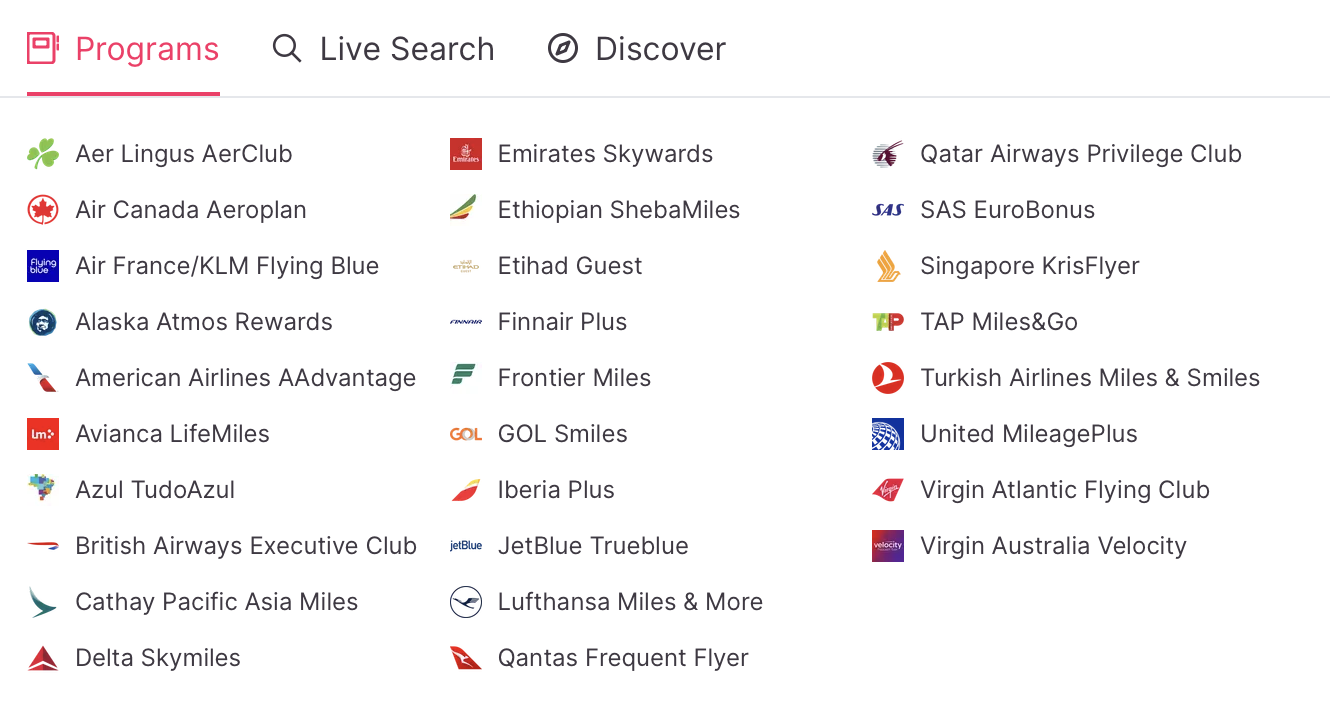
Roame currently supports the following airline loyalty programs:
- Aer Lingus AerClub
- Air Canada Aeroplan
- Air France/KLM Flying Blue
- Alaska Atmos Rewards
American Airlines AAdvantage - Avianca LifeMiles
- Azul TudoAzul
- British Airways Club
- Cathay Pacific Asia Miles
Delta SkyMiles - Emirates Skywards
- Ethiopian ShebaMiles
- Etihad Guest
- Finnair Plus
- Frontier Miles
- GOL Smiles
- Iberia Club
- JetBlue TrueBlue
- Lufthansa Miles & More
- Qantas Frequent Flyer
- Qatar Airways Privilege Club
- SAS EuroBonus
- Singapore KrisFlyer
- TAP Miles&Go
- Turkish Airlines Miles&Smiles
United MileagePlus - Virgin Atlantic Flying Club
- Virgin Australia Velocity
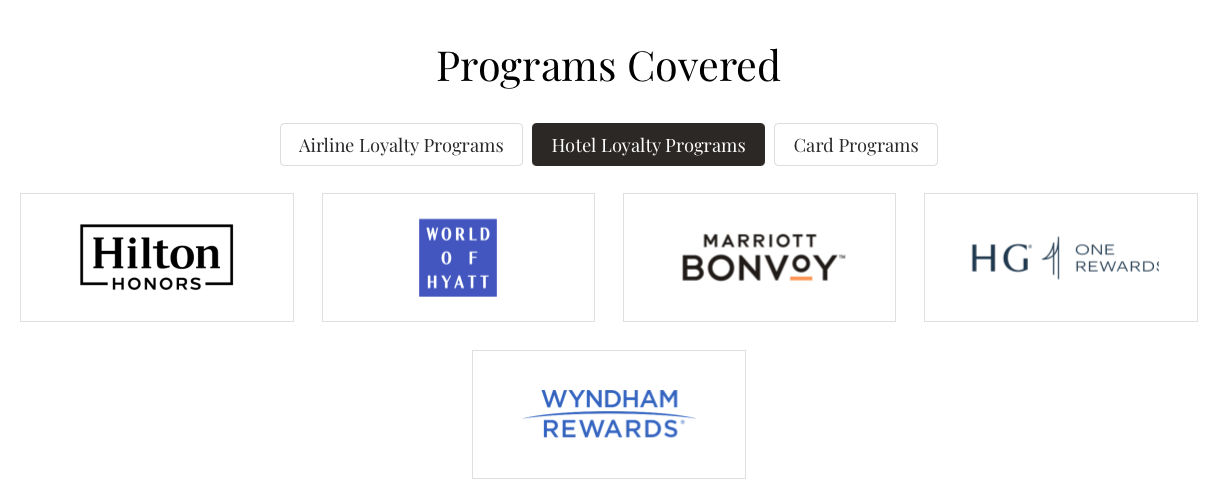
In addition to some airline loyalty programs, Roame offers a hotel tool that's currently in beta. Many award search tools are trialing a hotel search capability, including Seats.aero's very own Rooms.aero. What's notable about Roame's hotel branch is that it now supports Wyndham Rewards, which is absent from Rooms.aero's list of supported programs.
Here are the hotel programs covered by Roame:
How to run a flight search with Roame.Travel
Like most flight award search engines, Roame asks for your origin, destination, travel dates, and the number of travelers. You can choose between “Economy/Premium Economy” and “Business/First” cabin classes.

Once you’ve entered your details, click the red magnifying glass icon to start your search. Roame only searches one-way trips, so you’ll need to run separate searches for round-trip itineraries.
You'll likely notice that results load quickly. In our tests, most searches took 10 seconds or less — as Roame advertises. Roame shows which credit card points or loyalty currencies can be transferred to book the award, which is helpful if you're getting started with points and miles or aren't familiar with the power of transferable rewards points.
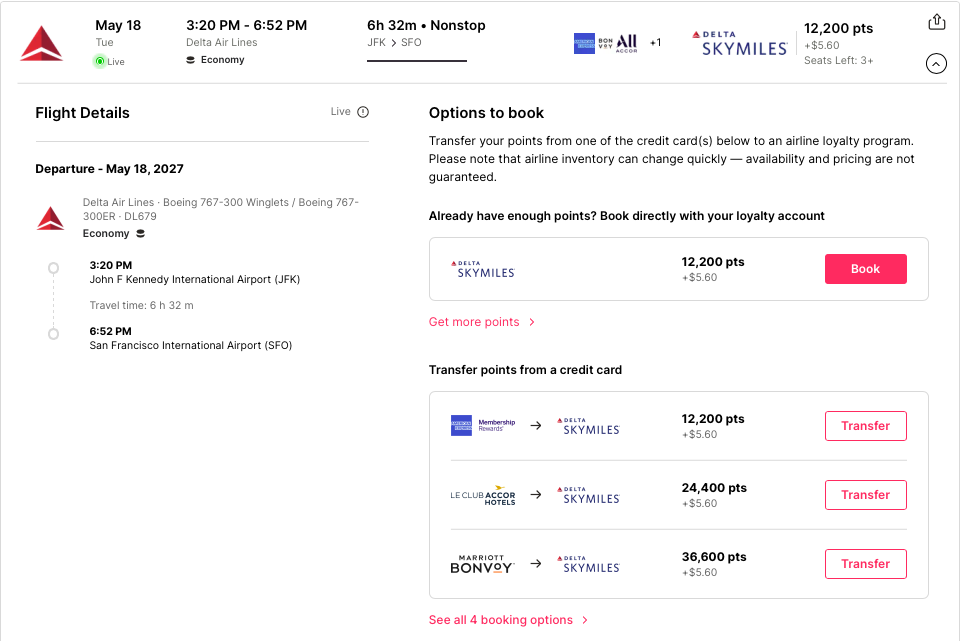
Roame also includes eight intuitive filters to narrow down results:
- Cards
- Programs
- Number of stops
- Cost of taxes and fees
- Number of points
- Operating airline
- Airports
- Aircraft
Being able to filter by card and program is great — you can view results based on your preferred transferable point currency and airline program. And if you're an AV geek, being able to filter by aircraft means you can search for awards based on a specific experience you wish to have.
In addition, you can take advantage of five sort options, which can help you quickly identify flight options that work for you:
- Lowest points
- Last updated
- Departure time
- Flight duration
- Roame's pick
How to run a hotel search with Roame.Travel
Performing a hotel search with Roame is simple. Enter your destination, desired check-in date, and number of nights you wish to stay. You'll be able to see the average cost in cash per night, the value per point you'll receive, and the number of rooms available.
You can filter by cards, programs, brands, points, and cents-per-point value. You can also sort by lowest points or cents per point.
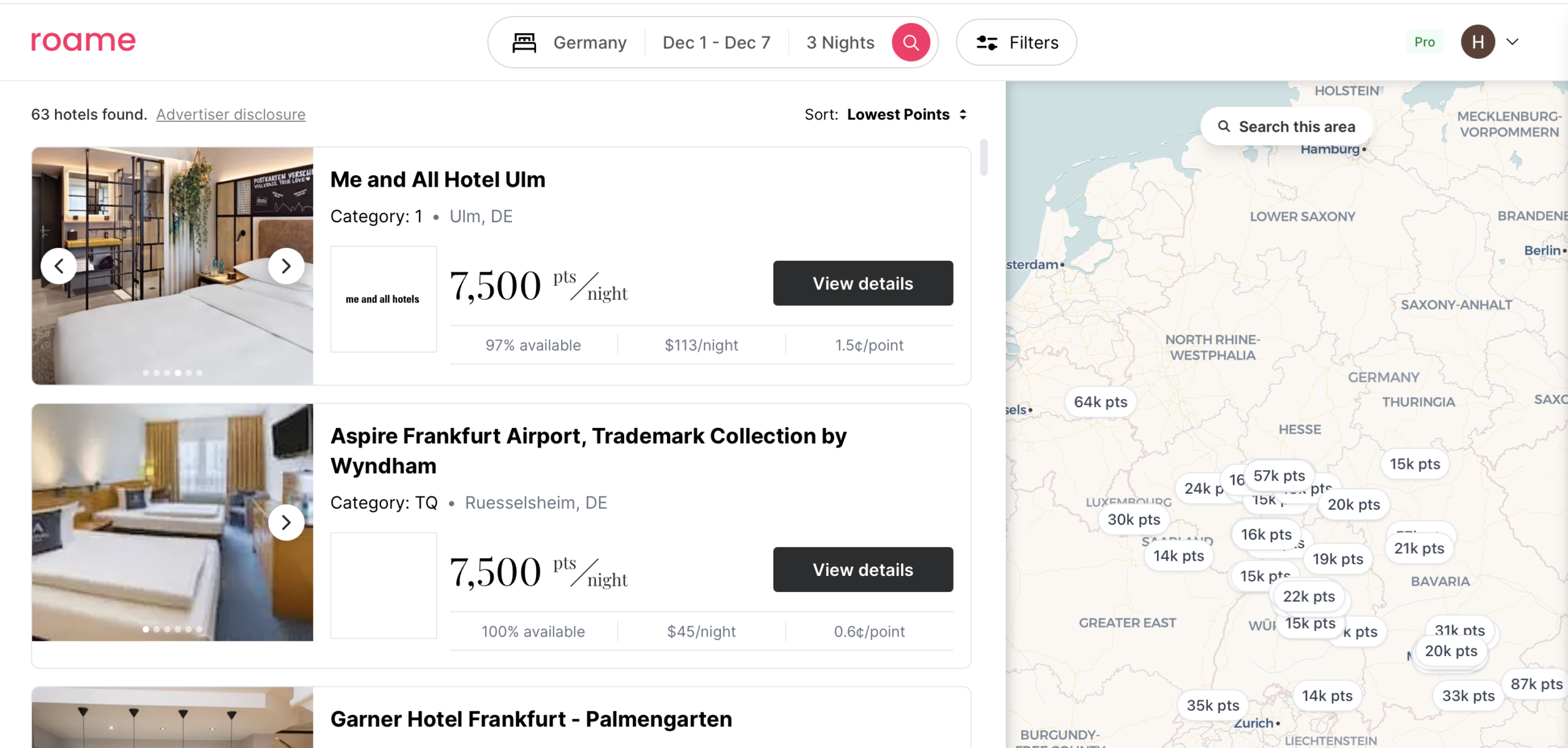
What sets Roame apart from the competition is the amount of information it provides at once. While simply scrolling through the search results, I can see all the information I need to decide without clicking through multiple pages.
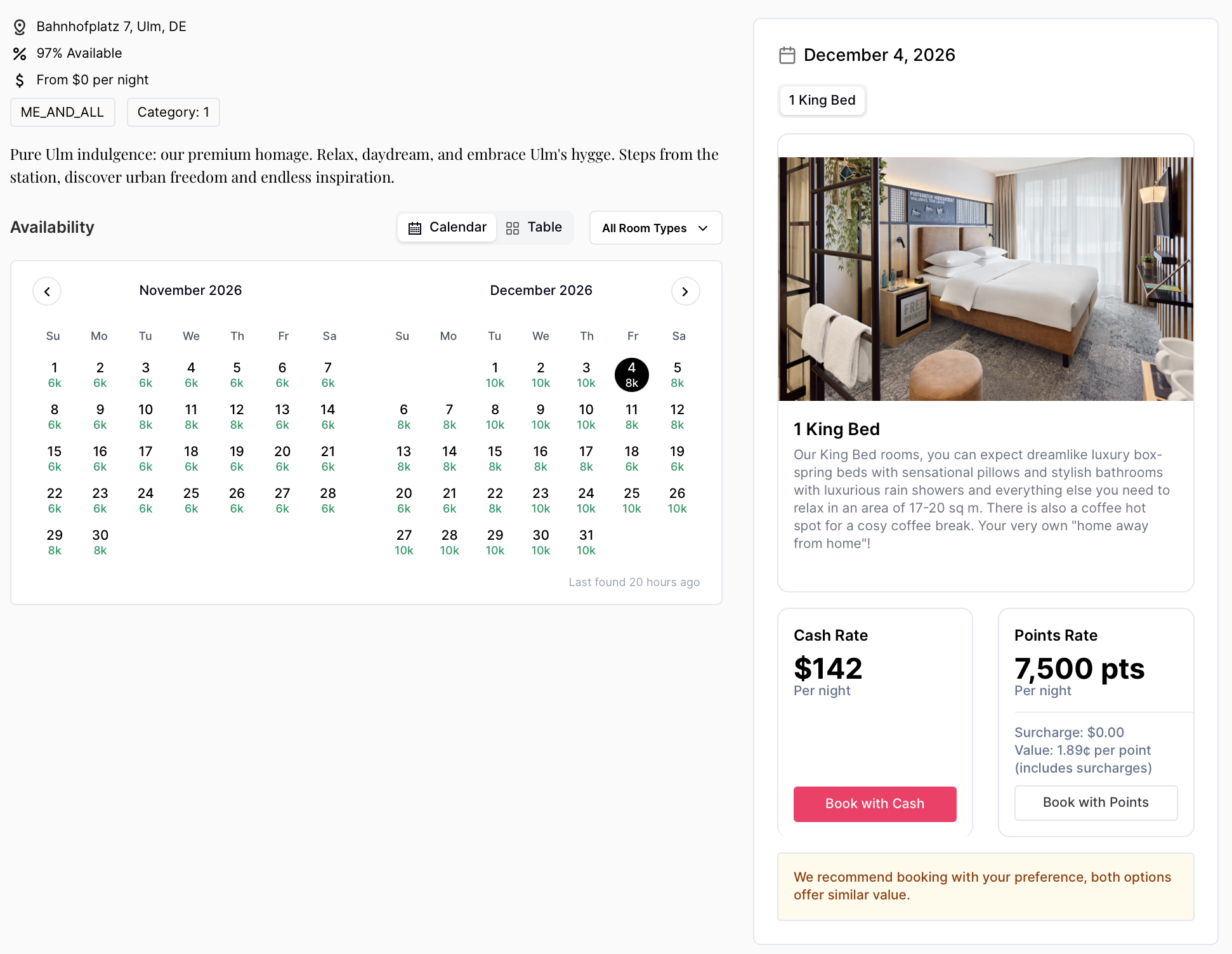
When you click “View details,” you'll be taken to a page with more information about the hotel, including the fare calendar. Roame will also give you a recommendation on whether to pay cash or book with points, based on any surcharges and the value per point you receive.
Alerts
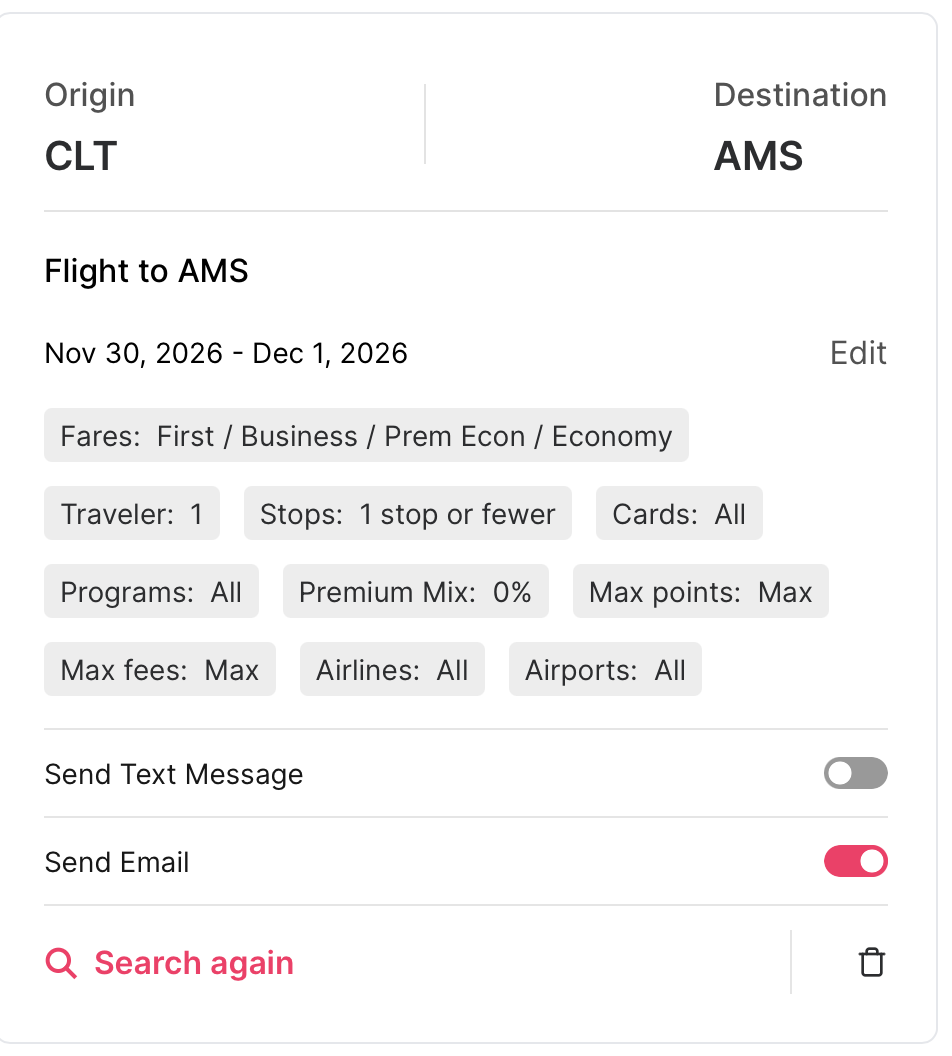
Paid subscribers can use Roame's alert feature to monitor specific flight routes. Enter the route and cabin you want to monitor, then click “Create Alert.” Once your alert is active, you can click “View Alert” to double-check or adjust the search parameters.
You’ll receive notifications directly within the site, and Roame will also send you emails when matching award availability is found. This feature is especially useful if you’re hoping a premium cabin award becomes available; you can set it and forget it, and let Roame do the work for you.
SkyView
SkyView is Roame’s “bird’s-eye view” of award space. It searches a preset list of routes daily and then aggregates the results. It's ideal for travelers with flexible calendars looking to snag the best redemptions early in their trip-planning process.
Here’s what different Roame users get with SkyView:
- Free users: Access to SkyView Lite (seven-day window within the next 60 days)
- Friends of Roame: 60-day search windows over the next 365 days
- Enterprise: 180-day searches over the next 365 days
One of the most helpful aspects of SkyView is that award pricing is shown upfront, before you even initiate a search. This helps you identify trends or clusters of low-cost redemptions across a route or region.
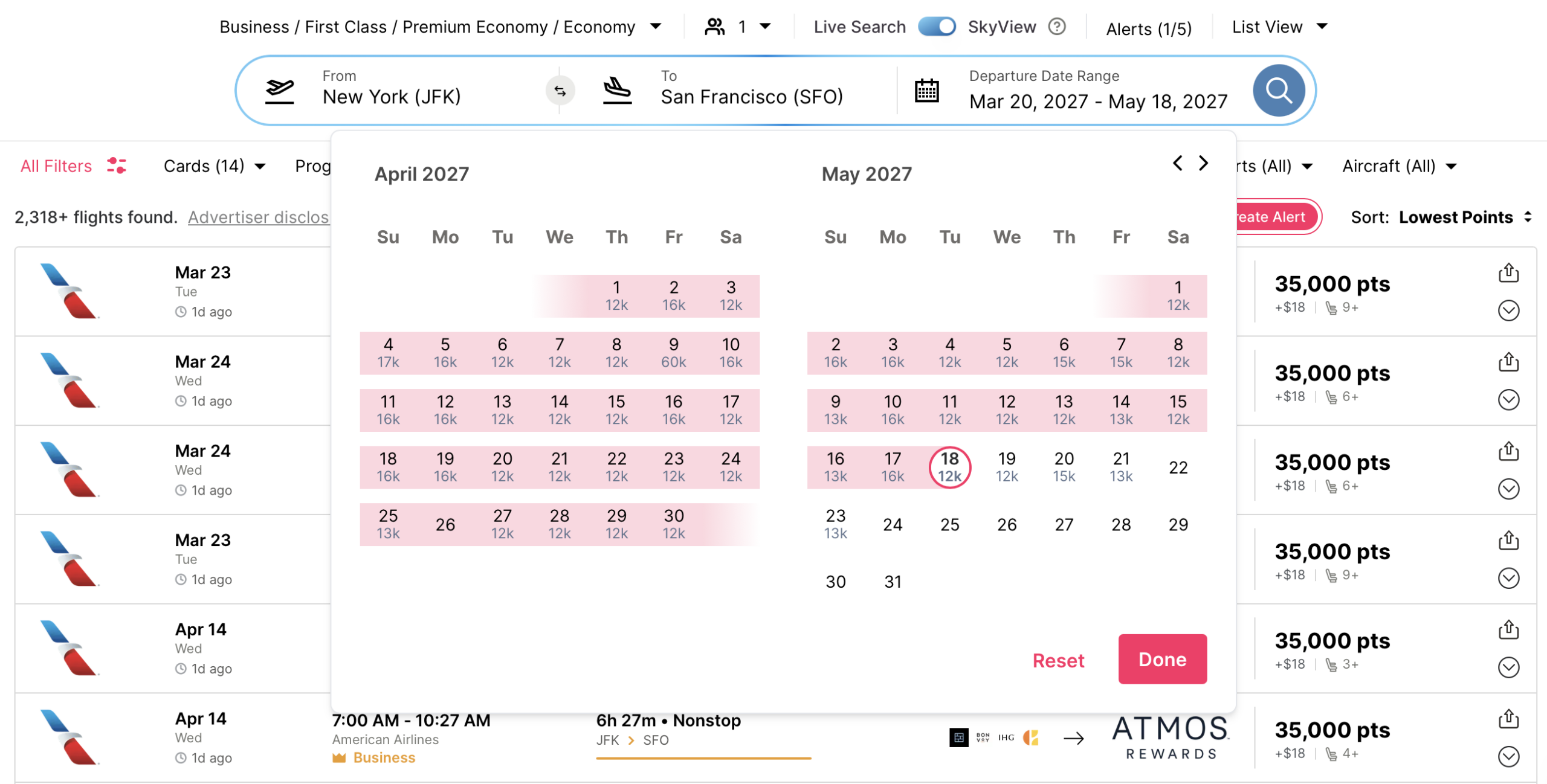
SkyView also allows broad geographic targeting. This means you can search entire countries, regions, states, or individual airports. While there’s no standalone “city” grouping, searches from major cities will include all local airports. Friends of Roame subscribers can search multiple zones at once.
Discover
Anyone can use Discover, a tool that highlights premium cabin award deals departing from specific cities. You can filter by origin, airline, and travel dates, which makes it a helpful feature if you’re flexible on destination but want to fly in comfort.
That said, it’s still smart to plug any Discover results into a standard Roame search to confirm the lowest redemption cost.

Credit Cards
Roame includes a wallet feature that allows you to track your credit cards,
If you already use a tool like AwardWallet that pulls this information automatically, you’ll likely find it more efficient. Still, Roame’s version can help track card benefits and fees in a simple format.
Don't have an AwardWallet account yet? Sign up for free and track unlimited rewards programs and travel plans.
Roame.Travel's Areas for Improvement
Roame has made great strides and already offers one of the widest search ranges among award tools, but there’s still room for growth.
- Limited number of alerts: Free users don’t get any, and even paid users are limited to 10 alerts on an annual plan or five alerts on a monthly plan unless they upgrade to Enterprise. Other tools offer more flexibility at similar price points.
- Missing filter options: Roame doesn’t let you filter by departure time, arrival time, or total trip duration. These can be important, for example, if you want to limit departures to late evenings when flying from the U.S. to Europe.
- Cabin search limitations: You can’t isolate one specific cabin class (for example, premium economy only) or mix certain types (like business and premium economy) unless you run separate searches or use SkyView.
- AwardWallet integration: AwardWallet offers a free account-access API to services like Roame.Travel. This lets companies partner with AwardWallet to pull live points and miles balance data for users who opt into sharing this information. Adding this feature would eliminate the need to manually update balances in Roame.Travel.
Final Thoughts
Roame.Travel is a well-rounded and highly functional award search tool. Even the free version offers fast searches and access to a limited version of SkyView. The paid version adds more powerful features — including alerts, expanded search ranges, and tools to help you find great premium cabin deals.
If you’ve been frustrated trying to track down award availability, Roame is absolutely worth checking out. It's one of many tools you can test to see if it works for you; it just happens to be growing on us more and more.












Thanks JT, for the link to the 2024 comparison.
It would fantastic, though, if the AW team could do an update for 2026. Most of these award tools have progressed substantially, added new airlines/programs and included multiple new features Many articles in this site also favor seats.aero as a leading contender, which is not covered in the quoted comparison.
I look forward to an updated comparison for these tools, which will be truly interesting.
Roame scammed me out of $65.99 and provided nothing in return in spite of multiple emails to them which went unanswered. They have a POOR rating on Trustpilot with all rating either being 1 or 2 ⭐ on a 1 to 5 scale. If you give them your cc info expect to say good bye to that money. Highly unprofessional and probably a sc….
ROAME….. What a SCAM they are. I signed up. Found the site absolutely useless. No selection. Limited Searches. Much better results using Point.me. Requested a cancellation. As I used the wrong email address (I have 2), they did not cancel my account. 11 months later I received the AMEX charge for the NEXT year. I immediately emailed and asked for a cancellation as I had not used it for 11 months and did not plan on using it. The Roame Guy (Tim Qin) emailed me “We are a very small team of 3 people and disputes hurt our businesses significantly. Could you please withdraw the dispute?”. I understand but I did not want their service for the next year. I explained I would not use it and did not want to pay for the next year. He didn’t care. Refused to refund my money even though I was 4 days into a 365 day subscription. Disputed it on my AMEX and he disputed it. What a waste of time. What a waste of a website. WHAT A SCAM. I have changed my AMEX card # as I see them trying to charge another $109.99 next year. STAY AWAY!!! STAY AWAY!!! STAY AWAY!!!
Did you know that we can analyze your everyday spending and make suggestions on how to increase your earnings with every transaction? Add an account with cards that earn Ultimate Rewards or Membership Rewards and we’ll analyze what you earn with every swipe and identify how you can potentially earn more. To see this report, simply navigate to the CARD SPEND ANALYSIS tab in your account list
Thank you for the nice post
Can you compare this tool to the other ones you mentioned in the first paragraph? I would like to purchase a membership but just want to make sure it’s the one with the most value. This was a great review.
We have just the article for you! Here’s a comparison of three of these award availability tools: https://awardwallet.com/airlines/award-flight-search-tools/
Just tried Roame and love using it! Makes my award search process a lot easier
Great to hear!