






AwardWallet receives compensation from advertising partners for links on the blog. The opinions expressed here are our own and have not been reviewed, provided, or approved by any bank advertiser. Here's our complete list of Advertisers.
Offers for the Ink Plus® Business Credit Card are not available through this site. Some offers may have expired. Please see our card marketplace for available offers
One reason you might collect Ultimate
In this handy guide, we'll walk through the steps to transfer Chase points to Hyatt and explain which Chase to Hyatt transfer ratio applies to you following the recent changes.
How to Transfer Chase Points to Hyatt
It's quick and easy to transfer Chase points to Hyatt.
First, log in to your Chase account or directly to the Ultimate Rewards portal to access your account dashboard.

If you have multiple Chase Ultimate Rewards cards, select the card you'd like to transfer points from. And if your points are spread across several cards, you can first combine your Ultimate Rewards points onto a single card before transferring them to Hyatt.
Finding the Chase transfer partners
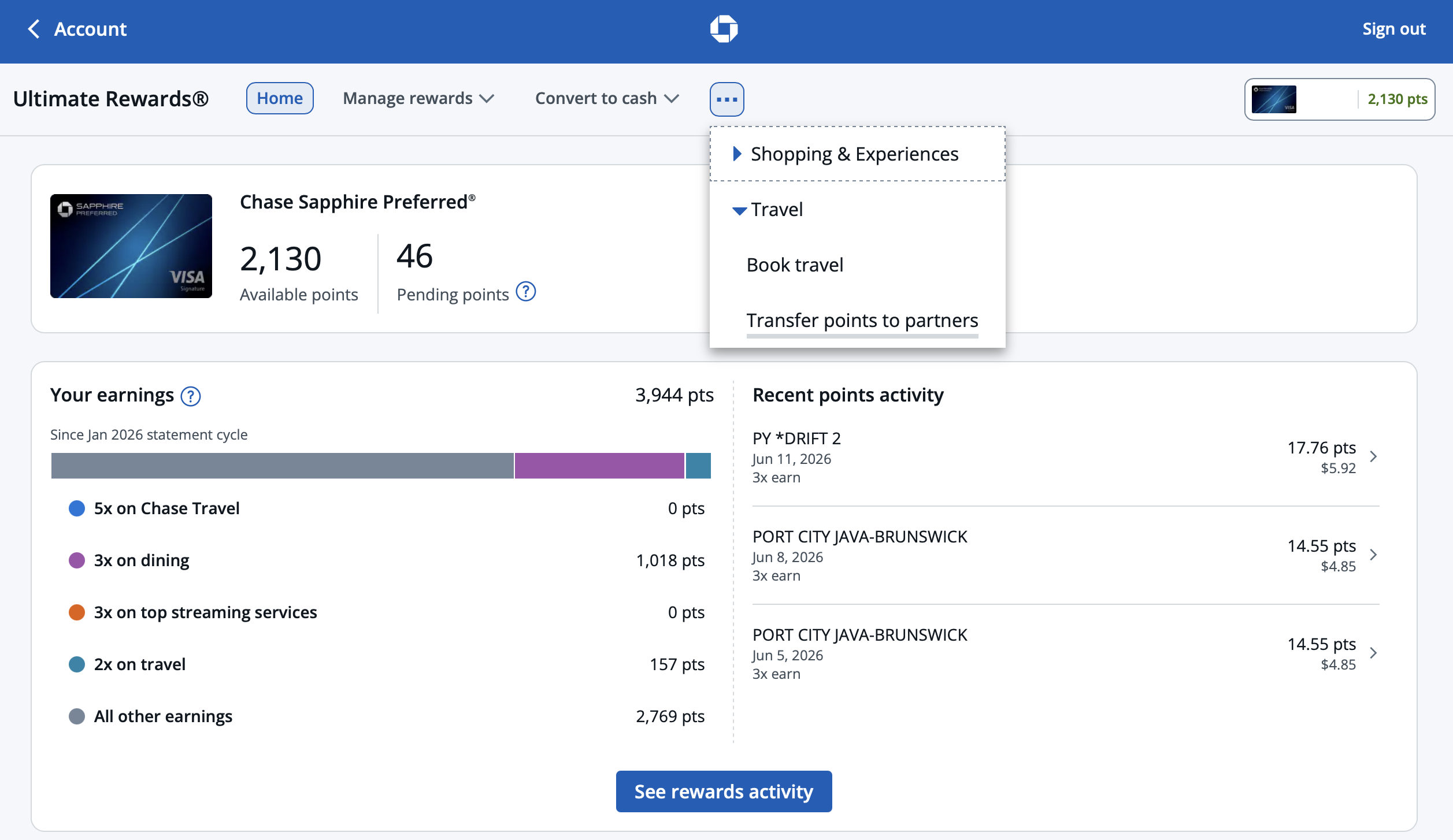
Make sure you've selected a Chase card that's eligible to transfer points to partners. Then, from the top navigation menu, click “Travel” and then “Transfer points to partners.” If your card is eligible, you'll see these options.
Then, you'll land on the “Transfer Points” page, where you can view all of Chase's transfer partners. Click “Hotels” to narrow the list and view only Chase's four hotel partners.
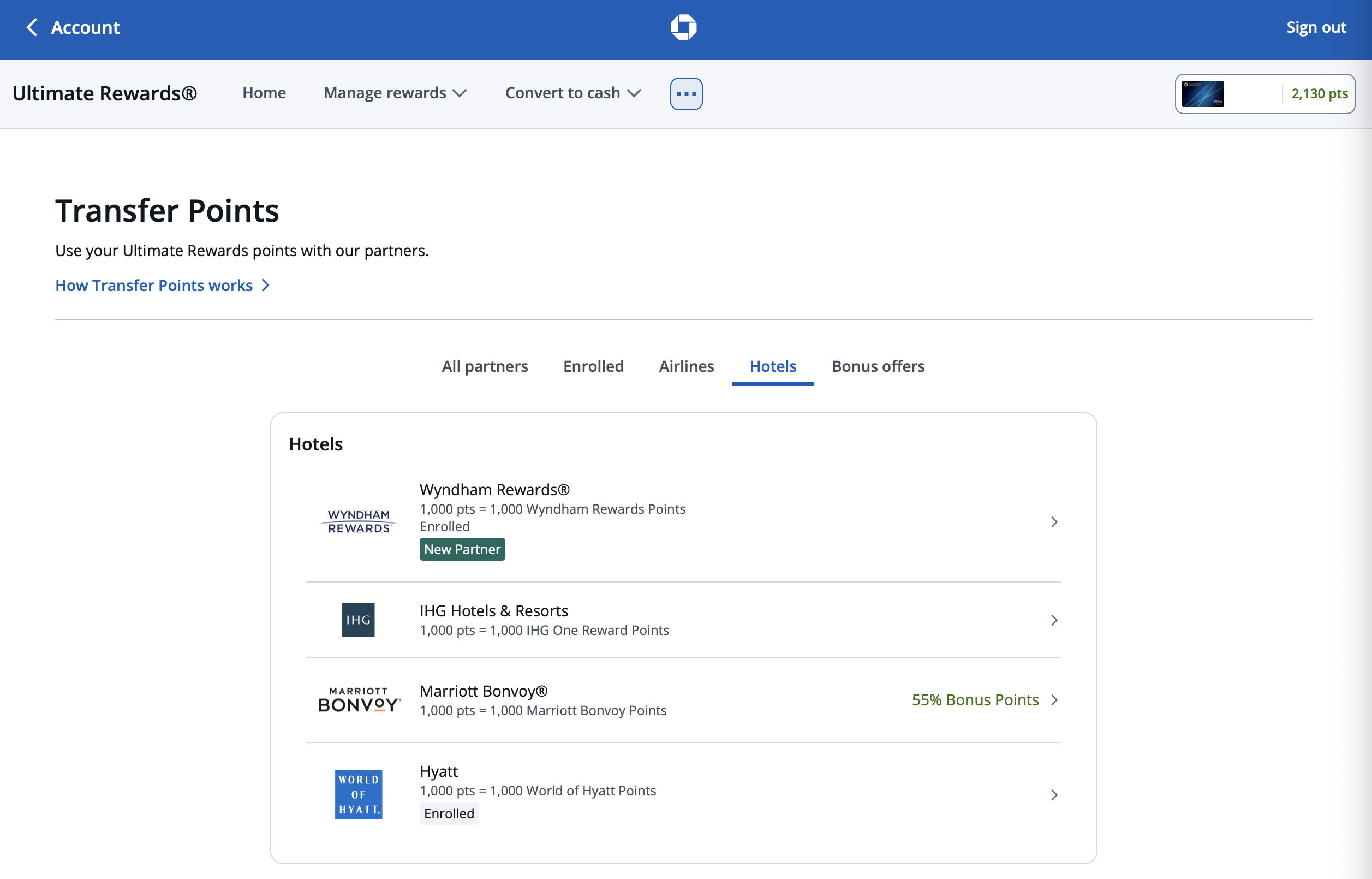
If Chase is offering a limited-time transfer bonus to Hyatt, it will appear under “Bonus offers” at the top of the “All partners” list. That said, transfer bonuses to World of Hyatt are virtually unheard of, so we wouldn't hold out hope for one in an effort to get more value from your transfer.
Linking your Chase and Hyatt accounts
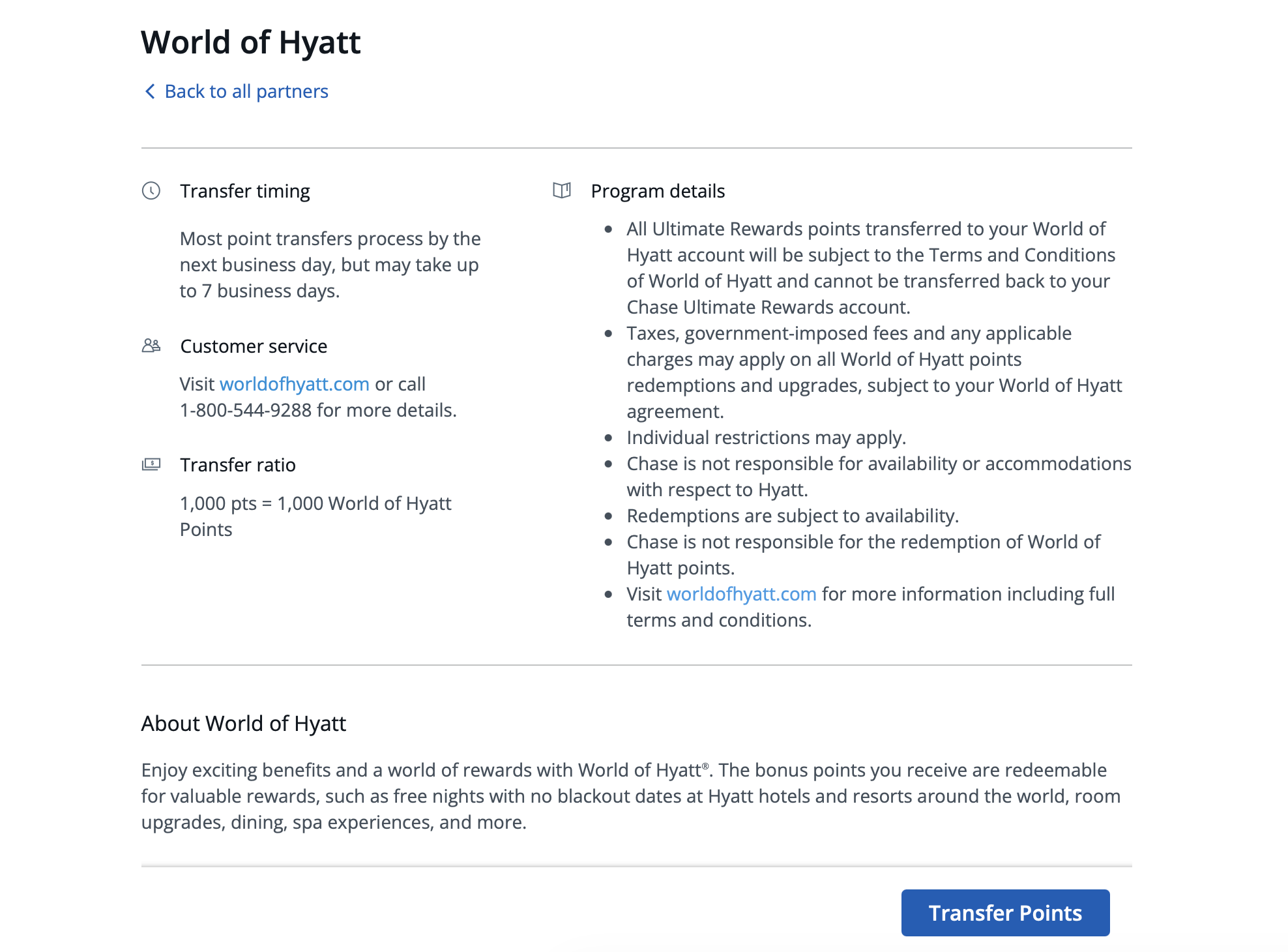
Now that you're on the transfer partners page, select “Hotels” and then “Hyatt.” At the bottom of the page, click “Transfer Points.”
Then, you'll need to answer a few questions to complete the transfer. Have your World of Hyatt membership number handy, which you can find by logging into your Hyatt account or in your AwardWallet account dashboard if you've linked your Hyatt account to AwardWallet. You'll also need the name on the associated loyalty account.
Don't have an AwardWallet account yet? Sign up for free and track unlimited rewards programs and travel plans.
The name on your Hyatt account must match the name of the primary cardholder or a household member who is an authorized user on the Chase account. Otherwise, the transfer won't process. Also, double-check your Hyatt membership number, as errors can delay the transfer and may require a call to Chase to resolve.
If you've transferred Chase points to Hyatt before, Chase will remember your account details, saving you a step in the process.
Related: 20+ Different Ways To Redeem Ultimate Rewards
Submitting the Chase to Hyatt transfer
Once you've linked your accounts, it's finally time to transfer Chase points to Hyatt. Simply enter the number of Ultimate Rewards points you'd like to transfer.
Since it's no longer exactly straightforward, we'll cover the Chase to Hyatt transfer ratio in the following section.
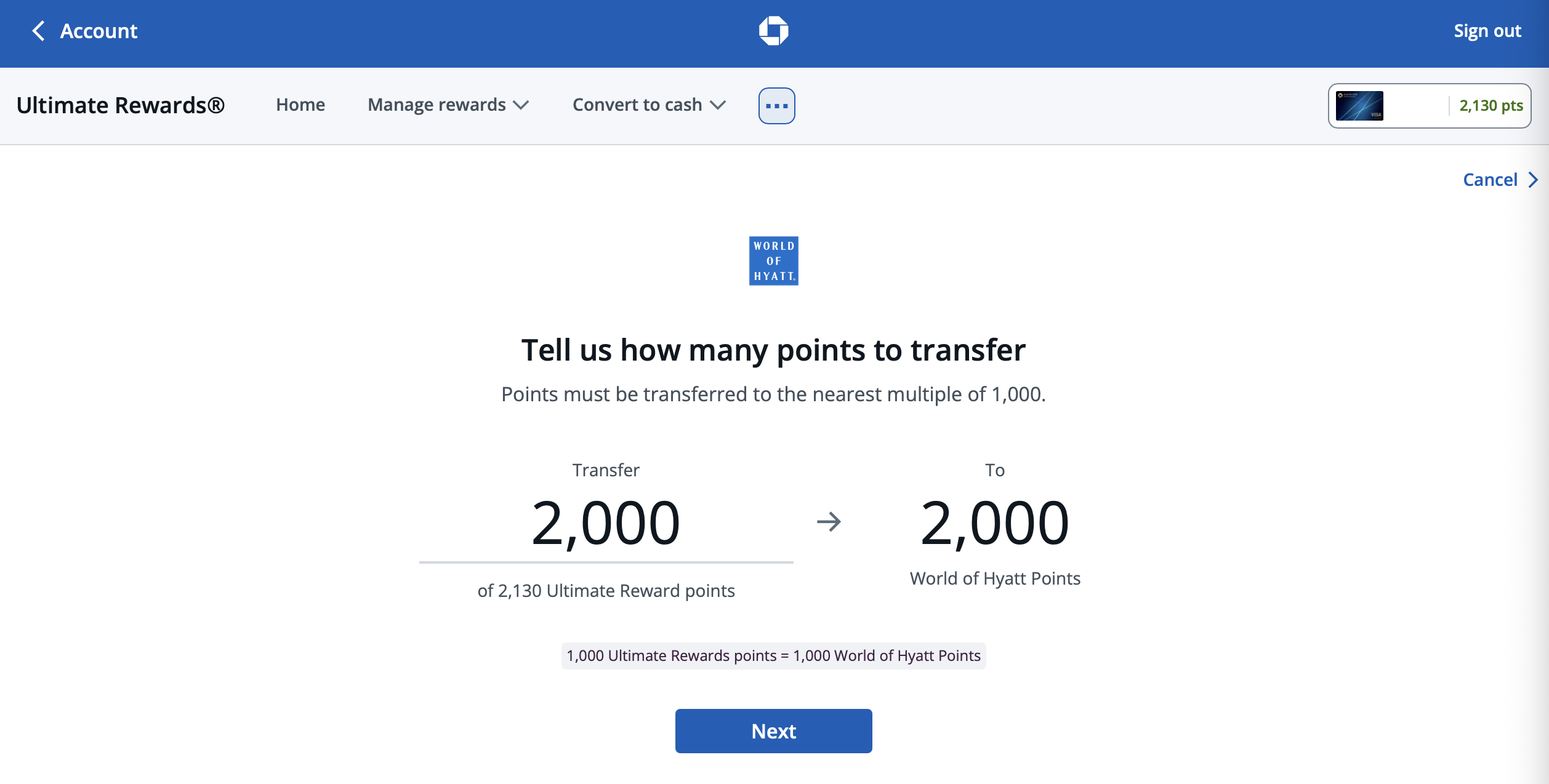
Make sure to double-check the amount you want to transfer, as points can only be transferred in one direction. Once you've confirmed the details, click “Submit.”
Shortly thereafter, you'll receive an email from Chase confirming that your points are being transferred to Hyatt.
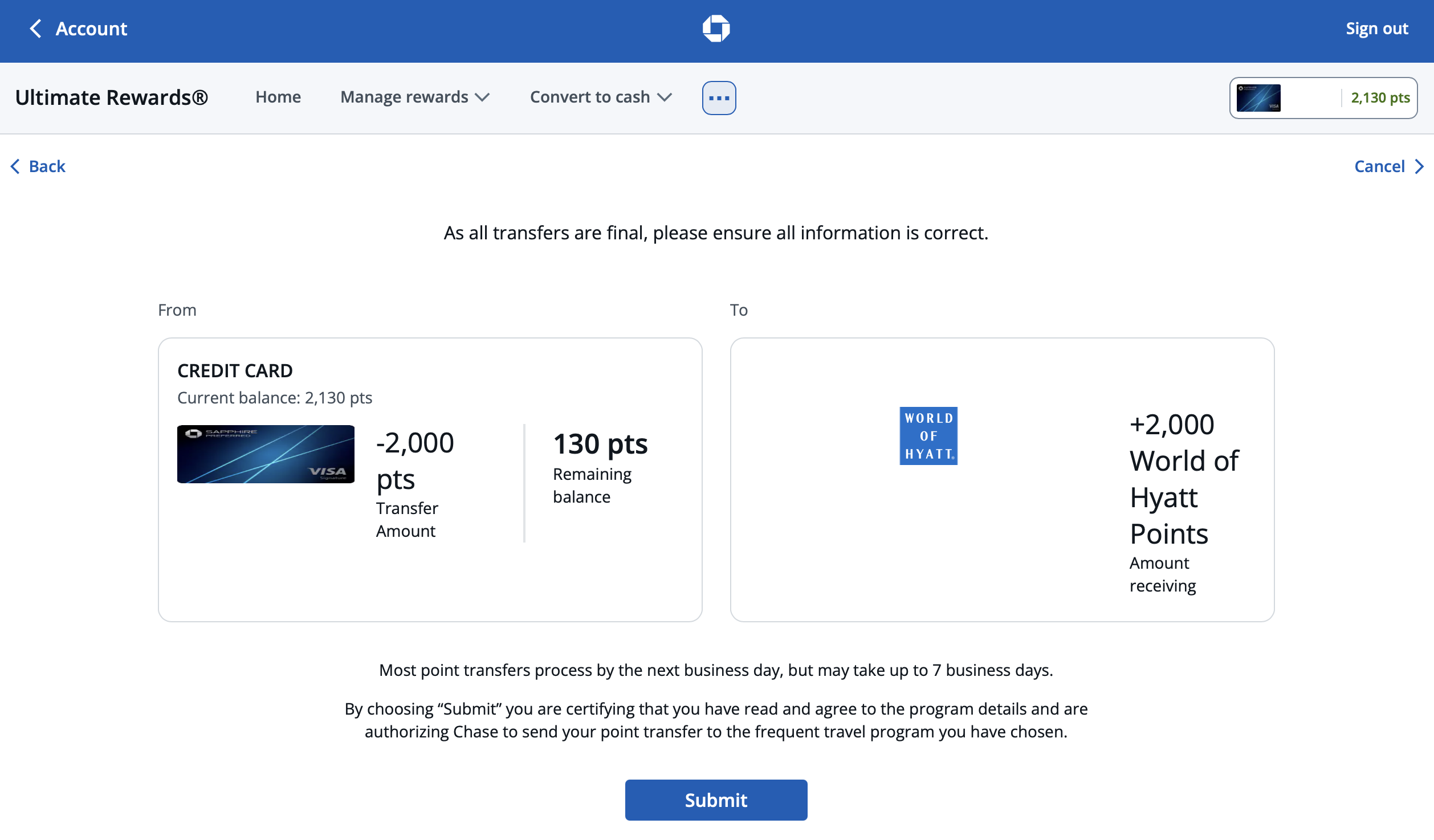
In most cases, the transfer is instant, meaning you'll have access to your new stash of points as soon as you log into your Hyatt account. That means you can start redeeming them moments later.
Note that if you're already logged into Hyatt, you likely won't see the points appear or be able to use them — even if you refresh your browser. To see your updated balance, log out and then log back in.
Related: How to Redeem Hyatt Points for Maximum Value
Chase to Hyatt Transfer Ratio
The Chase to Hyatt transfer ratio you're subject to is either 1:1 or 4:3, based on a few factors.
In June 2026, Chase announced plans to devalue the Chase to Hyatt transfer ratio from 1:1 to 4:3 on select cards. The timing of these changes depends on which Ultimate Rewards card you carry and when you were approved for it.
Chase cards that transfer to Hyatt at a 4:3 ratio
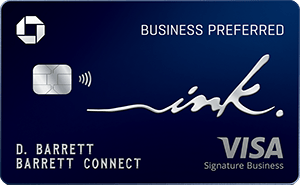
Affected cards — those with devalued or soon-to-be devalued transfer ratios — include the Chase Sapphire Preferred® Card (Rates & Fees) and Ink Business Preferred® Credit Card (Rates & Fees), plus legacy Chase cards that offer point transfers, including the Ink Plus® Business Credit Card.
Here's an overview of when the devalued 4:3 Chase to Hyatt transfer ratio takes effect, if it hasn't already:
- Chase Sapphire Preferred® Card
- Cardmembers approved on or after June 15, 2026, are subject to the new 4:3 transfer ratio immediately.
- Existing cardmembers and those approved before June 15, 2026, will receive the new 4:3 transfer ratio starting October 1, 2026.
- Ink Business Preferred® Credit Card
- Cardmembers approved on or after October 1, 2026, are subject to the new 4:3 transfer ratio immediately.
- Existing cardmembers and those approved before October 1, 2026, will receive the new 4:3 transfer ratio starting October 1, 2026.
- Ink Plus® Business Credit Card
- Existing cardmembers will receive the new 4:3 transfer ratio starting October 1, 2026.

$95Rates & Fees
- 5X points on Lyft rides through September 2027
- 5X points on travel purchased through Chase Travel℠
- 3X points on dining at restaurants worldwide
- 3X points on gas and EV charging
- 3X points on vacation homes at top brands like Airbnb, Vrbo and more
- 3X points on eligible streaming services
- 3X points on online grocery purchases (excluding Target, Walmart, and wholesale clubs)
- 2X points on all other travel
- 1X point per dollar spent on all other purchases
$95Rates & Fees
- 3X points per $1 on the first $150,000 spent in combined purchases on travel, shipping purchases, Internet, cable and phone services, advertising purchases made with social media sites and search engines each account anniversary year
- 1X point per $1 on all other purchases
Chase cards that transfer to Hyatt at a 1:1 ratio
Non-affected cards include the Chase Sapphire Reserve® (Rates & Fees), Sapphire Reserve for Business℠ (Rates & Fees), and J.P. Morgan Reserve card.
So, if you have one of these cards — or apply for one that's open to new applicants — you'll preserve the ability to transfer Chase points to Hyatt at a 1:1 ratio.
Moreover, if you pair one of these cards with another Chase card that doesn't offer a 1:1 transfer ratio, you can move your points to your premium card account and then transfer those points to Hyatt at a 1:1 ratio.

$795Rates & Fees
- 8x points on all purchases through Chase Travel℠
- 4x points on flights and hotels booked directly
- 3x points on dining worldwide
- 1x points on all other purchases

$795Rates & Fees
- 8X points on all Chase Travel℠ purchases
- 5X total points on eligible Lyft rides through 9/30/2027
- 4x points on flights and hotels booked directly
- 3x points on advertising purchases made with social media platforms and search engines*
- 1 point per dollar on all other eligible purchases
Bottom Line
The World of Hyatt program offers some fantastic redemptions, so it's easy to see why you might want to transfer Chase points to Hyatt.
While the transfer process itself is incredibly simple, things got a bit murkier when Chase tweaked the Chase to Hyatt transfer ratio and devalued it on select cards. Thankfully, there are still ways to preserve the 1:1 transfer ratio — though doing so means keeping a premium Chase card in your wallet for the long haul.
For rates and fees of the cards mentioned in this post, please visit the following links: Chase Sapphire Preferred® Card (Rates & Fees), Ink Business Preferred® Credit Card (Rates & Fees), Chase Sapphire Reserve® (Rates & Fees), and Sapphire Reserve for Business℠ (Rates & Fees)