





AwardWallet receives compensation from advertising partners, including cardratings.com, for links on the blog. The opinions expressed here are our own and have not been reviewed, provided, or approved by any bank advertiser. Here's our complete list of Advertisers.
Hotel prices aren't always the same across countries, even when you're booking the same property for the same dates. PriceMice, a free browser extension from NordVPN, compares these rates to see whether booking from a different country could cost less.
But does it actually help travelers find better deals? We tested PriceMice to find out.
Why Hotel Prices Can Vary by Location
Hotel prices can vary depending on where you're booking from. This is due to geo-based pricing, where factors such as local demand, currency differences, and regional pricing policies can influence the rates you see online.
According to an older NordVPN blog article, the company found that “US travelers often pay hundreds of dollars more than international customers when booking vacations through local websites.”
It’s not just hotel pricing that can be affected by this, either. Travelers can also encounter different rates for car rentals, airfare, and other travel expenses.
How Does PriceMice Work?
PriceMice compares prices for the same hotel room across multiple countries. If it finds a lower rate, the extension shows you where it's available and the price difference. PriceMice also factors in taxes and fees when that information is available on the booking platform.
The extension works on any Chromium-based browser (Chrome, Brave, and Edge), and you don’t have to be a NordVPN customer to use it.
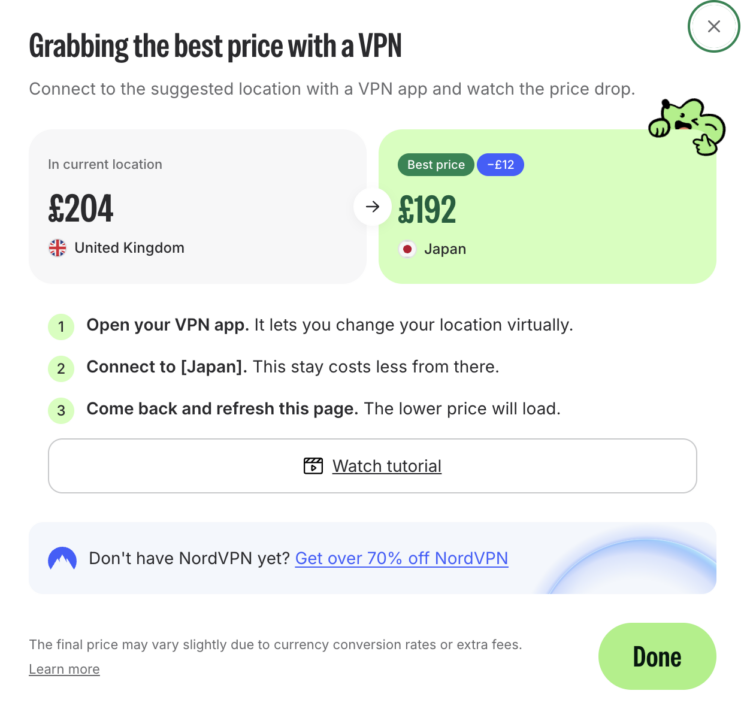
You don't need a VPN to compare prices, but you'll need a way to change your virtual location to book at a lower rate offered in another country. A VPN conceals your IP address and can make it look like you’re browsing from a different country.
So, if you’re searching for a hotel in Florence from the U.S. and PriceMice finds a lower rate in the United Kingdom, you can connect to a UK VPN server and return to Booking.com to see whether you can book at the lower price.
How To Install and Use PriceMice
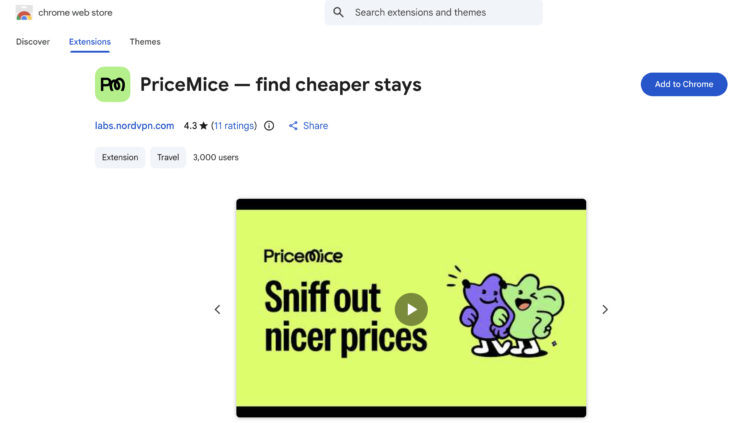
The hotel price comparison extension is free and available from the Chrome Web Store. Once downloaded, open PriceMice in your toolbar and follow the steps to log in.
To start using it, go to Booking.com in a Chromium-based browser — as this is currently the only booking platform PriceMice supports. However, the company has said it plans to add support for more sites and platforms in the future.
Once on the booking site, you’ll see the extension in action, as a ‘Find better price’ button will appear on individual hotel listings. The button is visible in search results and when you click on a specific hotel. When clicked, PriceMice takes a few seconds to search rates across multiple countries to find the best price.
If a better price is found, it’ll show up alongside the country where it’s more affordable to book. If not, the tool will let you know you’ve already found the best price.
We Tested PriceMice — Here's What We Found
We tested PriceMice across a number of hotels in different countries, but the savings were relatively small overall. It's worth noting that the searches were conducted from the U.K.
Another thing to consider is that Booking.com's Genius
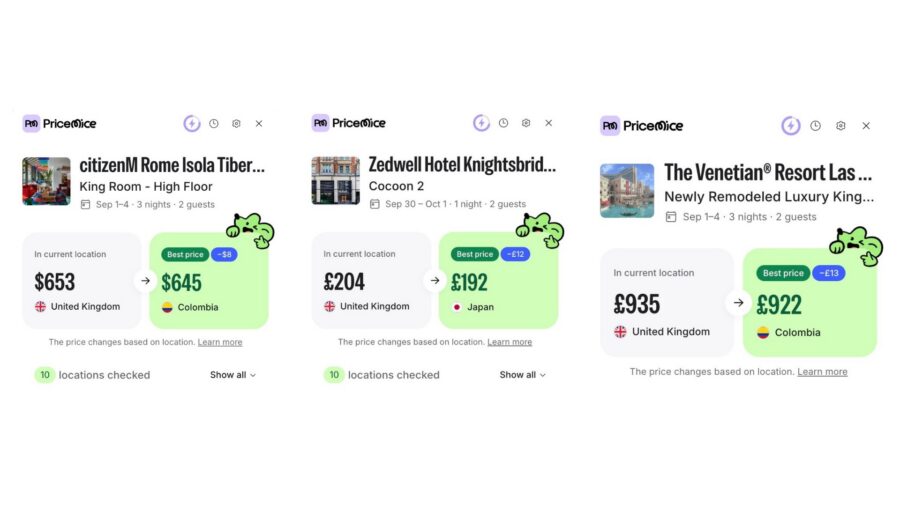
In one search for a hotel in London — while searching from the U.K. — the extension found a better price from Colombia, but it was only just shy of a $12 difference.
In another search, the Meliá London Kensington Junior Suite appeared $20 cheaper in the United Arab Emirates.
Again, the King Room at a citizenM hotel in Rome saw an $8 difference through a cheaper rate in Colombia. Japan was another which popped up a few times with savings.
We also found some savings when searching for hotels in the United States, although the differences were similarly small.
PriceMice Limitations and Things To Know
While PriceMice can help you find lower hotel rates, there are a few limitations to keep in mind:
- Limited booking platforms: PriceMice currently only works with Booking.com, although NordVPN has plans to expand availability. This could be frustrating if you regularly use another booking site.
- Browser restrictions: PriceMice is only available on Chromium-based browsers and doesn't currently support browsers like Safari or Firefox.
- Extra booking steps: PriceMice doesn't complete the booking for you, so there's an extra step involved if you want to take advantage of a lower rate.
- Potential VPN costs: While PriceMice is free, you may need to pay for a VPN or another location-changing service to book at a lower rate, which could wipe out the savings.
- Possible pricing inaccuracies: PriceMice uses AI to match hotel listings, so there's a chance it could return inaccurate results. Prices can also change between searching and booking, so it's worth double-checking the final rate and booking conditions before making a reservation.
Bottom Line: Is PriceMice Worth Using?
When it feels like prices are rising and vacations are becoming more expensive, I do think it's worth checking through PriceMice before making a final decision.
Remember, though, that Booking.com might not always offer the lowest rate, especially when you consider the benefits some hotels offer for booking directly.
You also won’t be able to earn points toward any hotel loyalty program when using the booking site either, although you can progress toward higher Genius status instead.
While the savings I found weren't huge, PriceMice is easy to use and worth checking before booking a hotel.