





AwardWallet receives compensation from advertising partners for links on the blog. The opinions expressed here are our own and have not been reviewed, provided, or approved by any bank advertiser. Here's our complete list of Advertisers.
Have you ever wished there was a simple way to locate the best-value hotel award nights in a region? Or do you have a ton of points in a single hotel
Although Rooms.aero might not offer the same ground-breaking functionality that we know and love Seats.aero for, you shouldn't overlook it. Better yet, if you pay for Seats.aero Pro, you also get premium Rooms.aero features, like the ability to search for cheap cash rates across a variety of programs and the option to set customized alerts.
Here's everything you need to know about Rooms.aero, and how to use it when looking for your next hotel stay.
What is Rooms.aero?
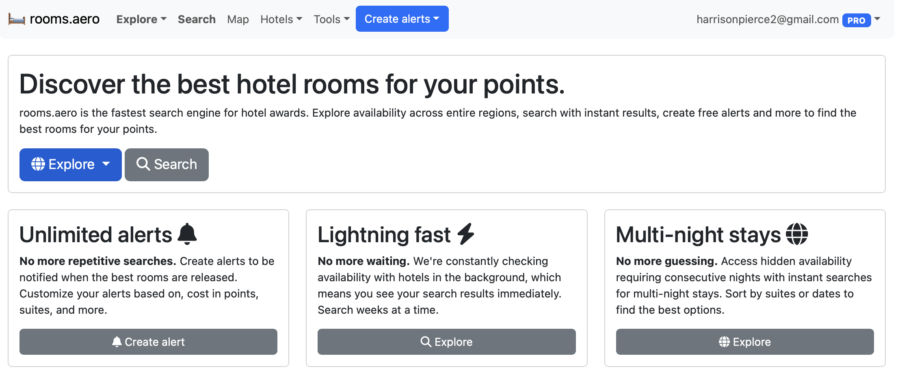
Rooms.aero is an award search tool focused on hotel stays. It offers three main features:
- Explore: See all the trackable hotels in one of the five tracked
loyalty programs - Search: Find a hotel stay based on your preferred number of nights and check-in date. Filter by program and points required.
- Map: Identify all trackable hotels in a given region, color-coordinated by award program. Filter by the maximum number of points per night.
What does Rooms.aero cost — and what does a subscription get you?
The vast majority of Rooms.aero feature are free. You can search, explore availability, and create alerts for hotel rooms for the entire year for free — you don't even need to make a free account. However, if you want the ability to create unlimited alerts and search for cheap cash rates, you'll want a premium subscription.
In all honesty, you probably aren't going to sign up for a premium subscription just to have access to these premium Rooms.aero features. However, Seats.aero and Rooms.aero share a single bundled membership program. When you sign up for a Seats.aero premium membership, you unlock all the premium benefits for both tools.
For any travel hacker, a premium Seats.aero plan pays for itself. You'll receive the following benefits:
- Search for award seats across 26
mileage programs - Create unlimited alerts for flight and hotel availability, including SMS alerts
- Use advanced filters when searching for flights
- Request new routes to be tracked
- View seat maps and fare class availability
- Remove all ads
I've been both a free and premium user of Seats.aero, and the premium membership is absolutely worth $9.99 per month or $99.99 per year. The ability to search for award redemptions up to a year in advance helps you book awards that would otherwise be unattainable. And after using Room.aero's cheapest cash rates option, I can see its utility as well.
Click here to sign up for a Seats.aero Pro account.
How to Use Rooms.aero
Rooms.aero is pretty intuitive, especially if you're accustomed to booking free nights at hotels. But here's what you should know about using the tool.
What hotel loyalty programs does Seats.aero track?
Rooms.aero currently tracks five major hotel loyalty programs, including:
Odds are, if you frequently stay at hotels, you are loyal to at least one of these programs. Unfortunately, it doesn't track programs like Best Western, Wyndham, or Accor. It also doesn't scrape any of the small hotel groups, such as Leading Hotels of the World or Preferred Hotels and Resorts. Rooms.aero has only been around for a few years, so it may roll out additional hotel loyalty programs, but only time will tell.
Explore
The Explore page allows you to search for award nights by program. When you click on a program, you'll be able to see a list of hotels in that program and how much a standard room or a suite would cost in cash or points. You can filter by the number of nights, by brand within the hotel's portfolio, country, number of points, and point value.
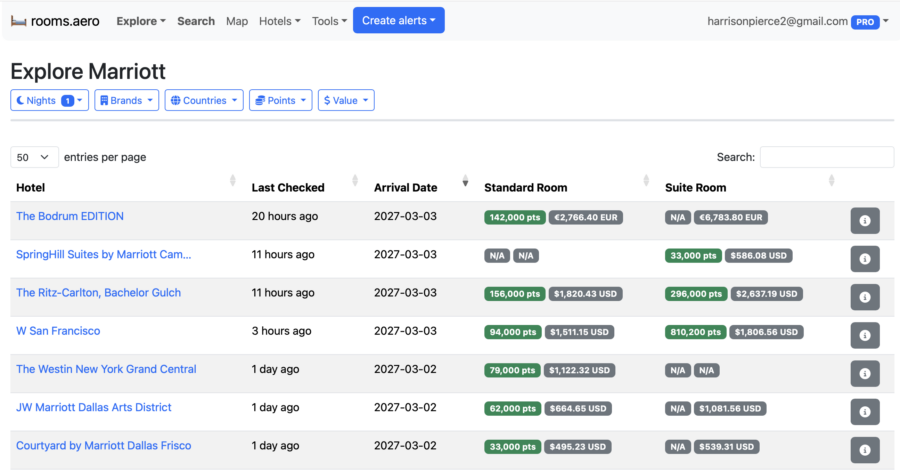
If you have elite status in a hotel loyalty program but are unsure of where you might want to go, the Explore feature is a great place to start. For instance, I have Marriott Bonvoy Gold status, and I want to take a trip somewhere for my birthday in November. I can search for a five-night stay to maximize Marriott's fifth night free benefit and filter by value so the stay is at least 3¢ per point.
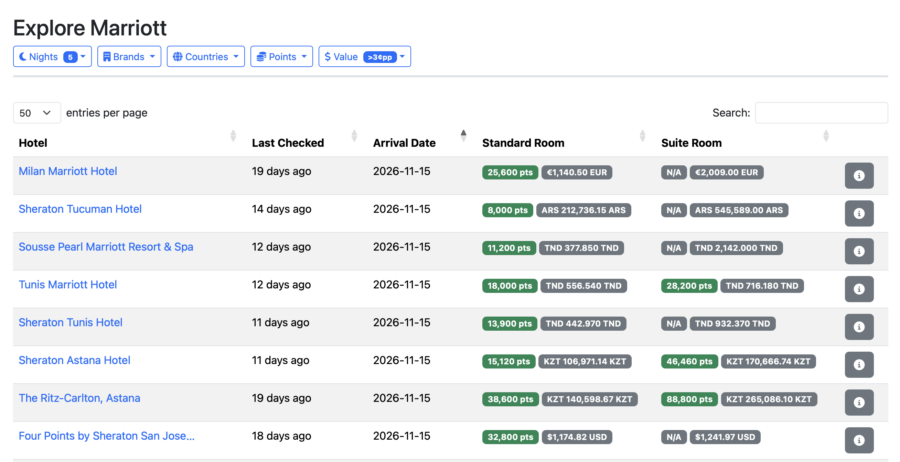
One major limitation of Rooms.aero is in how it calculates point value — it doesn't convert local currency to USD. In regions where $1 USD can equal hundreds or thousands in the local currency, the calculations are likely skewed.
For instance, as shown in the screenshot above, the Ritz-Carlton Astana can be booked for 38,600 Bonvoy points per night or 140,598 KZT. Converted into USD, I'd pay just 295.25 per night, which gives me a valuation of 0.7 cents per point. I filtered by more than 3¢ per point, but this result still appeared. Just be sure to do your own calculations before booking your hotel.
Live award search
Room.aero's Search feature allows you to search for a hotel stay through all five trackable programs between specific dates and a number of nights. If you know where you want to go and when, it's a great way to see all your hotel options in your desired city or region.
For instance, I want to take a trip to Aruba this June. After entering my dates and the number of nights, I'll see a list of hotels bookable with points across the trackable programs with availability in Aruba. I can then sort by best value, cents per point, or number of points.
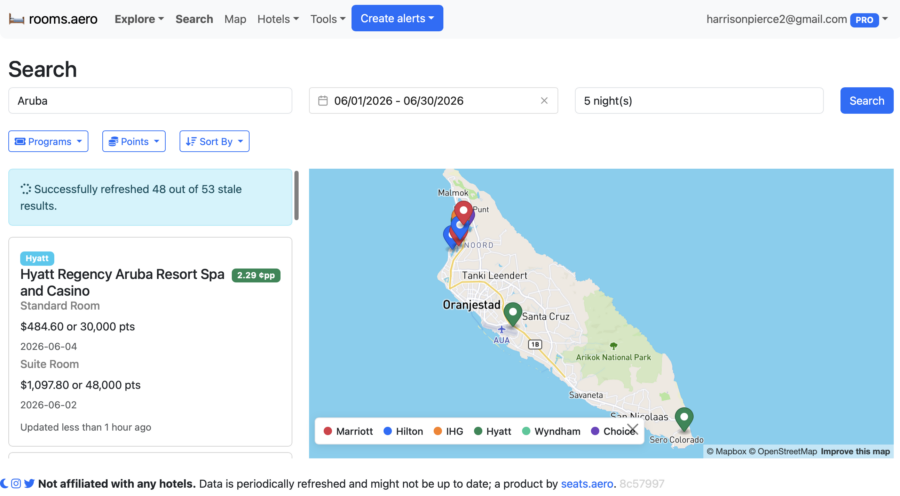
When you click on a hotel listing, you'll be taken to a price calendar to compare check-in dates. For instance, I can book a five-night stay in a suite at the Secrets Baby Beach Aruba, a luxury Hyatt all-inclusive, for 30,000 points per night.
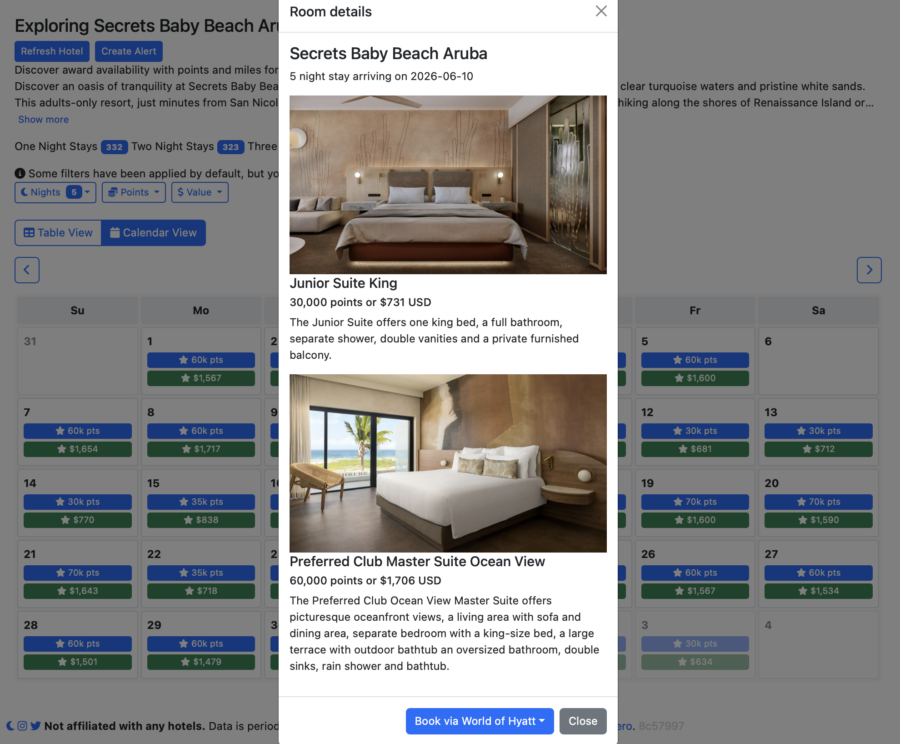
Once you click “Book via World of Hyatt,” you'll be redirected to the Hyatt website to complete your booking. The ease of the search — and real-time availability — makes Rooms.aero incredibly competitive.
Map
The map feature allows you to view all trackable hotels in a region. Each pin is color-coded by loyalty program:
- Purple: Choice Privileges
- Blue: Hilton Honors
- Green: World of Hyatt
- Orange: IHG One Rewards
- Red: Marriott Bonvoy
The map will also allow you to filter by the maximum number of points per night.
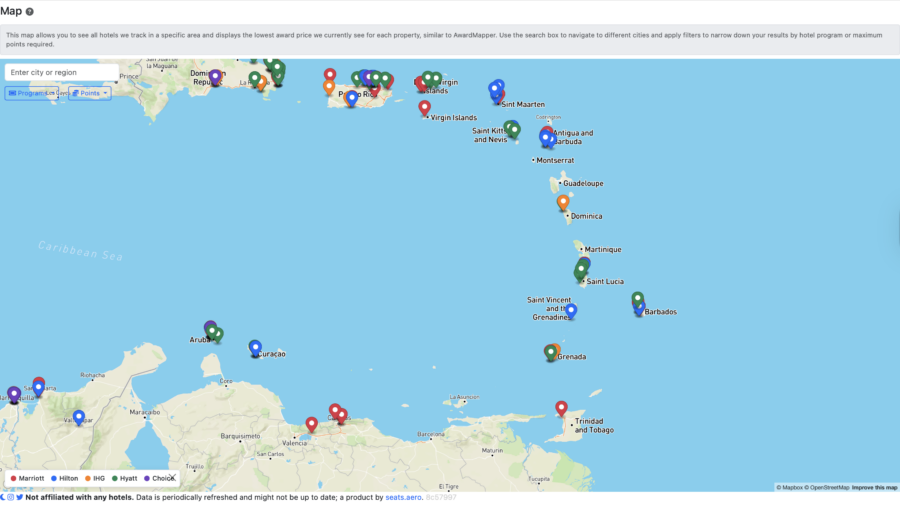
So, if I weren't set on Aruba this June, I could use the map feature to see which loyalty programs offered hotels in the Caribbean. After identifying one, you can click on the map icon to see the fare calendar. Note that the advertised fares on the map are the lowest available award prices that Rooms.aero can find, so there's no guarantee they'll align with your dates.
Hotels
The Hotels tab will show you all of the hotels Rooms.aero tracks for each of the five loyalty programs. When you click on a hotel, you'll be taken to the fare calendar. At first glance, this might not seem super necessary. However, this is an underrated tool.
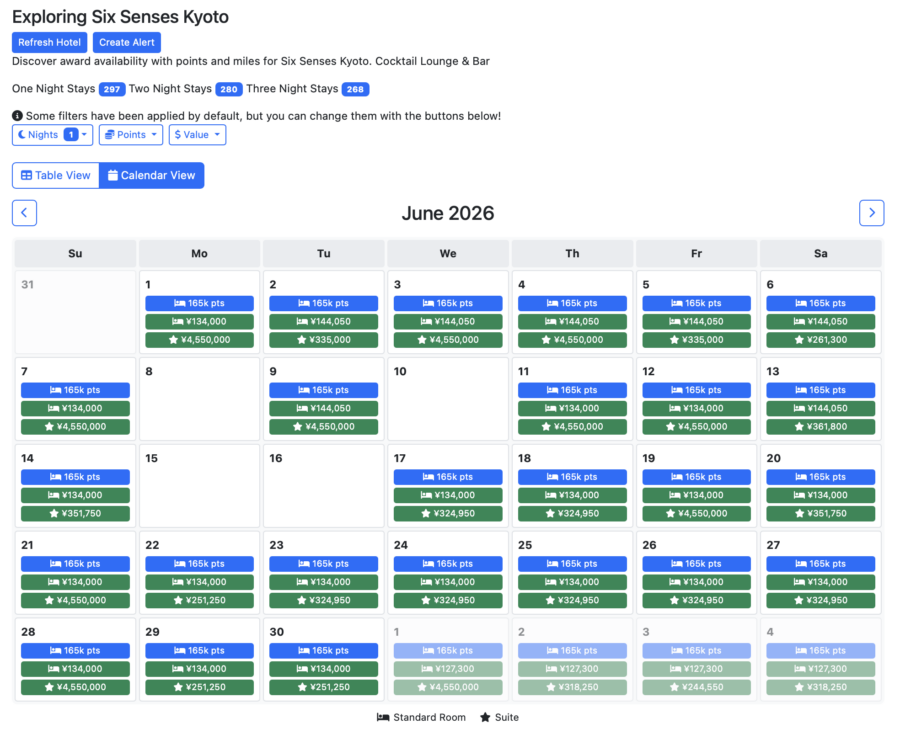
Many programs require you to be logged in and perform a search to reach a fare calendar, but Rooms.aero allows you to access it in just a few clicks. For instance, if I wanted to book a stay at a Six Senses property (one of my favorite hotel brands), I'd go under IHG and search for Six Senses. Then, I'd get a roundup of all Six Senses properties that Rooms.aero tracks, and I can click on one to see its fare calendar for the entire next year.
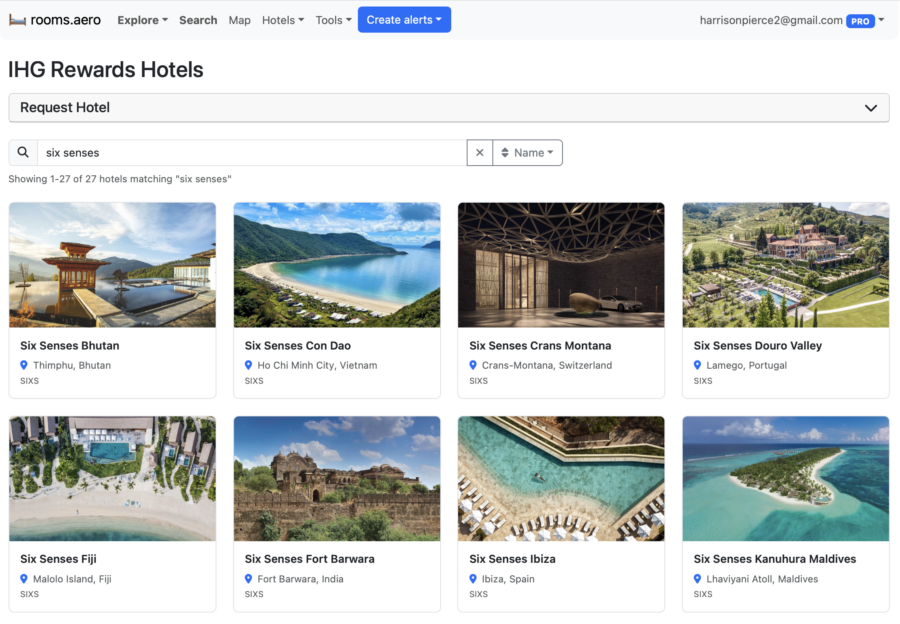
After clicking through the calendar for Six Senses Kyoto, it looks like June has the most affordable award nights. I found this out in seconds, compared to the effort it would take to find this same calendar on the Six Senses or IHG websites.
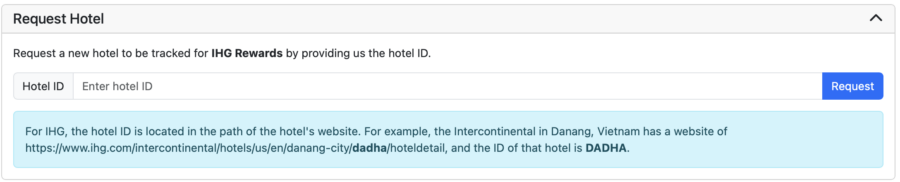
The Hotels section is also where you can request that new hotels be tracked by Rooms.aero. You just need to find the hotel ID to submit your request.
Tools
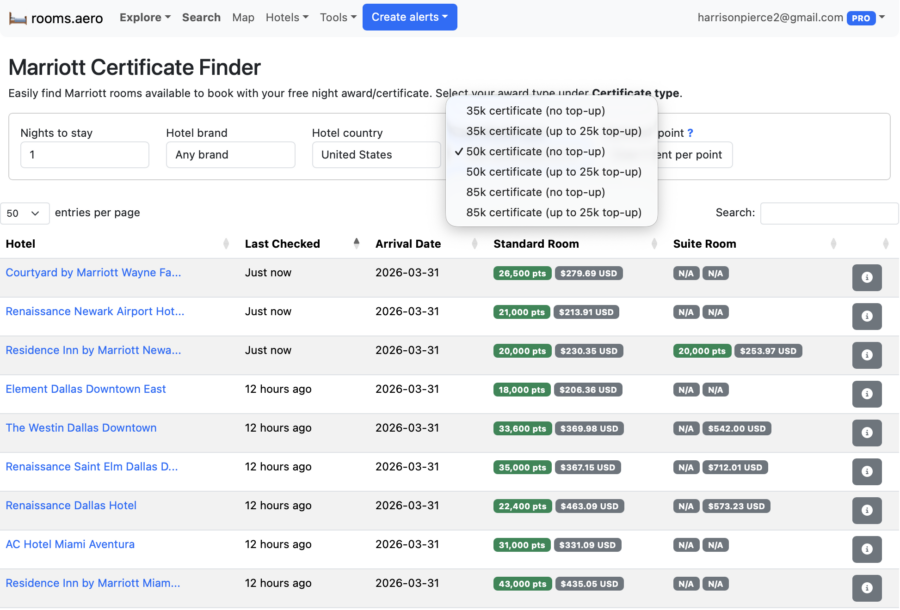
If you have a Marriott free night award as a credit card benefit or an Annual Choice benefit, Rooms.aero has a tool to help you find Marriotts with rooms available so you can use your reward.
This is one of the few instances where you'll want to sort by price: high to low. After all, you don't want to use a free night certificate worth up to 85,000 Bonvoy points on a hotel that charges just 15,000 points per night. It also allows you to factor in the up to 25,000-point top-off on free night awards.
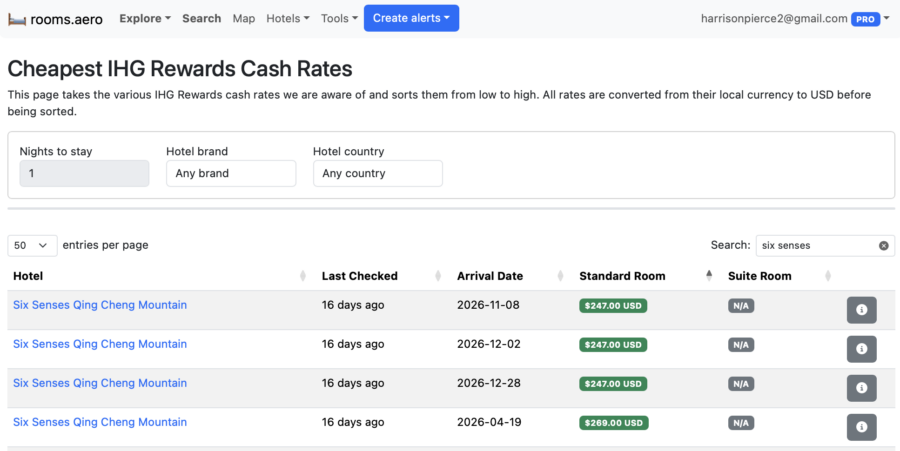
If you've used up all your points and need to earn some more, you can search for the cheapest cash rates available for each program. For instance, if I didn't want to pay 165,000 IHG One Rewards points for a night at the Six Senses Kyoto, I could opt to pay $247 per night for a stay at the Six Senses Qing Cheng Mountain.
Creating alerts
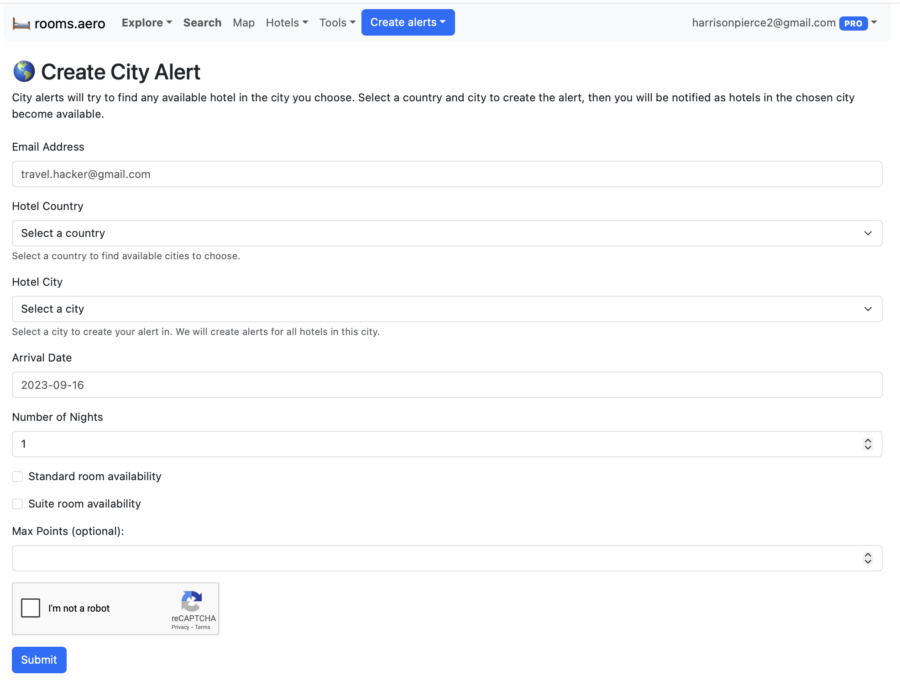
You can create an alert for specific hotels or for all hotels in a city. If you know where you want to go but can't find any rooms available, this is a helpful tool that notifies you as soon as availability opens up.
Final Thoughts
Rooms.aero is valuable, especially when it's bundled with Seats.aero. Most of Rooms.aero's features that matter are free, so you likely won't sign up for a premium membership just to see cheap cash rates across various loyalty programs. However, when the two tools are used together, you have a one-stop shop to plan your next trip.