





AwardWallet receives compensation from advertising partners for links on the blog. The opinions expressed here are our own and have not been reviewed, provided, or approved by any bank advertiser. Here's our complete list of Advertisers.
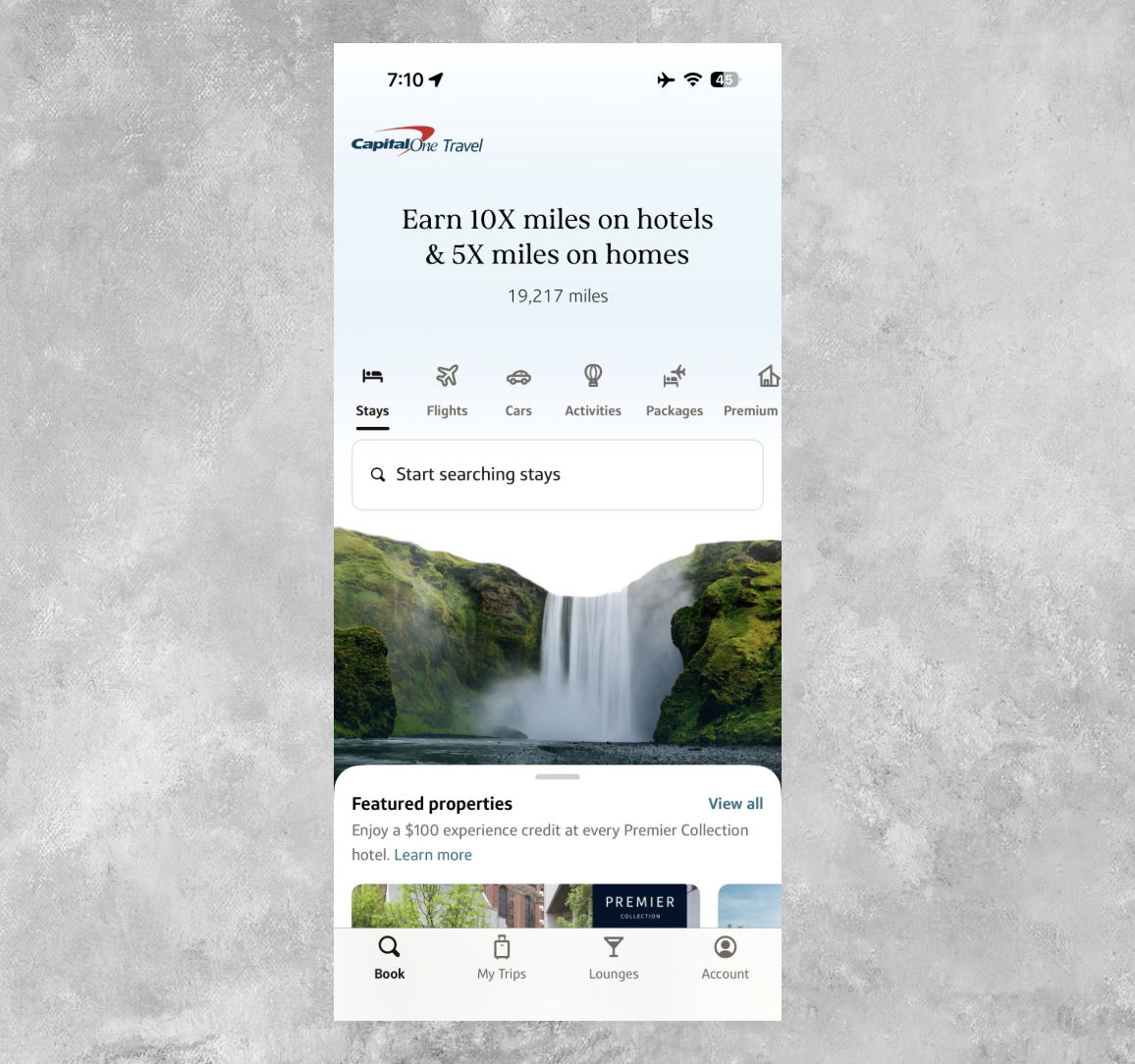
Here's what to know about the new Capital One Travel app and how to navigate it.
Capital One Launches a Brand-New Travel App
The new Capital One Travel app launched on March 17, 2026. This new app exists alongside the primary Capital One mobile app (the one you might currently use to book travel, pay your credit card bill, and bank with Capital One). But the new app focuses primarily on travel and serves as your new mobile one-stop shop for all things Capital One Travel.
While certain elements of Capital One Travel will still live on in the Capital One mobile banking app and on the web (like travel details and lounge information), you'll want to download the new app now that it's available. Best of all, it's free to do so.
Now, who can use the new Capital One Travel app? Just about anyone with a travel
And there are plenty of reasons to consider a miles-earning Capital One card if you don't already have one.

$0
- 5 Miles per dollar on hotels, vacation rentals, and rental cars booked through Capital One Travel
- 5 Miles per dollar on purchases through Capital One Entertainment
- 1.25 Miles per dollar on every purchase, every day.

$95
- 5X miles per dollar on purchases through Capital One Entertainment
- 5X miles per dollar on hotels, vacation rentals and rental cars booked through Capital One Travel
- 2X miles per dollar on all other purchases

$395
- 10X miles per $1 on hotels and rental cars booked via Capital One Travel
- 5X miles per $1 on purchases through Capital One Entertainment
- 5X miles per $1 on flights when booking via Capital One Travel
- 5X miles per $1 on vacation rentals booked via Capital One Travel
- 2X miles per $1 on all other eligible purchases
Related: The Best Capital One
How to Use the Capital One Travel App
If you've downloaded the Capital One Travel app on your phone, you're ready to use it — and it couldn't be easier. The login for the app is the same one you use to access Capital One through its mobile banking app or on the web.
What's neat about the app is that Capital One also debuted a feature it's calling “Long Live Access.” This means that once you log in, you can stay logged in for up to 75 days before needing to re-enter your credentials.
After entering those credentials for the first time, though, you're ready to start using the app like a pro.
Book travel and manage reservations
From left to right (as the menu at the bottom of your screen reads), the first thing you can do in the Capital One Travel app is book and pay for travel. Everything you've previously been able to book through Capital One Travel — such as flights, hotels, activities, rental cars, and more — you can now do through the Capital One Travel app.
That also includes redeeming miles and travel credits for eligible bookings.
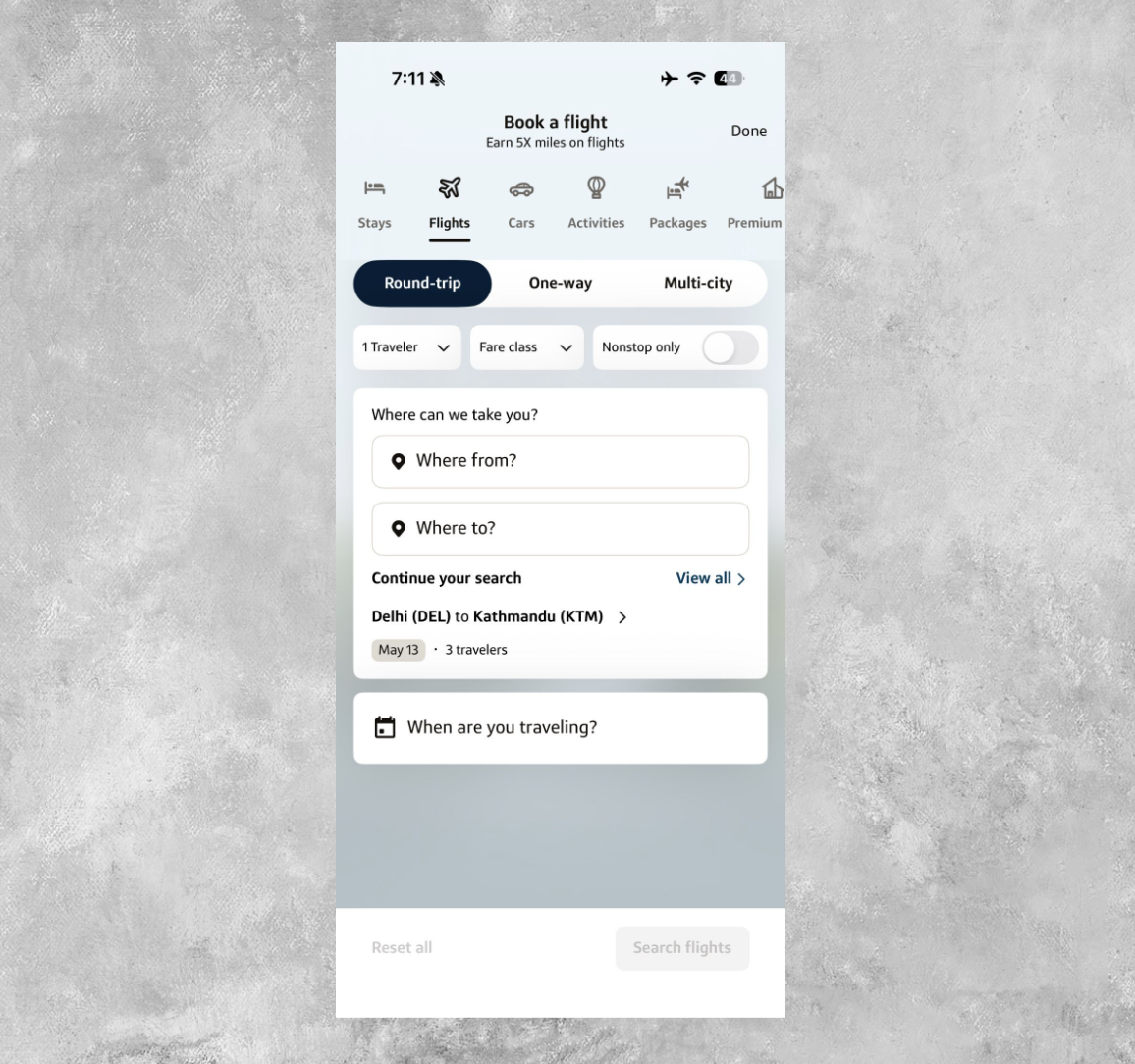
You might notice that the user experience is also similar to the Capital One banking app or the web version. For instance, if you use the new app to book a flight from Airport A to Airport B, you'll see familiar menu options.
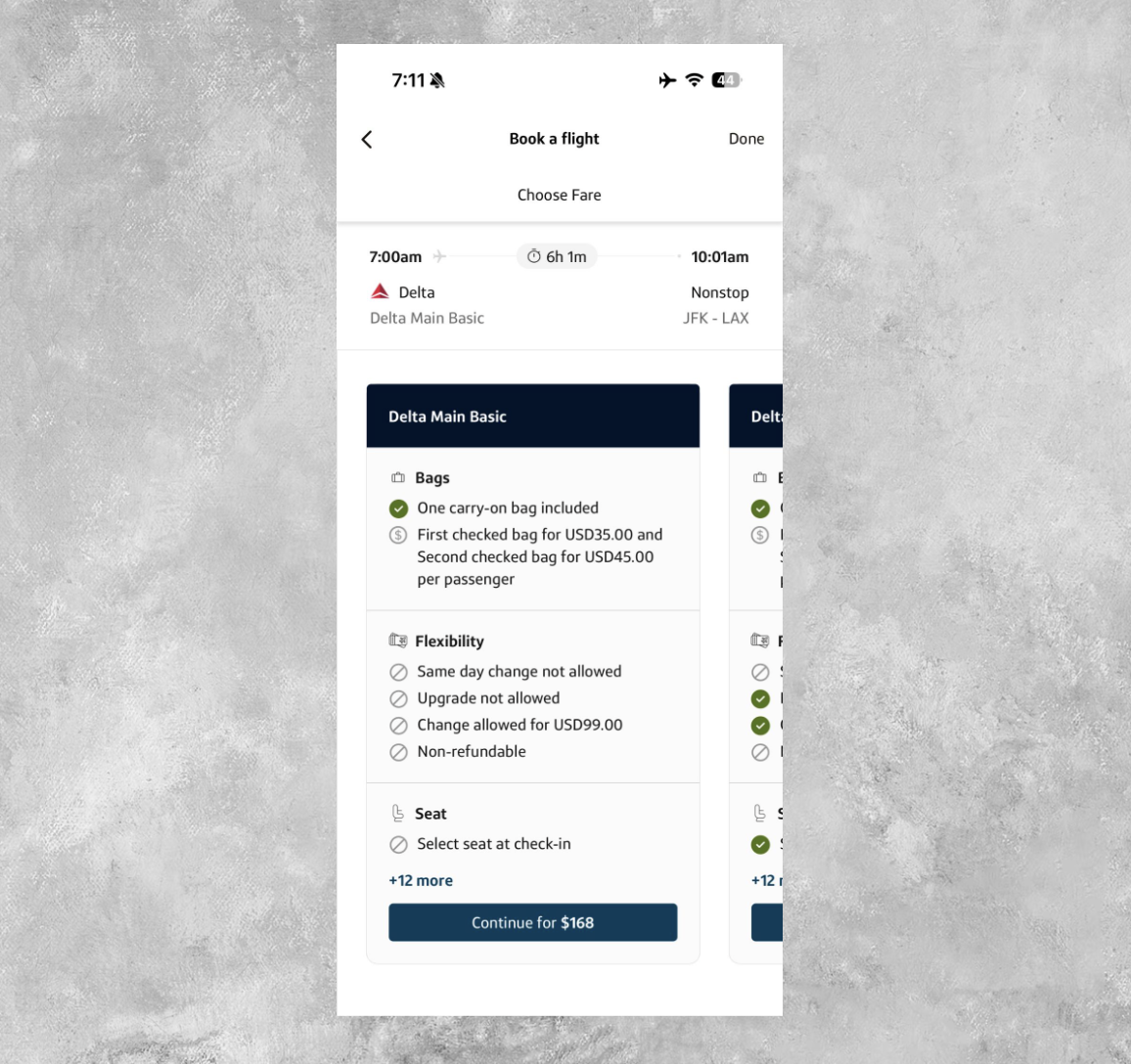
You'll also see results displayed in a similar way. For example, you can scroll through available Delta fares on this sample itinerary from New York (JFK) to Los Angeles (LAX) and view the associated bag policies, flexibility, seat benefits as per your fare, and more.
Things like activities are equally simple to browse and book. For example, you can use the app to view all of the activities available in Los Angeles at the end of May while also confirming how many points you'll earn on the booking itself.
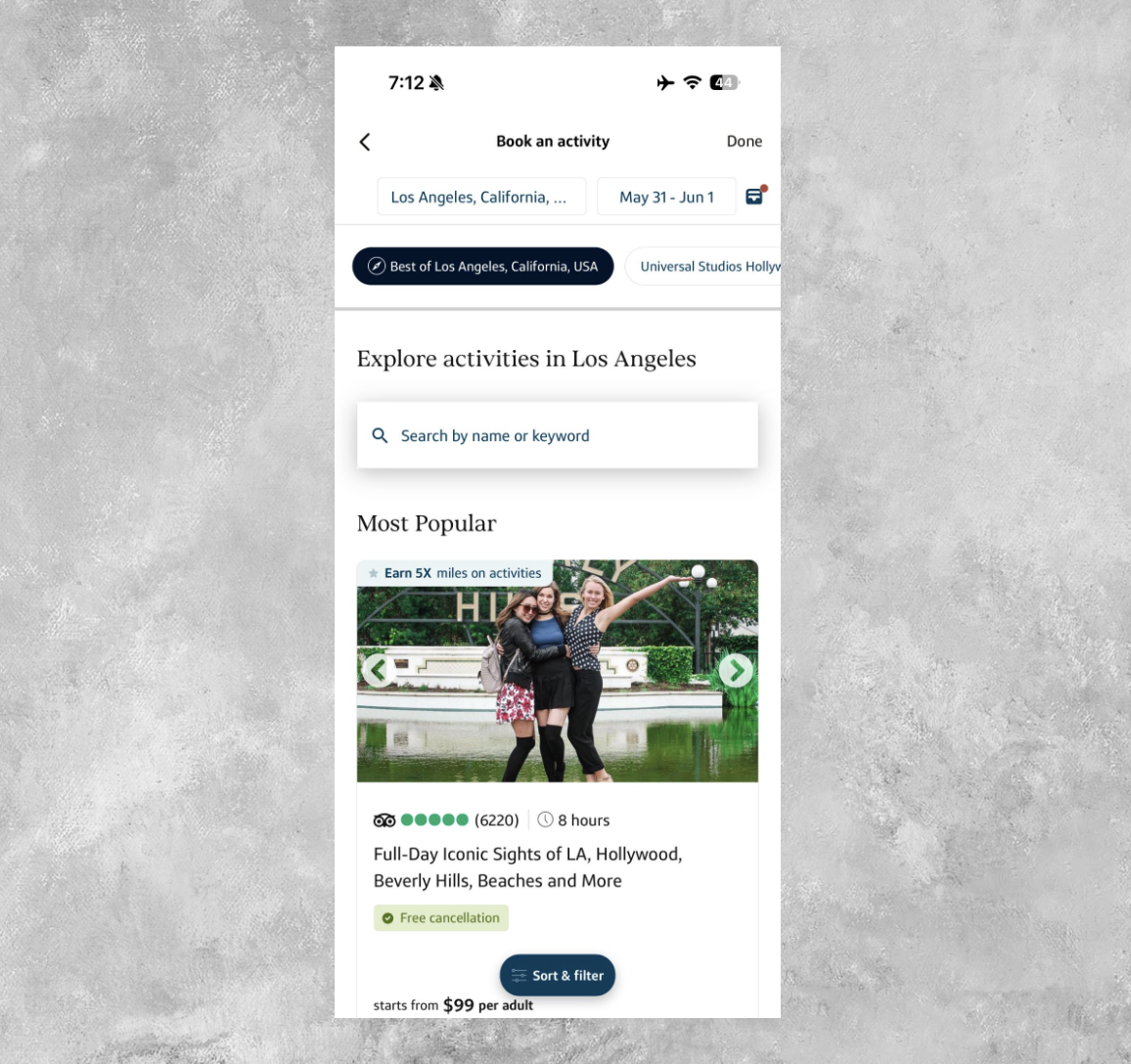
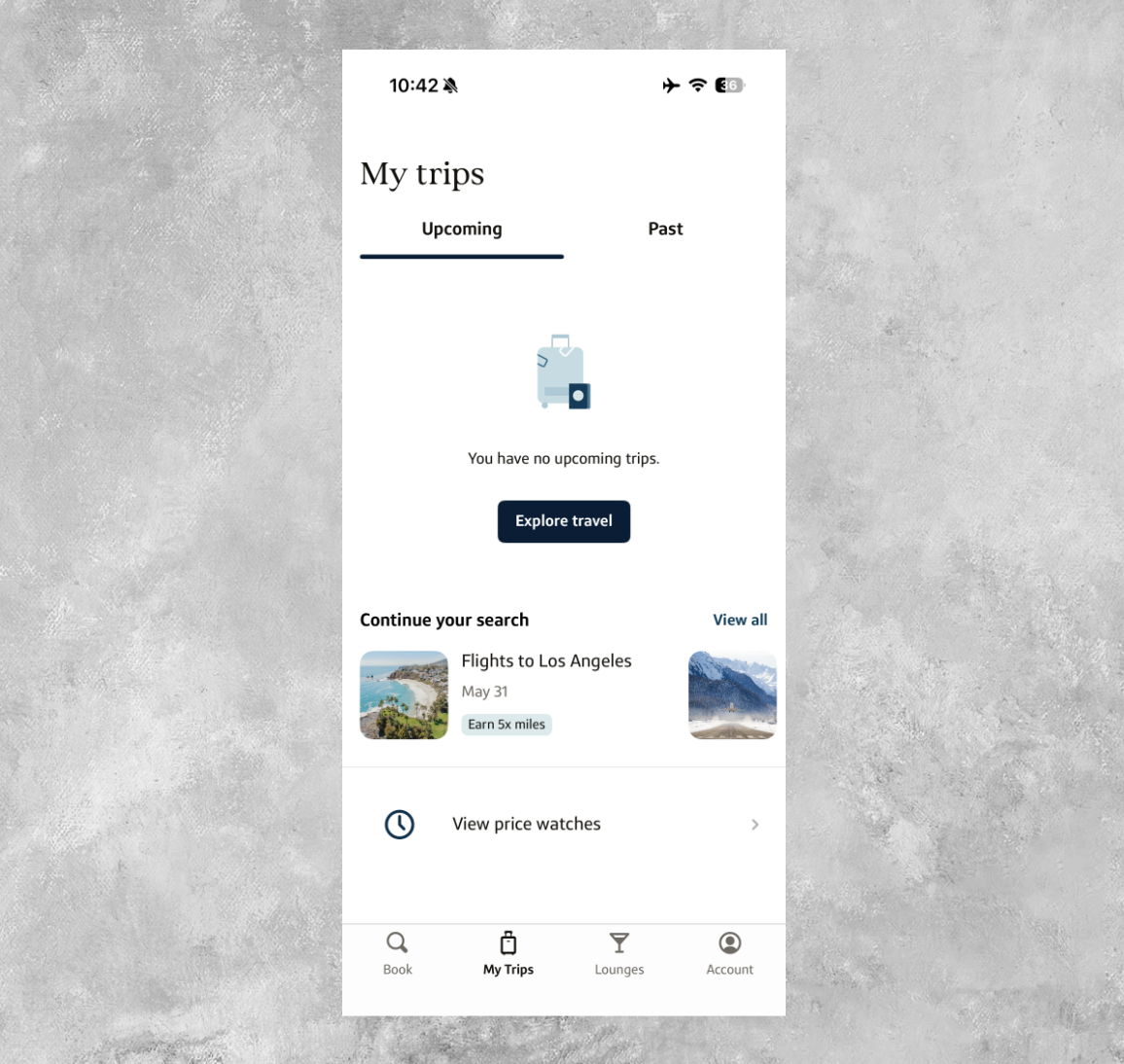
Just as you can book travel, you can also manage it. Also at the bottom of your screen, you can click on “My Trips” to view upcoming and past trips booked through Capital One, as well as manage any price watches you have set up.
Related: Track Your Travel Plans With the Awardwallet Timeline: See All Your Details in One Place
Find airport lounges you can access
Another handy feature of the Capital One Travel app is that you can use it to find airport lounges you can access with your Capital One card. To get started, click on “Lounges” at the bottom of your screen.
Here, you can view lounge passes (if you've set them up) and confirm what lounge access you have based on the cards in your wallet. But the more useful feature is the ability to search for airport lounges at the airport you're traveling through that you can access.
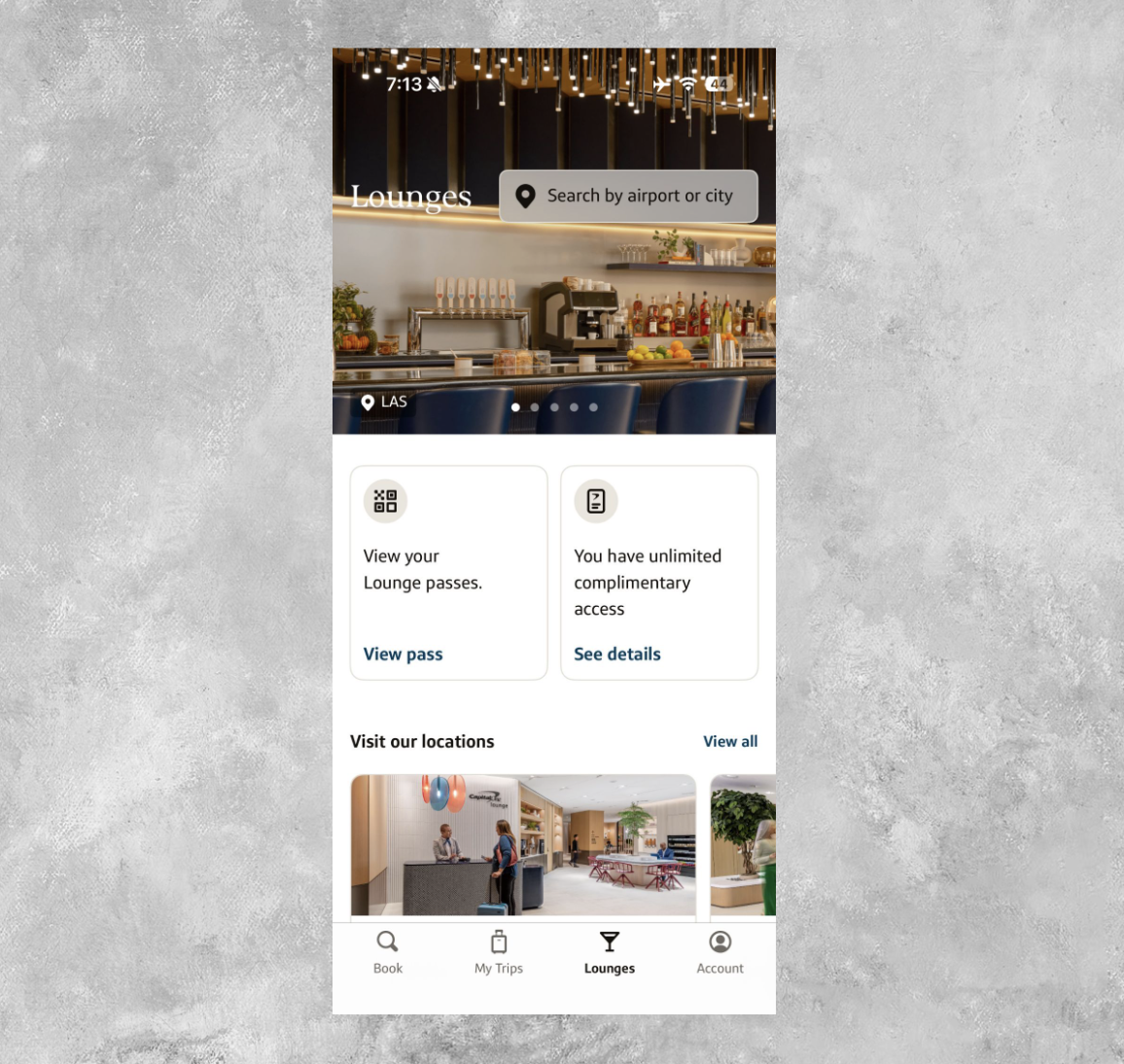
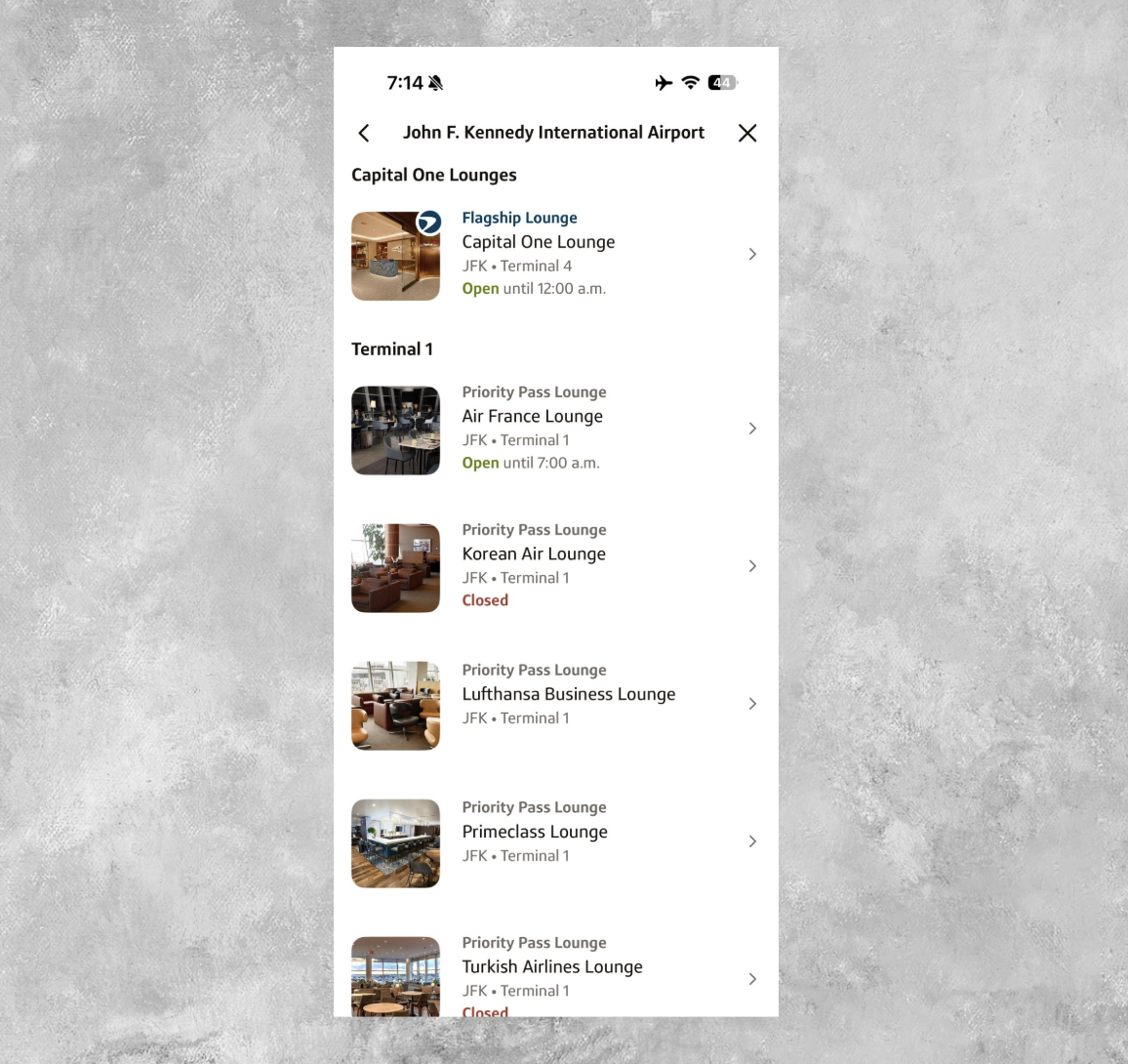
To give you an idea of how this works, here are all the lounges available at New York's John F. Kennedy International Airport (JFK). In the results, you'll see the Capital One Lounge at JFK, plus several Priority Pass lounges.
Personally, I'm a cardholder of the Capital One VentureOne Rewards Credit Card, which offers entry to more than 1,300 additional lounges through participating Priority Pass™ lounges (enrollment required). It's nice that you can quickly spot those participating lounges without having to dig too hard.
If you click on one of those lounges, you'll also see its hours, access policies, and location. For example, here's the Chase Sapphire Lounge by The Club at JFK, which also has additional restrictions for cardholders accessing the space via Priority Pass membership (in this case, there's an hours restriction during certain times).
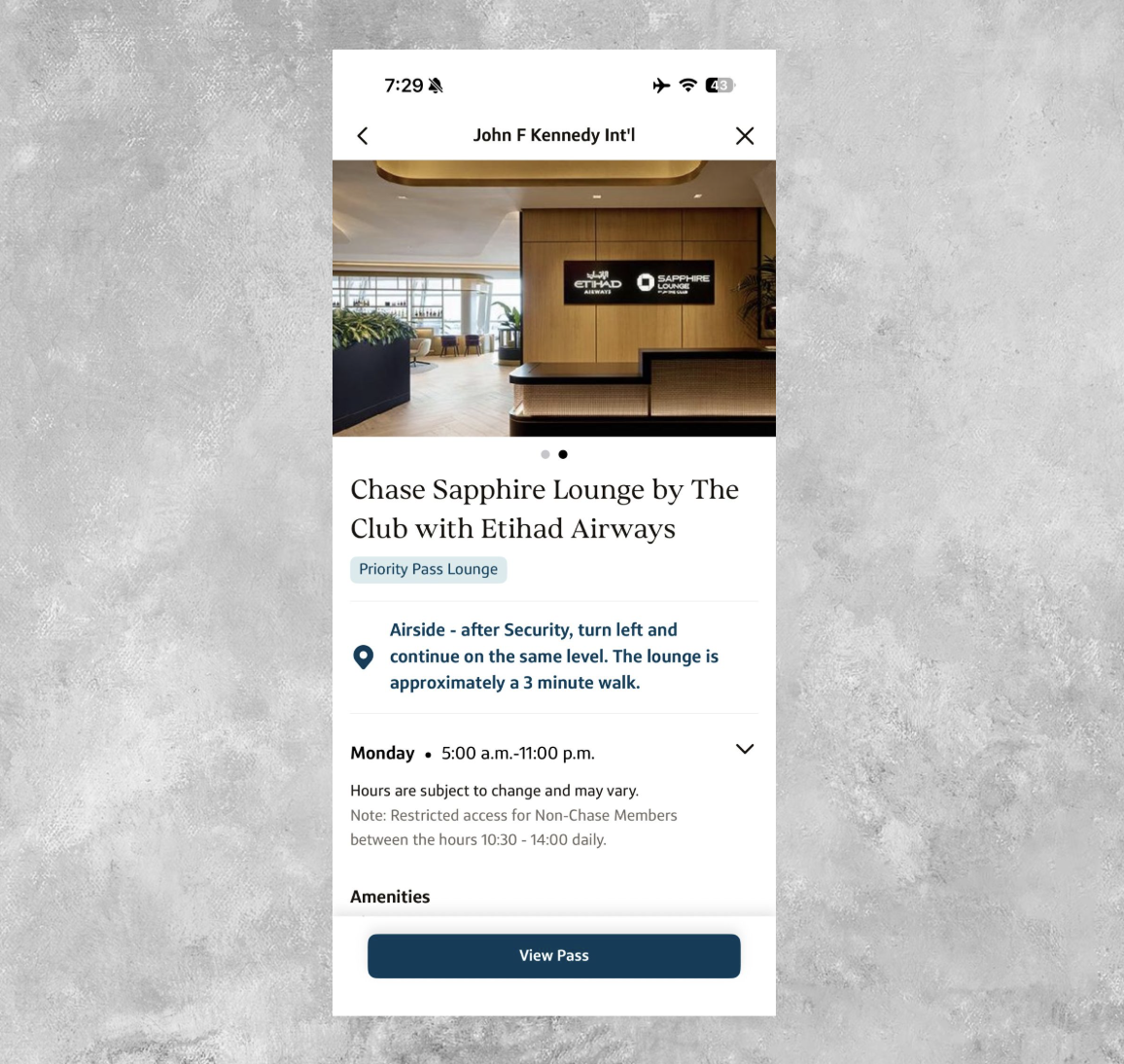
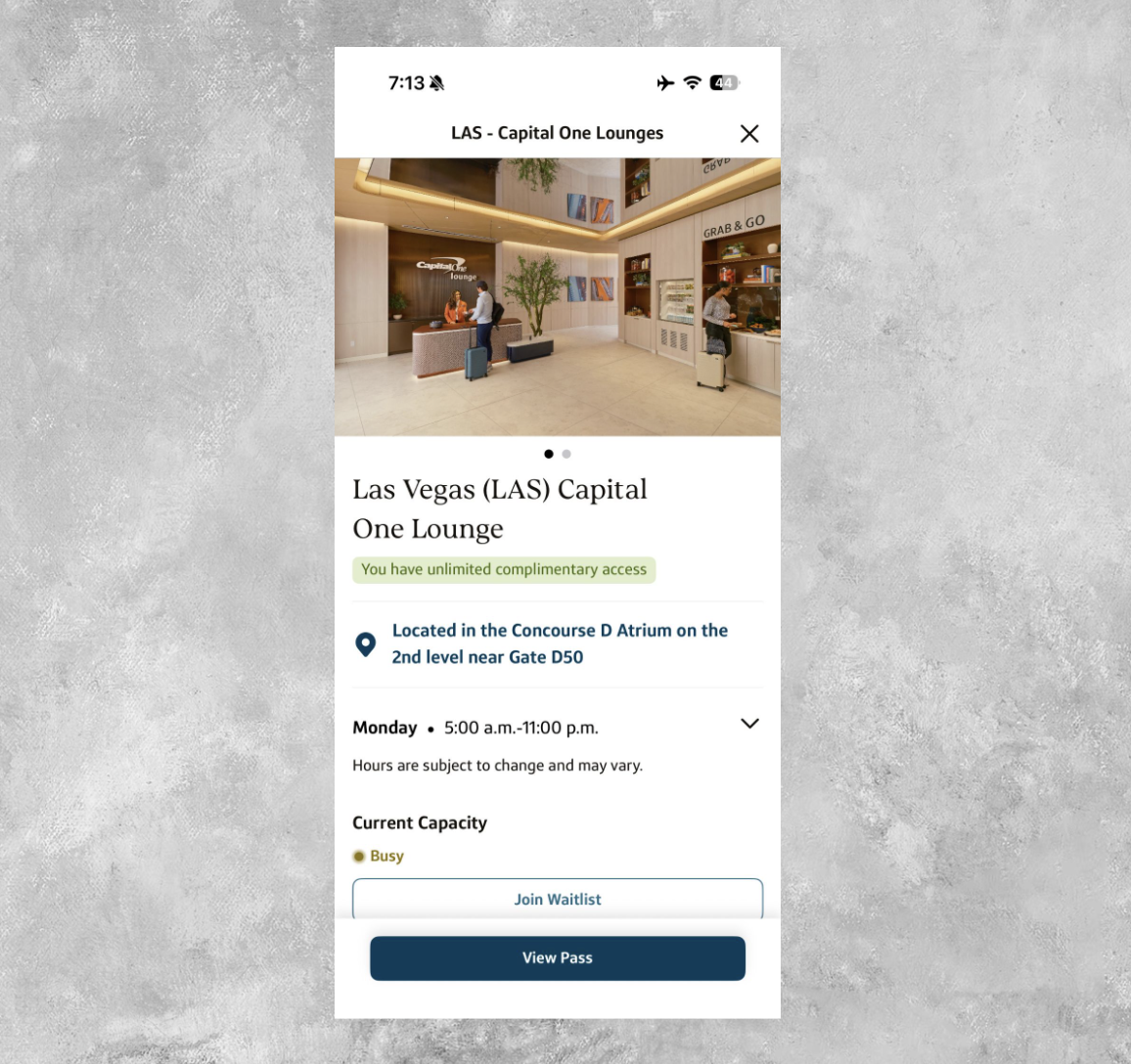
One Capital One feature that also exists in the banking app, but now appears in the Capital One Travel app, is the ability to track how busy a lounge is and, if necessary, join the waitlist. This works for both Capital One Lounges and Capital One Landings.
At the time of writing, the Capital One Lounge at LAS was busy, so the app gives me the option to join the waitlist.
Do remember that another way to find airport lounges you can access is by using AwardWallet's Lounge Tool. Similar to the above, you can get a bird's-eye view of the lounges you can access with your cards, and this extends to more cards in your wallet than just Capital One.
Don't have an AwardWallet account yet? Sign up for free and track unlimited rewards programs and travel plans.
View miles balance and travel credits
One of the last things worth pointing out about the new Capital One Travel app is that you can use it to get a quick and easy overview of how many Capital One miles you have, along with your balance of travel credits.
In my case, it's a good reminder that my Capital One miles balance is a little too low, and I should probably prioritize earning more of them. But I digress…
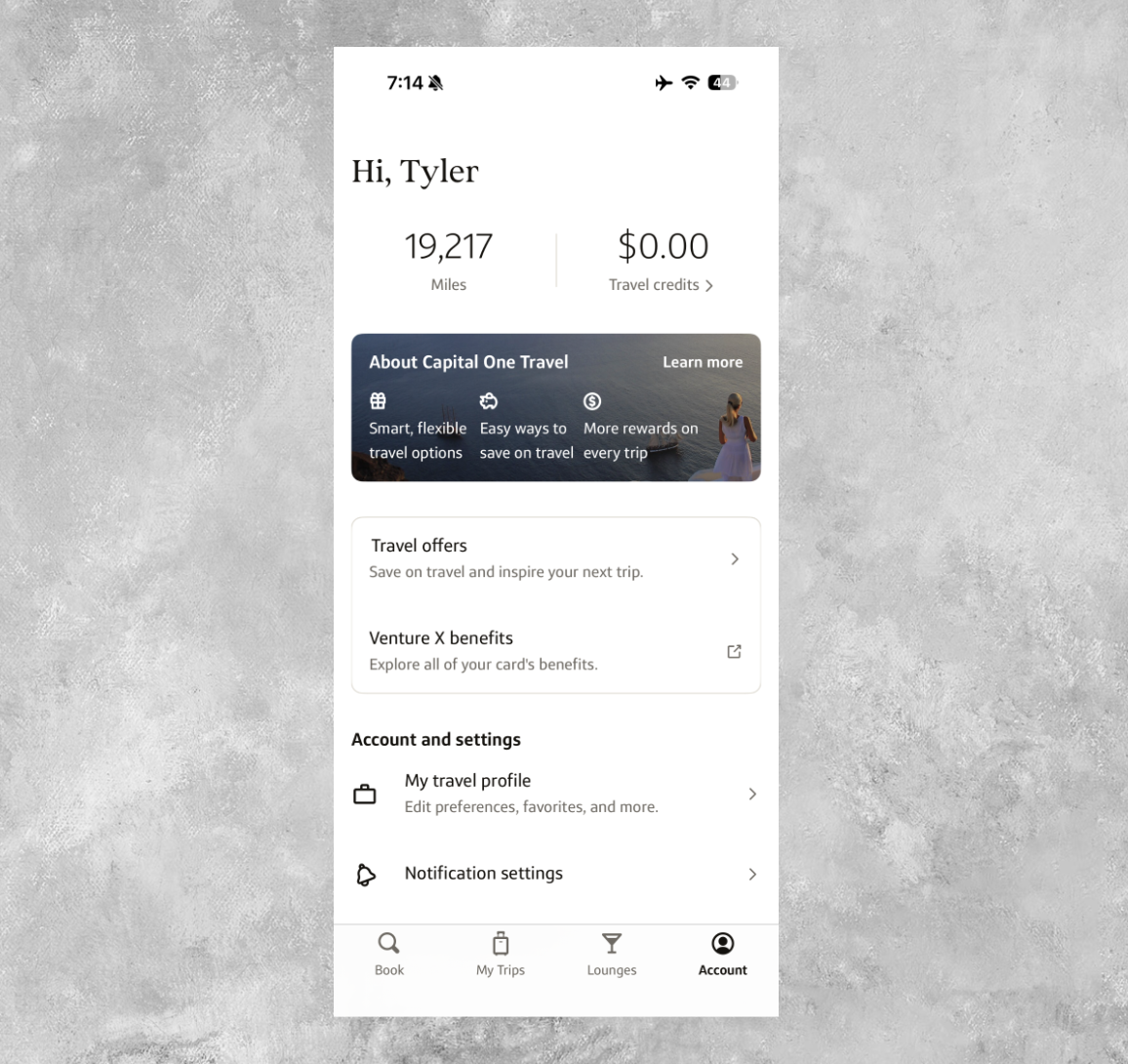
On this page, you can also view travel offers if you've been targeted for one (or multiple) of them, retrieve any airline credits you might have from canceled Capital One Travel bookings, get contact information for Capital One Travel support, and more.
Bottom Line
The new Capital One Travel mobile app has arrived, and not only is it straightforward and easy to navigate, it's also an easy way to separate your travel and rewards from your banking. Yes, you'll still need to go back to the Capital One banking app or mobile browser to transfer miles to Capital One's transfer partners. But for everything else, I appreciate having all of Capital One Travel in one place.
- Earn 75,000 Miles once you spend $4,000 on purchases within the first 3 months of account opening, plus a limited-time $300 Capital One Travel stays credit
- 5X miles on hotels, vacation rentals and rental cars booked through Capital One Travel
- 2X miles on all other purchase
- Fee credit for Global Entry or TSA Pre✔® (up to $120)
- No foreign transaction fees
- $95 annual fee
- 5X miles per dollar on purchases through Capital One Entertainment
- 5X miles per dollar on hotels, vacation rentals and rental cars booked through Capital One Travel
- 2X miles per dollar on all other purchases