

AwardWallet receives compensation from advertising partners, including cardratings.com, for links on the blog. The opinions expressed here are our own and have not been reviewed, provided, or approved by any bank advertiser. Here's our complete list of Advertisers.
As a digital nomad, travel writer, and general points and miles nerd, I subscribe to a lot of different award search tools. Without a doubt, one of my favorites is Seats.aero, which makes it incredibly easy to find award seats through 24 of your favorite airline
Although Seats.aero prices just increased, you can take advantage of its Black Friday sale to get 20% off your first year of a Seats.aero Pro membership by clicking here and entering promo code FRIDAY2620
Here's what to know about this sale and why you might want to consider subscribing.
Brief Overview of Seats.aero
Seats.aero is an award search tool built to be as useful as possible for frequent travelers. It has four main functions:
- Search: Find award availability on a specific route — including live availability for Pro subscribers.
- Explore: Look through 24 airline
frequent flyer programs - Tools: Access upgrade finder and award finder tools for hard-to-find premium cabin availability.
- Alerts: Create specific award alerts for specific routes, dates, airports, and more.
Seats.aero plans and prices
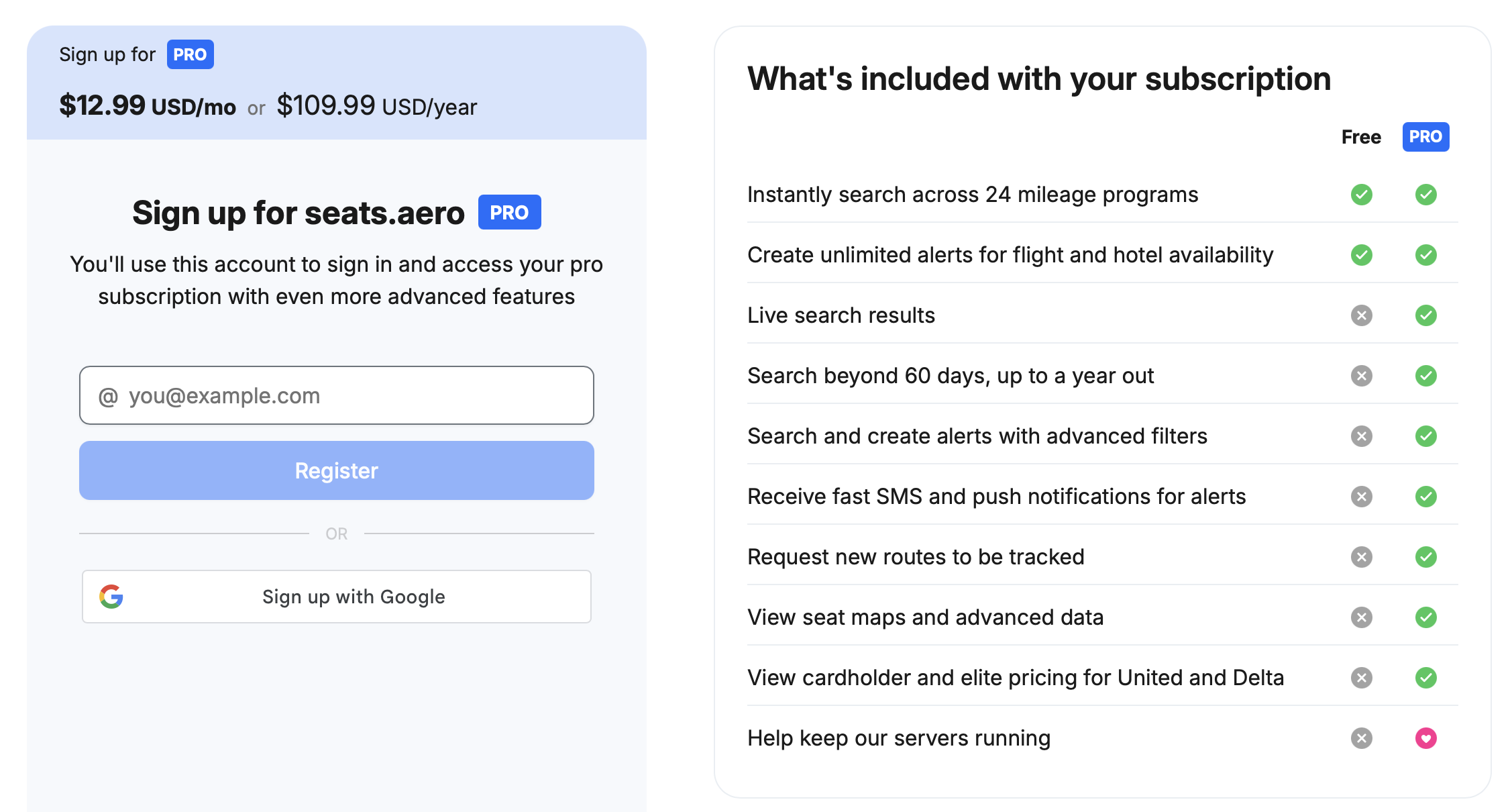
Seats.aero says it is “free, forever.” Even as a non-paying user, you can search award availability across 24 flyer programs for travel within the next 60 days and create unlimited alerts for flight and hotel availability (email only).
However, there are plenty of reasons to sign up for a Pro account — which costs $12.99 per month or $109.99 if paid annually.
As a paying subscriber, you can:
- View live search results.
- Search up to one year of cached award availability across 24 frequent flyer programs.
- Create unlimited alerts for flight availability — with alerts via SMS and/or email.
- Utilize advanced filters.
- Request that Seats.aero track specific routes.
- View seat maps and fare class availability.
- View cardholder and elite pricing for United and Delta.
- Remove all advertisements.
- Access a private Discord channel.
- Access special features like route-level statistics and GDS tools.
- Access premium Rooms.aero features.
As you probably already know, access to a year's worth of award availability is worth the annual pricing on its own. Add in tons of helpful tools, and $109.99 for a year of Pro seems like a bargain.
Promo Code for up to 20% off a Seats.aero Plan
Black Friday is officially here, which means you can save 20% on an annual Pro subscription. To access the deal, register for Seats.aero by clicking here, then enter promo code FRIDAY2620 at checkout to bring the cost to just $87.99 for your first year. This is available for new users purchasing an annual plan and is valid through November 30, 2026, at 11:59 p.m. PT.
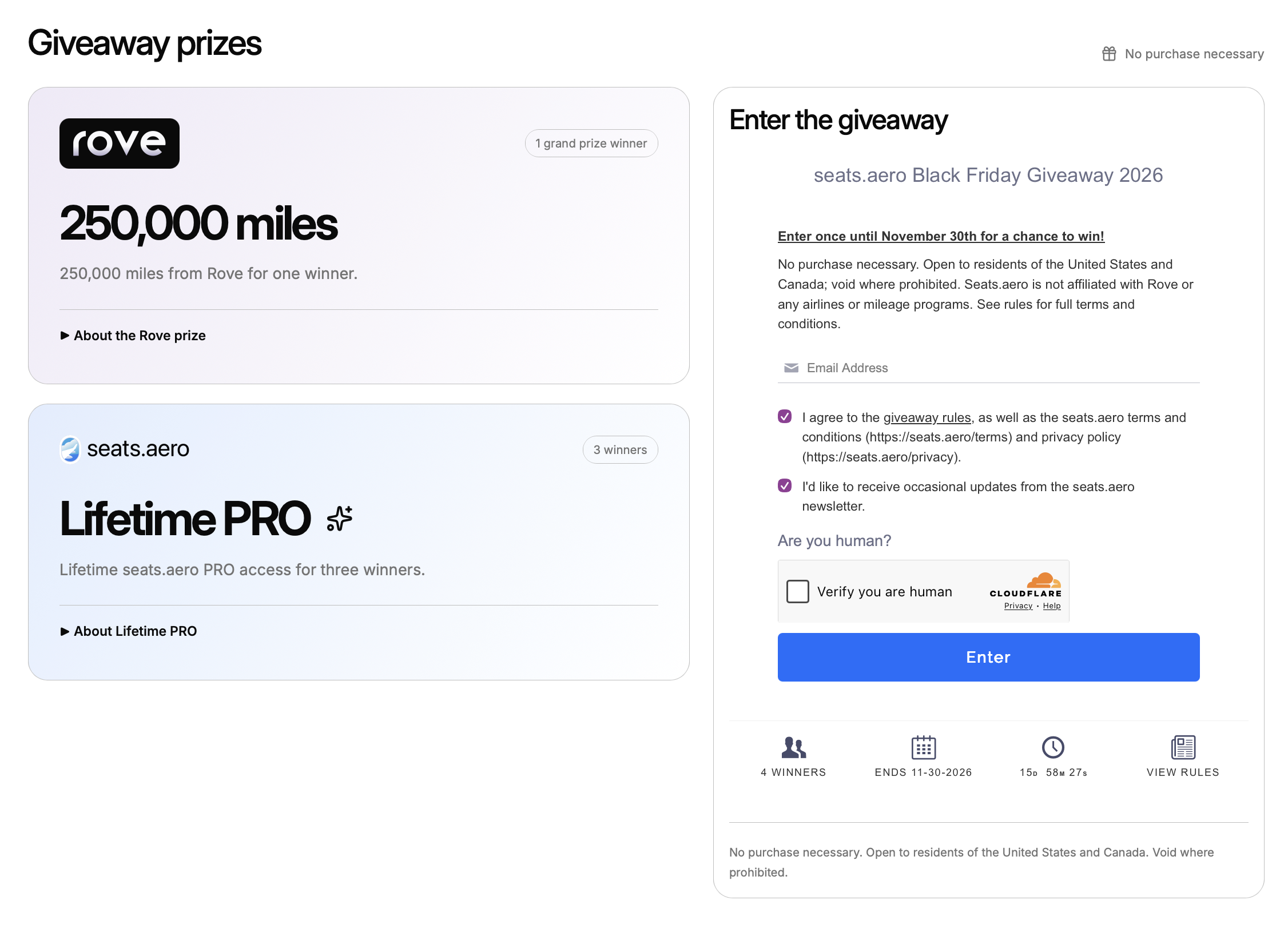
But that's not all — you can also enter a giveaway to win 250,000 Rove Miles or a lifetime Seats.aero Pro membership. Residents of the U.S. and Canada can enter once until November 30th for a chance to win. One grand prize winner will get the Rove miles, and three lucky winners will get the Seats.aero Pro lifetime membership. No purchase necessary to win.
Final Thoughts
If you've been on the fence about signing up for a Seats.aero Pro membership, now is the time to do so. Through November 30, 2026, you can enter promo code FRIDAY2620 to get 20% off your first year of Pro membership, giving you access to a suite of phenomenal tools for just $87.99. And regardless of the sale, make sure you enter the giveaway for a chance to win 250k Rove Miles or a lifetime Pro membership.