






AwardWallet receives compensation from advertising partners for links on the blog. The opinions expressed here are our own and have not been reviewed, provided, or approved by any bank advertiser. Here's our complete list of Advertisers.
Plenty of us rely on online shopping for our purchases. Whether we're booking travel, buying groceries, or getting gifts, you can get nearly everything on the internet. Buying things online is also a great way to maximize the
There are many different shopping portals out there, including ones that'll let you earn Amex points (Rakuten), cash back (Honey),
Let's take a look at how Capital One Shopping works, how to maximize its benefits, whether it beats the competition, and how you can earn $80 by signing up.
What Are Shopping Portals?
If you do any online shopping, you should be using a shopping portal at all times. There are seemingly hundreds of different versions out there, allowing you to earn cash back, airline miles, transferable points, and more. They're free to use and can earn you significant rewards on your purchases, especially if you time them correctly.

Here's how it works: You find something you want to buy online. Before buying, you navigate to a shopping portal, such as Capital One Shopping. You click the link on the portal's website, which takes you back to the website you were already shopping on. Then, you complete your purchase, the portal tracks your spending, and you earn rewards based on how much you've spent. In essence, you're selling your purchase history to the site in return for rewards.
Cashback Monitor is a great site for picking out which shopping portals offer the best bonuses, but it's not a fail-safe. This is especially true of Capital One Shopping, which will offer personalized rewards based on your shopping habits.
How Does Capital One Shopping Work?
First, it's important to note that Capital One Shopping is distinct from Capital One and isn't linked to any Capital One
You can use Capital One Shopping through the website, or by downloading the browser extension or mobile app. Using Capital One Shopping will differ depending on whether or not you've installed the extension.
1. Register for Capital One Shopping
Joining Capital One Shopping is free and easy. You'll need to provide some personal information, such as your email address and name, but it doesn't require much else. You don't even need a Capital One credit card to use the portal (unlike other shopping portals). With that said, the Capital One Venture Rewards Credit Card is one of the best cards for everyday purchases — such as general online shopping.
2. Download the browser extension or mobile app
The easiest way to use Capital One Shopping is by downloading the browser extension or mobile app. The Capital One Shopping browser extension is currently supported by Google Chrome, Mozilla Firefox, Microsoft Edge, and Safari, while the mobile app is available for both iOS and Android devices.
Once you're on their website, Capital One Shopping will prompt you to download the browser extension with whichever browser you're using at the time. You can also install the browser extension directly from the Chrome Web Store, Safari Extensions store, etc.
Capital One Shopping also occasionally offers rewards to those who install its extension via referrals. Right now, you can get up to $80 cash back after installing the extension and shopping with it for 90 days earn $80 by signing up.

If you're not interested in installing a browser extension or downloading the app, you can use the Capital One Shopping website to track your purchases.
3. Start Your Shopping Trip
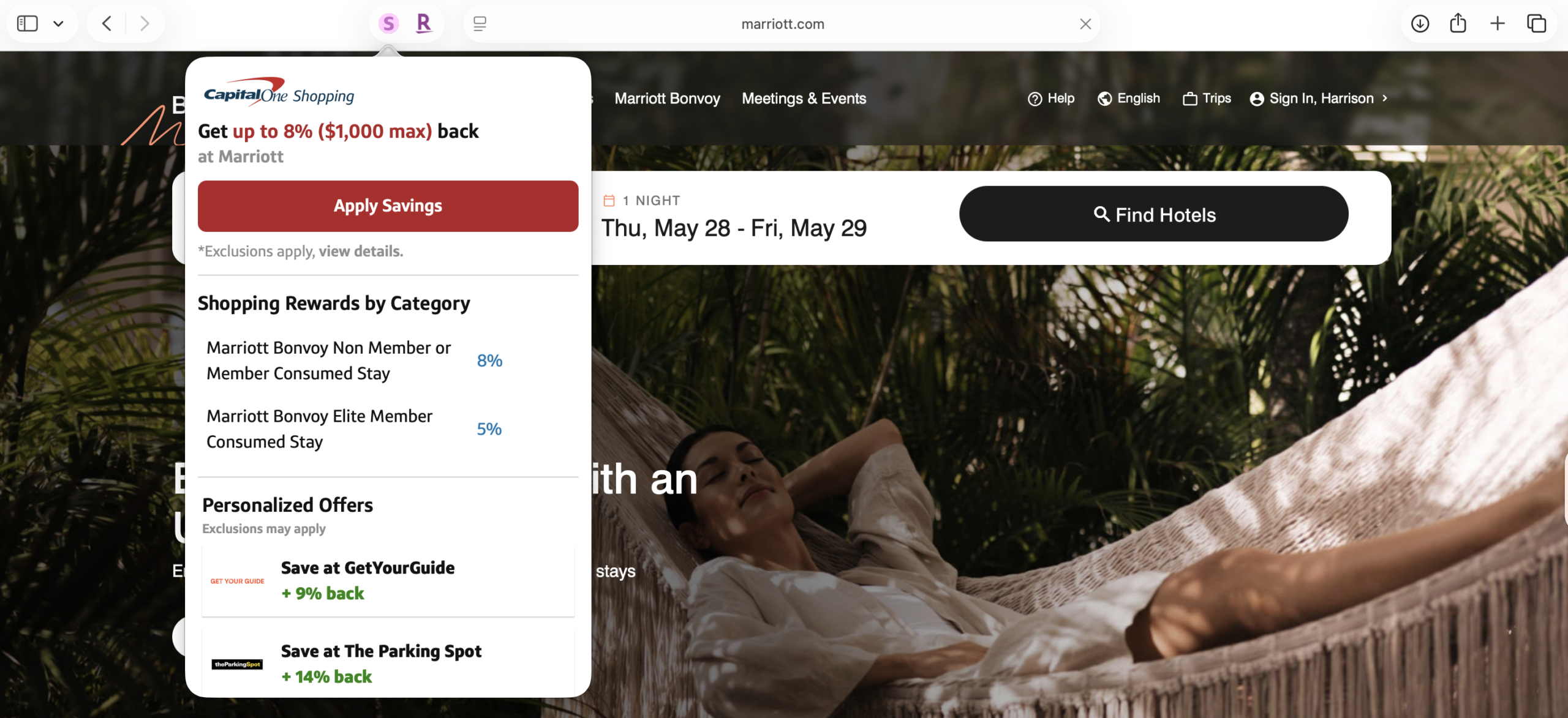
If you have the Capital One Shopping extension, whenever you navigate to an eligible retailer or site, the extension will automatically pop up. If it doesn't, you can click the Capital One Shopping icon next to the URL to see your offers. You'll need to click “Apply Savings” to ensure you earn rewards on eligible purchases.
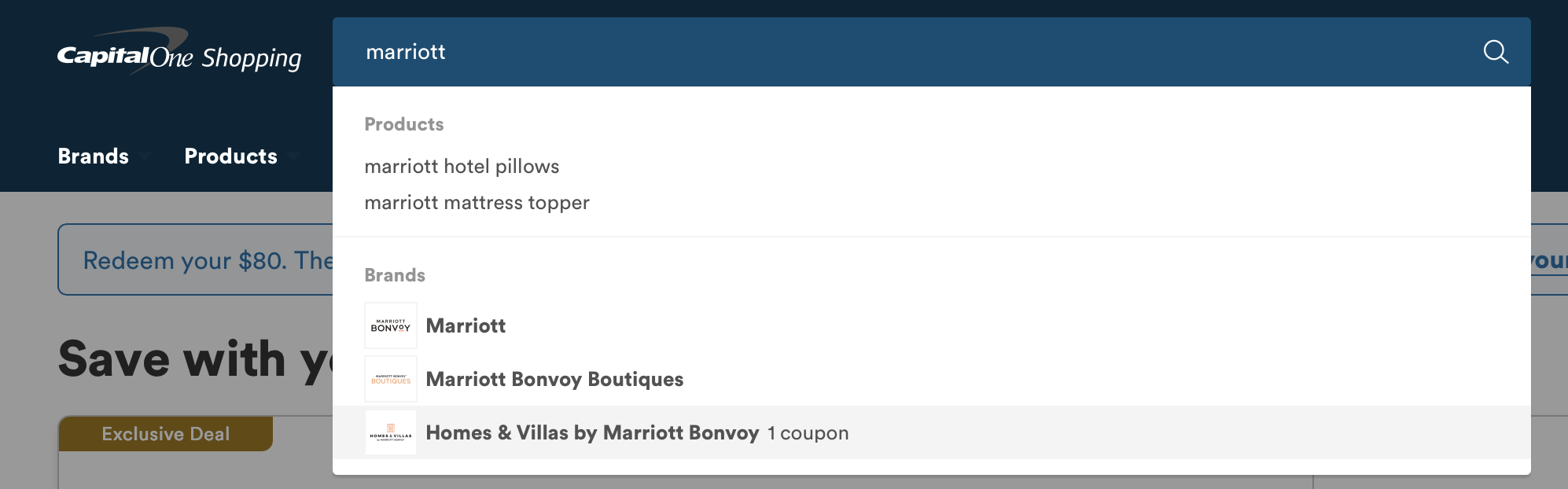
If you don't have the extension, head to Capital One Shopping's website to search for the name of the company you're shopping with.
4. Shop Online As Usual
Now all you need to do is shop as you usually do!
Using Capital One Shopping really is a one-step process. Once you've activated your shopping trip, Capital One will automatically track your purchase and award cash back once the waiting period expires. It'll also check for any available coupons or discount codes.
Capital One Shopping Rewards
Maximizing Capital One Shopping
So far, we've discussed how to use Capital One Shopping like any other shopping portal. However, there are some ways to make it work better for you. Because Capital One tracks everywhere you go online, it also tends to offer some really specialized deals.
For instance, the standard Marriott offer through Capital One shopping is up to 1% back. However, when I log in to my Capital One Shopping account on its website, I see a promotion for up to 8% back.

That's a huge difference! To make sure you get the best deals possible, ensure that you're using the Capital One Shopping extension in the browser you use to shop online.
Why so many different options? As we noted earlier, Capital One tracks your shopping habits. Unlike other shopping portals, Capital One gives you personalized offers based on what you're doing in your browser. In our case, Capital One knows that we do a lot of travel searches, so it's providing elevated offers for a travel company.
This can be used to your advantage. Not only will Capital One give you different offers based on how you're looking (which means it always behooves you to be thorough as you click through), but it'll also send you emails with exclusive options. Before making any purchase, I will visit the merchant's website and browse around. Then I'll exit the website, and almost 100% of the time I'll get an email from Capital One Shopping with a personalized offer.
It can feel pretty invasive to know that Capital One is watching your entire internet history and sending you offers based on the websites you browse. You can always install the extension in a secondary browser used exclusively for shopping, so Capital One can track the information without tracking your entire internet usage.
Related: Capital One's Best Transfer Partners
Redeeming Capital One Shopping Credits
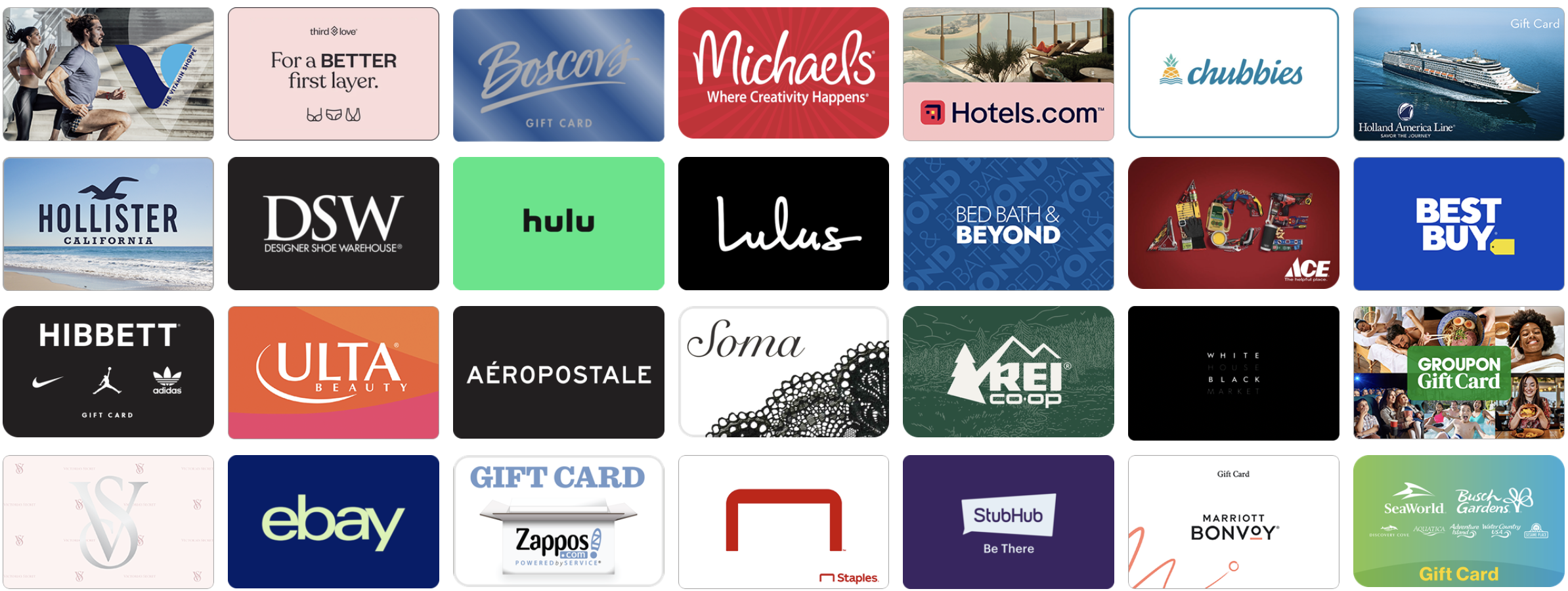
Capital One Shopping allows you to earn Capital One Shopping rewards on your purchases, but that doesn't mean you receive it in the form of actual cash back. Instead, you'll earn Capital One Shopping Credits, which can be redeemed for a variety of gift cards. At the time of writing, there were roughly 120 gift cards to choose from, ranging from Marriott to Bed, Bath, and Beyond to Celebrity Cruises.
Note that credits don't post instantly. Depending on where you're shopping, it can take 30 to 90 days for the credit to be applied to your account. Your credits don't expire as long as your account is open and in good standing.
Is Capital One Shopping Worth It?
Capital One Shopping is free, easy to use, offers price comparisons, and automatically checks for coupons. You'll also receive price drop notifications if an item you've looked at decreases in price.
It can offer some truly bonkers deals, especially when you're targeted for certain offers. But the rewards you'll earn aren't necessarily the most flexible since you can't redeem them for cash back. However, with so many gift cards to choose from, odds are you can find one that works for you. In the worst-case scenario, you can redeem gift cards for friends or family members as a present.
Capital One Shopping vs. Competitors
Shopping portals are a dime a dozen, and Capital One Shopping is just one of them. So how does it compare to the others? One of the most comparable sites is Honey, a shopping extension (and website) that features many of the same benefits. Just like Capital One, Honey will reward your online shopping with gift cards or as cash back through PayPal.
Therein lies the biggest weakness for Capital One Shopping: Its earnings. Take Rakuten, for example, which lets you earn
Capital One is also weaker when it comes to straight cash-back-earning portals since the only way to redeem your rewards is via gift cards. Other sites will actually send you money as a check or a deposit to your account. That being said, Capital One Shopping can and does offer much higher rewards than other programs — and in some cases, it does something unlike any other portal. There's huge value to be had in that.
Bottom Line
Capital One Shopping is an outlier among shopping portals. Although it rewards you with cash back rather than points, the amounts it gives you tend to exceed those of other options. However, redemption options are limited to certain gift cards, which may not be useful for everyone. Before choosing a shopping portal, make sure you evaluate your options to figure out which one is the best fit for your purchases.
For a limited time, you can earn $80 when you enroll with this link, install the browser extension, and shop with it for 90 days.