





AwardWallet receives compensation from advertising partners for links on the blog. The opinions expressed here are our own and have not been reviewed, provided, or approved by any bank advertiser. Here's our complete list of Advertisers.
Gondola is quickly becoming my most underrated travel tool. It's much more than a travel portal, showing both cash and award pricing side by side.
Plus, each booking through Gondola is made directly with the hotel. That means that in addition to earning
While it's not as well-known as its competitors (yet), it offers functionality that can't be beat — including auto-rebooking if you book a refundable room and your hotel gets cheaper before you check in. And the best part? Gondola is completely free to use.
Here's everything to know about Gondola, including how to maximize its integration with AwardWallet.
What Is Gondola?
Gondola is a travel portal that promises to help you earn more on every hotel stay. While other award search tools like PointsYeah or Seats.aero added hotel searches almost as an afterthought, Gondola was built primarily to help travelers earn and save on hotel stays. It offers a ton of advanced functionality to help you find the best rates, earn the most points, and save money — even after booking.
Gondola offers five main features:
- Search: Find and book a hotel stay anywhere in the world.
- Points: Link your
loyalty programs - Trips: Manage your upcoming trips in one place. View the price you paid, the current advertised price, confirmation numbers, and additional details.
- Explore: Discover great cash or points deals for destinations worldwide.
- AutoSave: Gondola will automatically track your existing bookings and rebook you if the price drops. Not only will you get to enjoy your savings, but if you didn't originally book through Gondola, you'll earn Gondola Cash on the rebooked stay.
If you're already an AwardWallet user, Gondola might become your new favorite search tool. You can link your Gondola and AwardWallet accounts to view up-to-date point balances and search for stays using your available points.
How To Use Gondola
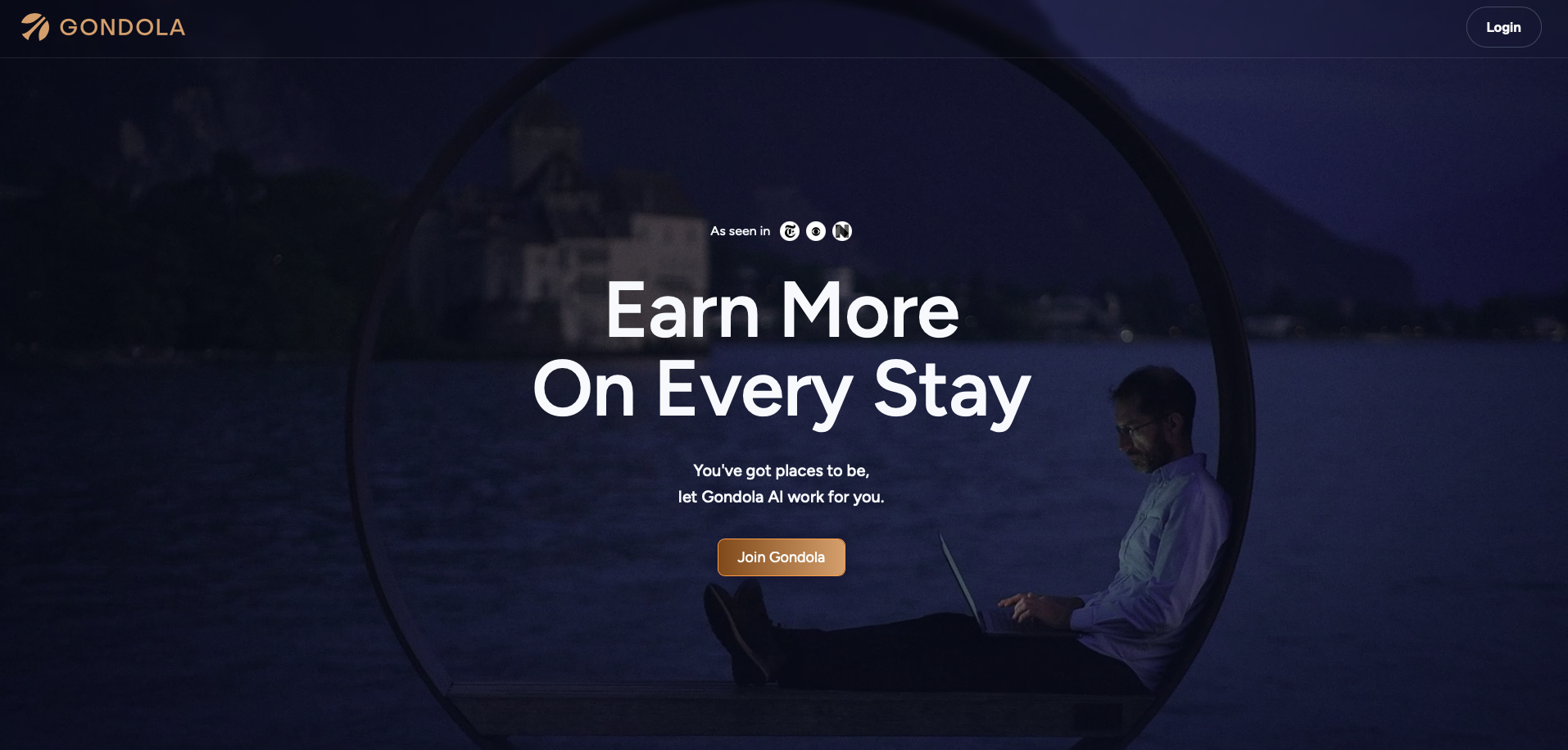
Gondola is extremely easy to use, which is one reason we like it so much. To start, sign up for an account if you haven't already. To keep things efficient, you'll give Gondola access to your email so it can track your upcoming reservations and update your point balances. If you're concerned about privacy, you can also forward your reservation emails to Gondola so they can be added to your account.
Here's an overview of Gondola's top features and how to make the most of them.
Link your AwardWallet account
Before you start searching, you'll want to link your AwardWallet account to Gondola. That way, you can search for hotels using the points you actually have available to you.
Don't have an AwardWallet account yet? Sign up for free and track unlimited
To link your accounts, click the three lines in the upper right-hand corner of the screen, then click “Account information.” Under the “Connected Accounts” heading, click “Sync additional email accounts.” From there, click “Connect AwardWallet.”
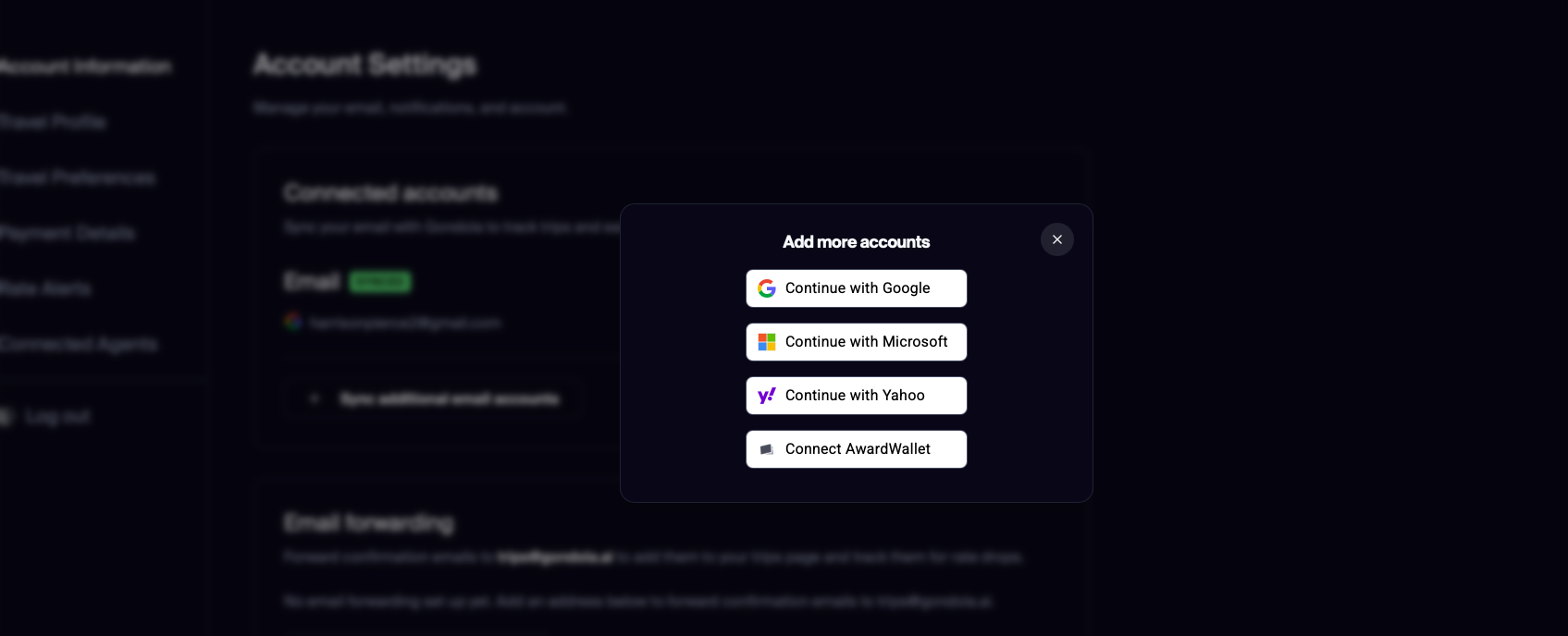
You'll be redirected to AwardWallet to sign in and accept the terms and conditions, then sent back to Gondola. You can confirm your accounts are linked by heading to the “Points” section of your Gondola account, but more on that in a bit.
Booking hotels through Gondola
Once your Gondola account is set up, you're ready to search for a hotel. If you've ever used a travel portal to search for a hotel before, this is pretty self-explanatory. Enter your destination, dates, and number of travelers, then click the search icon.
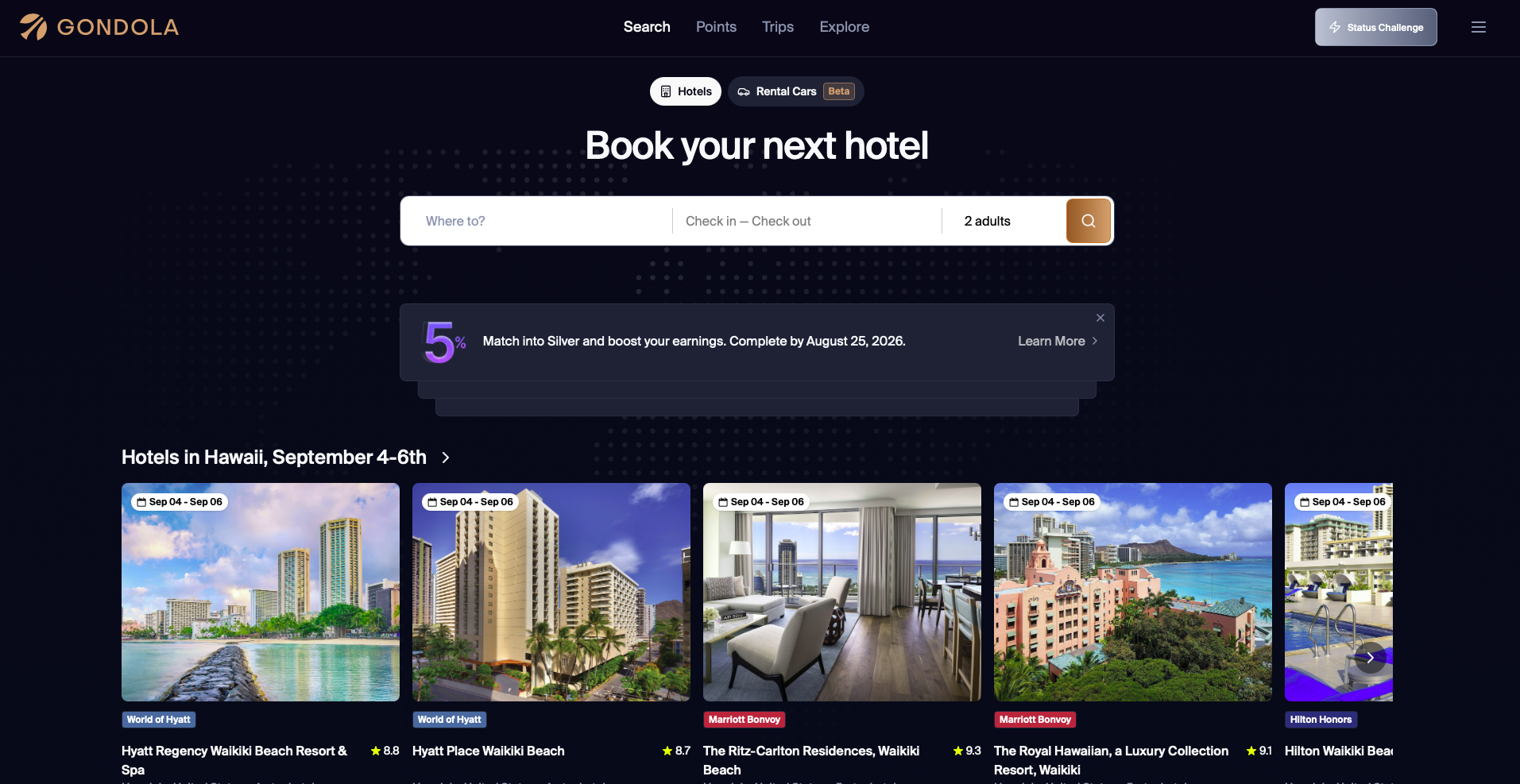
As your search results start appearing, you'll see a variety of options, from independent hotels to hotels participating in a
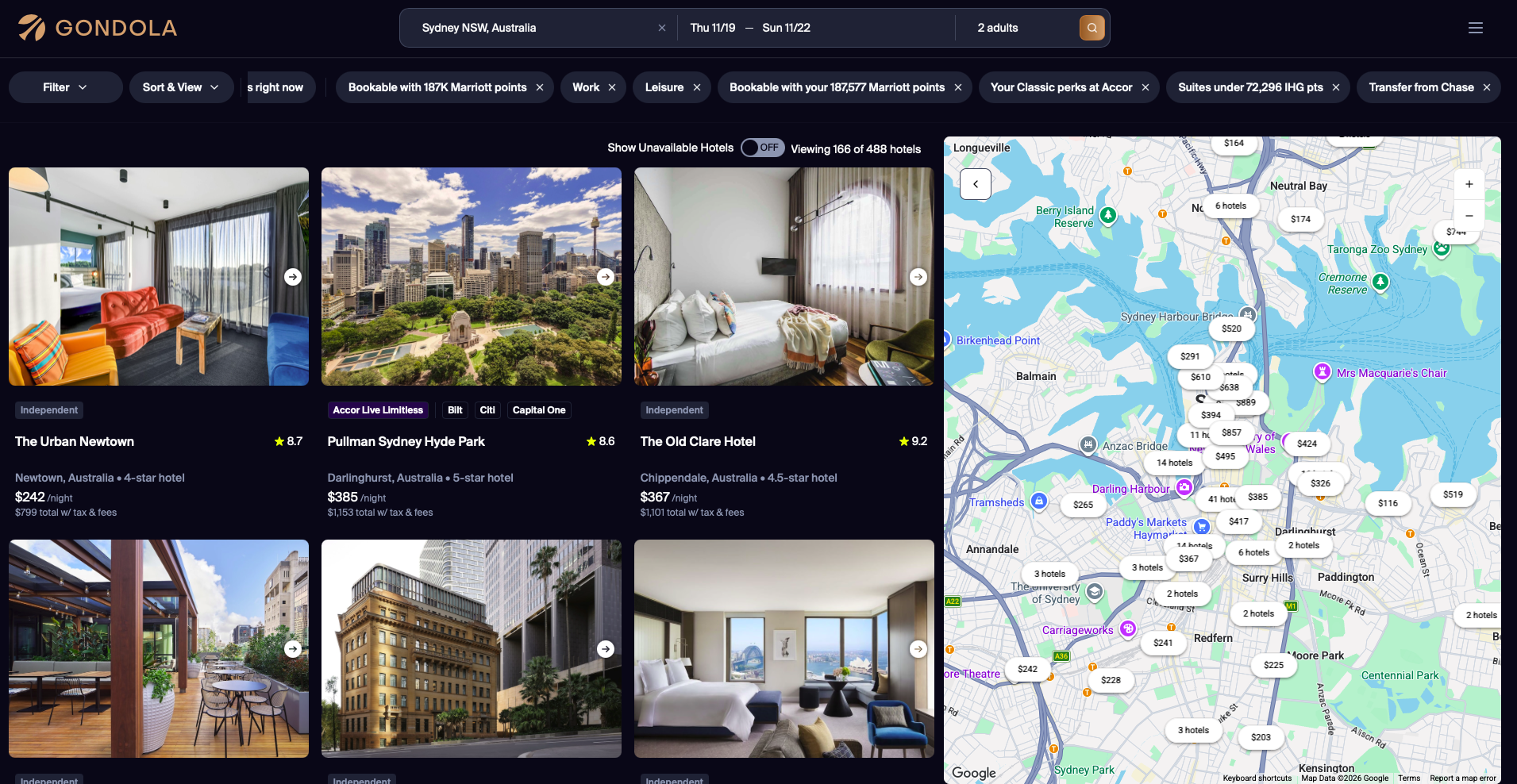
You'll have access to a variety of filters to make your search more customizable, including:
- Credit card loyalty program
- Hotel loyalty program
- Room type
- Bed type
- Rate type (points, refundable, or Gondola Cash)
- Average nightly points cost
- Average nightly cash cost
- Hotel stars
- Amenities
These might look like standard filters, but one sticks out to me the most: bed type. You can actually filter by the number and size of beds, which is virtually unheard of for a travel portal. I travel a lot with friends, and I don't always want to share a bed. On other portals, I have to click each listing to see whether a hotel has two beds available, or whether the advertised rate is solely for a queen- or king-sized bed.
You can sort by:
- Recommended
- Best cash value
- Best points value
- Lowest cash cost
- Lowest points cost
- Closest
- Like past stays
If you're interested in a property, click on it to view more information.
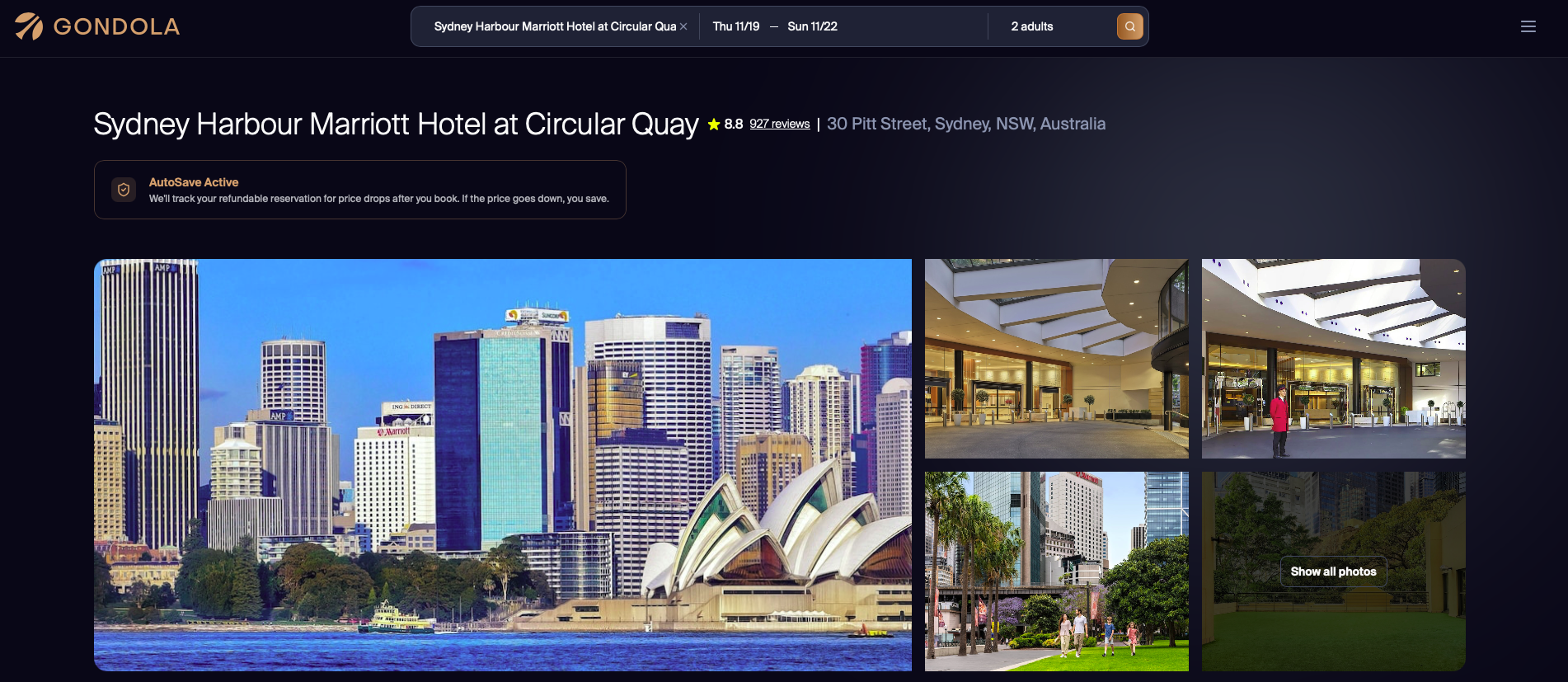
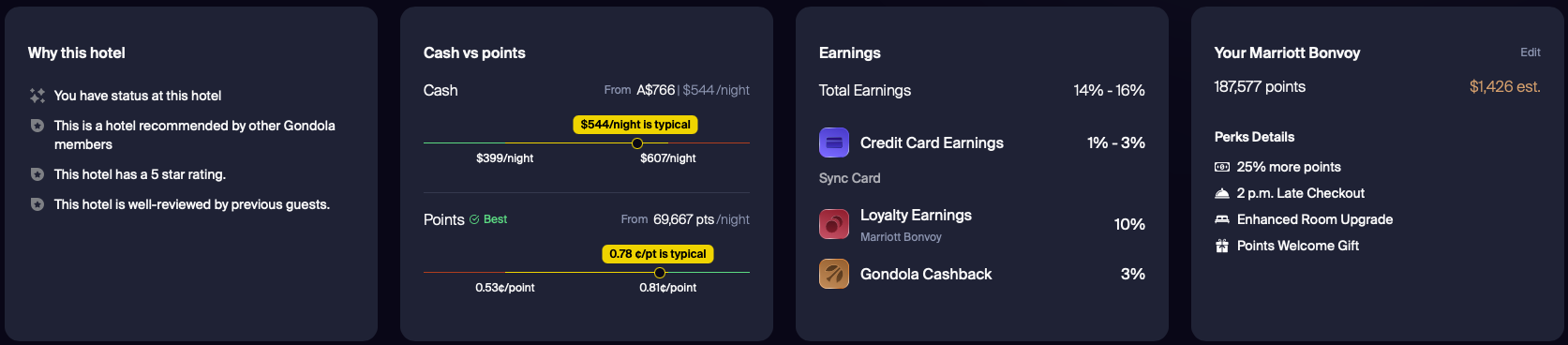
You'll get to see a few photos of the property up top, but when you scroll down, you'll find a ton of invaluable information. To start, you'll get a quick overview of why you might want to book this hotel. You'll also get a breakdown of cash versus points, with data on whether you're getting a good deal. You'll see how much you'll earn thanks to your
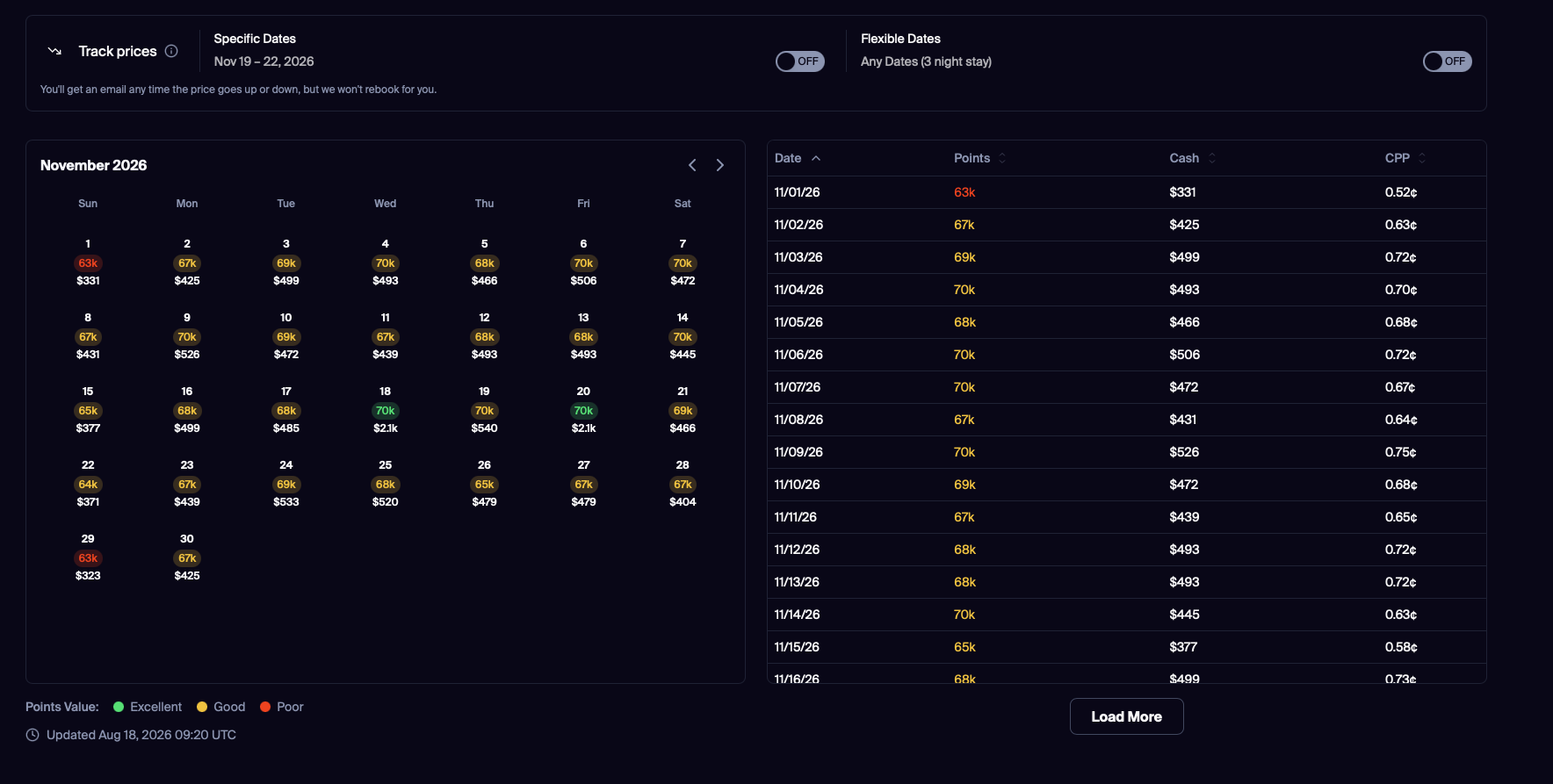
If you scroll down past the room rates, you'll see an award calendar for the month you're searching for, complete with a cents per point calculation depending on which day you check in. This is also where you can set alerts to track prices. Note that setting an alert does not trigger the auto-rebooking feature.
If you're satisfied with your dates, scroll back up to the room types and select the one you'd like. Click “Book Now” to book your room.
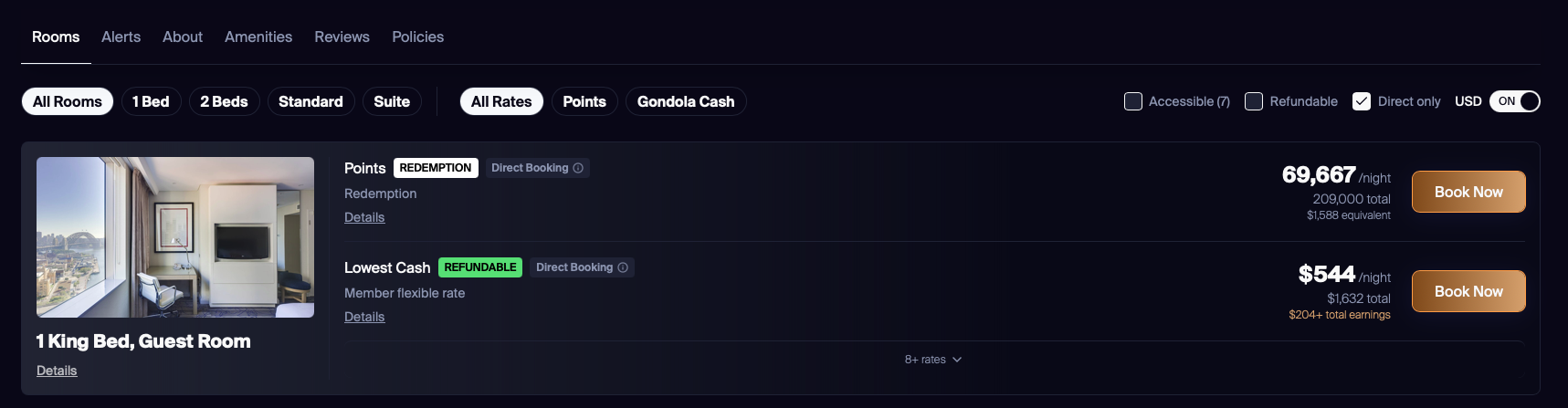
Then, you can review the information before booking. What makes Gondola so unique is that even though you book the hotel on the Gondola platform, you're booking directly with the hotel. If you added a card to your Gondola profile, you can use that card or add a different card. And if the rate drops after you book a refundable stay, Gondola will automatically rebook you.
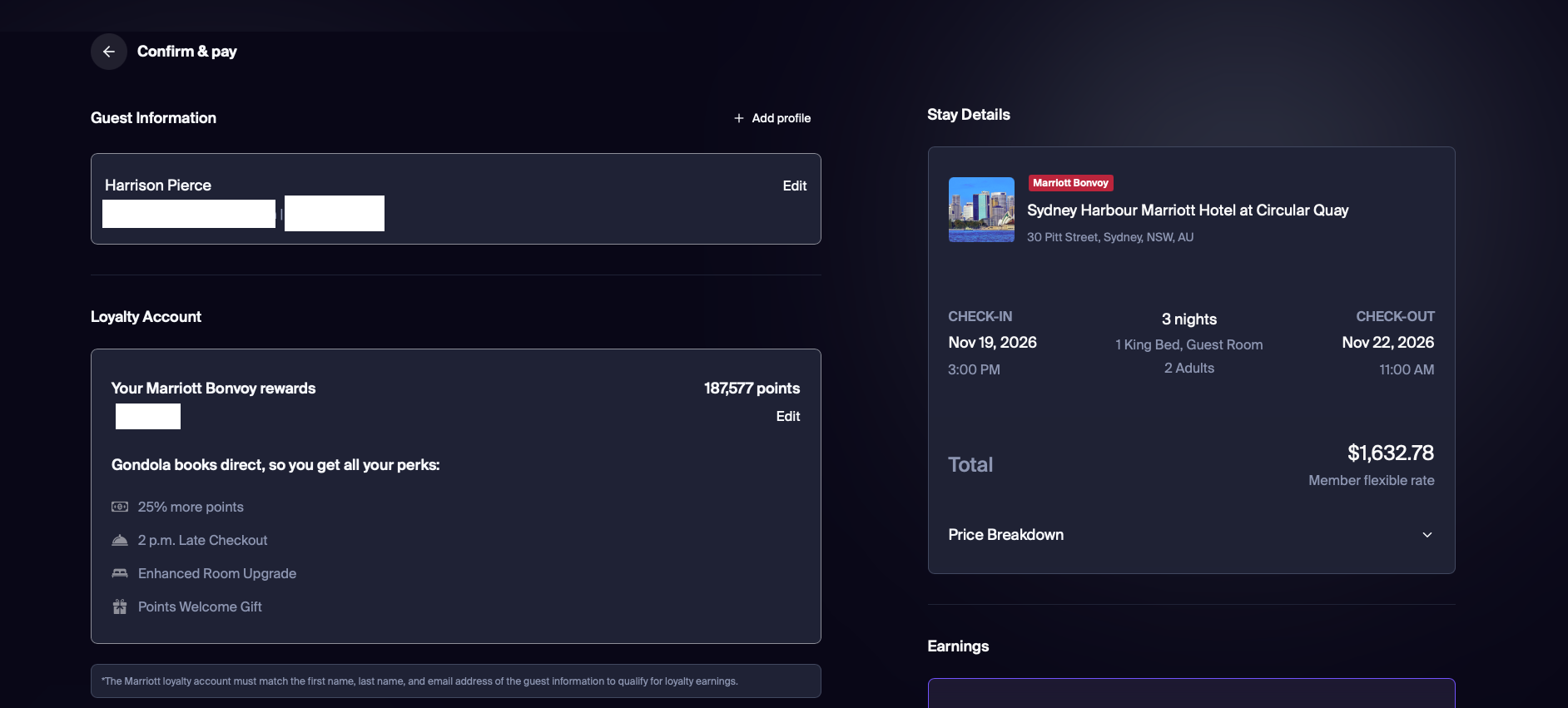
One fantastic thing to note about Gondola: since you are booking directly with the hotel, you have access to member rates and promotional pricing. The vast majority of third-party booking tools are more expensive because they don't offer member rate pricing. Instead, you book the more expensive flexible non-member rate, which is why booking directly with the hotel is often advantageous.
Gondola has solved that issue and given you the best of both worlds. You can book directly with the hotel while also enjoying the features and benefits of a third-party tool.
Booking rental cars through Gondola
Booking a car through Gondola is just as easy, albeit less rewarding. The rental car feature is still in beta, so more functionality could roll out in the future. Enter your pick-up and drop-off locations and dates, then click the search icon.
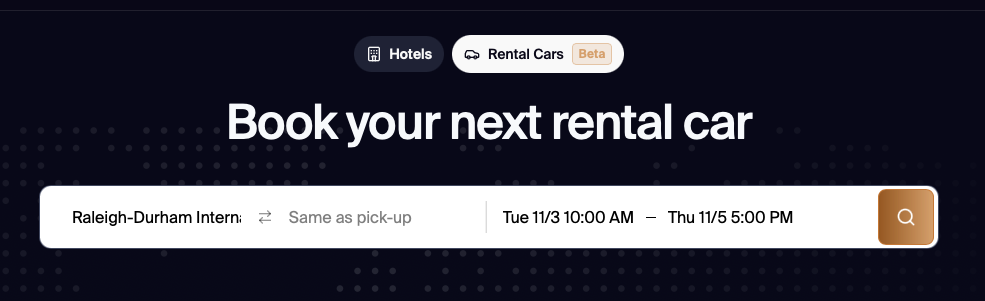
If you've rented a car before, the default sort will be based on your past rentals. I hold Hertz President's Circle status and frequently choose Hertz when I rent a car, but I don't have much loyalty. I'm after the best rates possible, so I switch to sort by “Price low to high.” For instance, my recommended rental was through Hertz for $227 total for two days. Sorting low to high displayed an option from Payless for just $141. I like Hertz, but I don't like it enough to spend an extra $86.
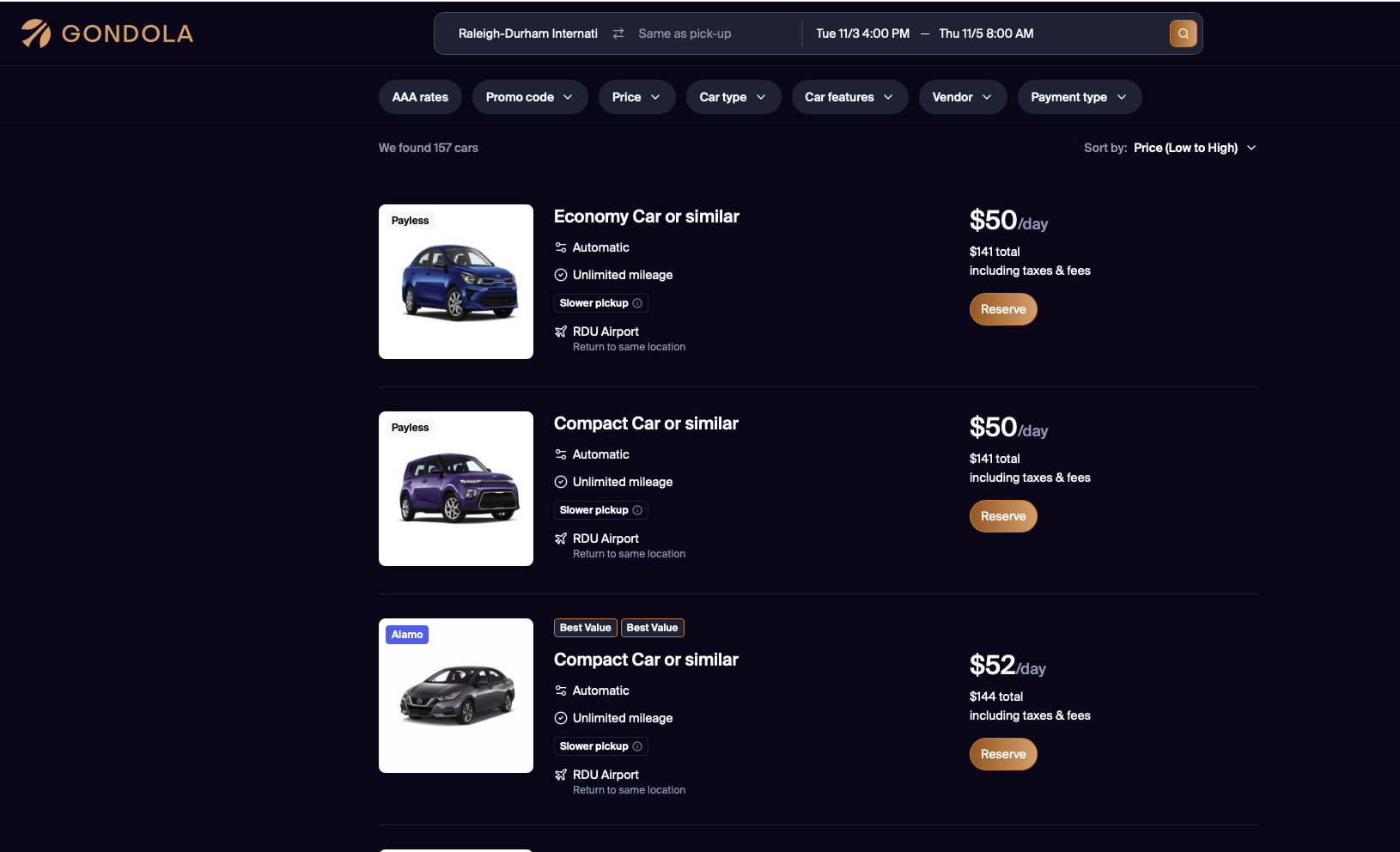
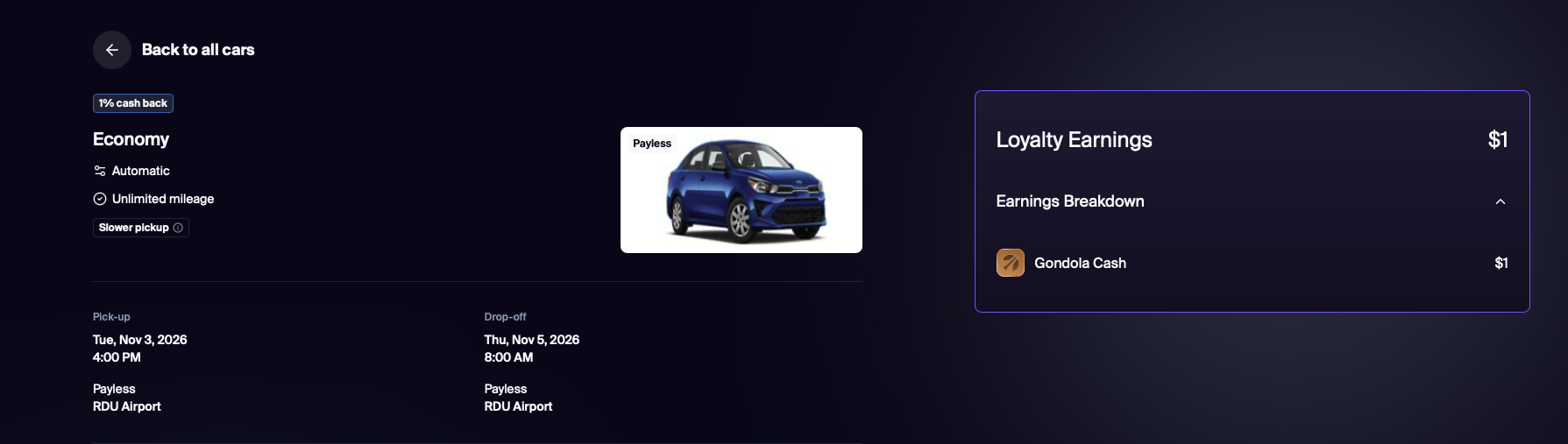
There isn't an in-between page like there is with hotels where you can learn more about the rental. Click “Reserve” to be taken to checkout. You'll earn just 1% cash back on car rentals — even on “Pay at pickup” rates.
Points
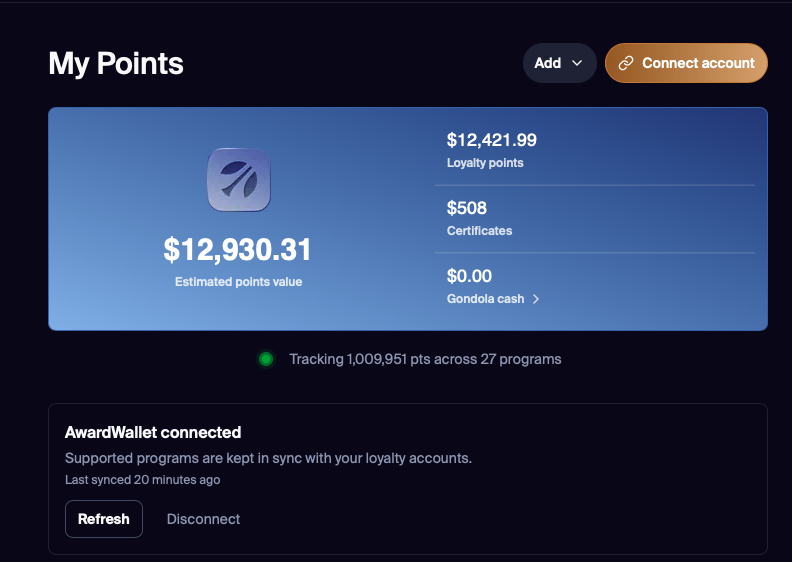
If you link your AwardWallet account with Gondola, you'll see the same information in the Points section as you see in your AwardWallet account. This can help you get an idea of how many points you have available before you start searching. And since your accounts are linked, you don't even need to enter your hotel loyalty program number at checkout.
Trips
The trips section lets you manage your upcoming reservations or view reservations from the past year. This is a great spot to see all of your upcoming travel in one place, especially if you're staying with multiple hotel brands. You'll even see your upcoming flights here.
Gondola offers price drop monitoring on flights paid in cash with select airlines, but not on award tickets just yet.
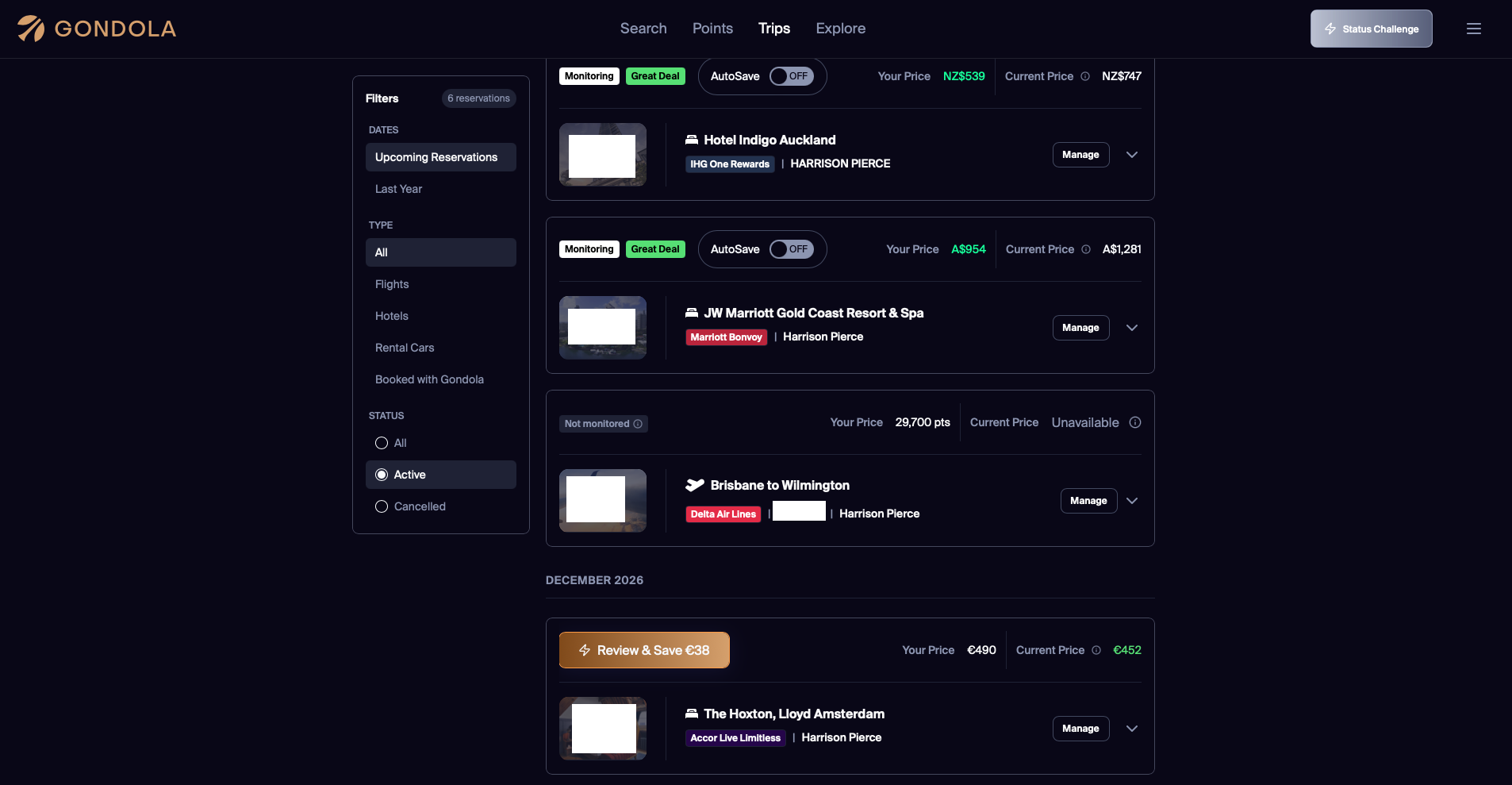
A few things to note. I disabled AutoSave on several of my upcoming trips because they were booked through credit card travel portals. I booked the Hotel Indigo Auckland through Chase Travel℠ to take advantage of my $250 select hotels credit and $250 The Edit credit, and I booked both the JW Marriott Gold Coast Resort & Spa and The Hoxton, Lloyd Amsterdam through
Similarly, I booked these through travel portals and was charged in USD. It lists the correct number under “Your Price,” but it shows that it was paid in the local currency rather than USD. For instance, I paid $539 USD to book the Hotel Indigo Auckland, not $539 NZD. I think this discrepancy can skew the accuracy of the price drop results.
Explore
The Explore tool is a helpful way to get a bird's-eye view of how much you'll spend if you're flexible on where you want to go. You can view both points and cash deals and filter by loyalty program, vibe (including Gondola recommended, pet-friendly, wineries, beach, and boutique), star rating, and points range. If you don't like the map view, you can also select list view.
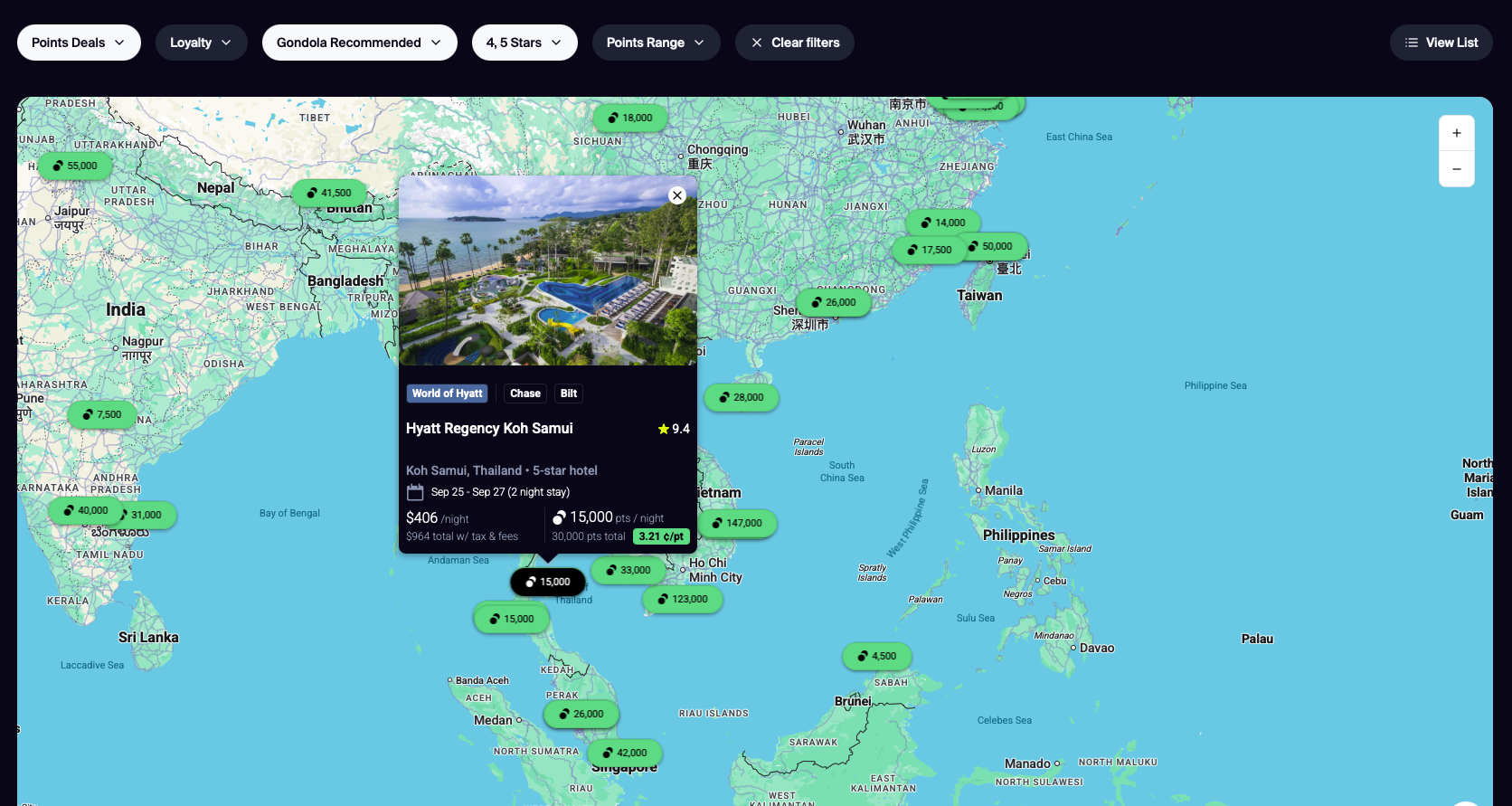
For instance, let's say I was looking for a luxury beach getaway in April 2027. The Hyatt Regency Koh Samui in Thailand popped up as an option, and it seems like a great deal. I can book a $406/night room for just 15,000 points per night, which seems like a great value. Clicking on the listing takes me to the booking page where I can review the same information as above, including reviews, the award calendar, room types, and more.
Elite status
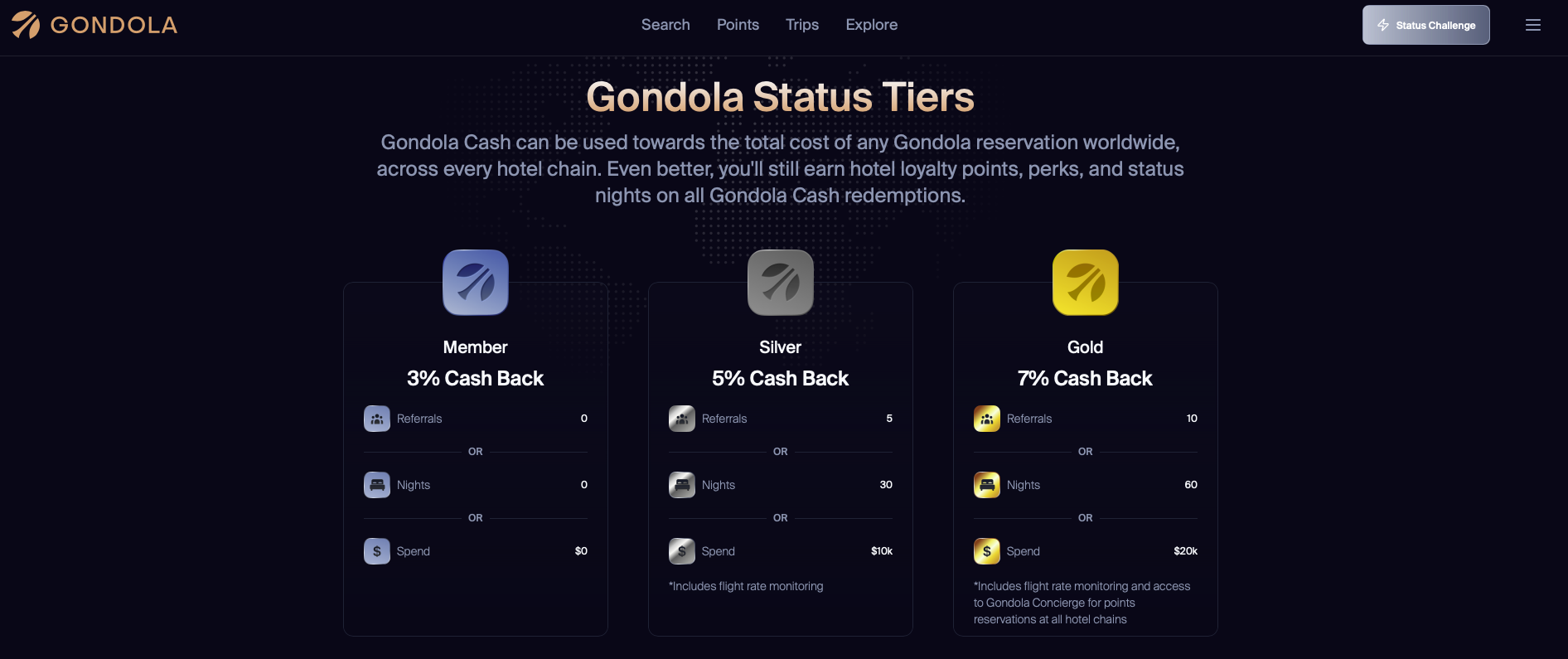
Gondola offers three tiers of elite status.
You'll start at the entry-level Member tier, and to upgrade to Silver, you'll need to refer five people to Gondola, book 30 nights, or spend $10,000 through Gondola. To reach top-tier Gold status, you'll need to refer 10 people to Gondola, book 60 nights, or spend $20,000 through Gondola.
Here's how much you'll earn at each tier:
- Member: Earn 3% Gondola Cash
- Silver: Earn 5% Gondola Cash and get access to flight rate monitoring
- Gold: Earn 7% Gondola Cash and get access to Gondola Concierge for points reservations at all hotel chains
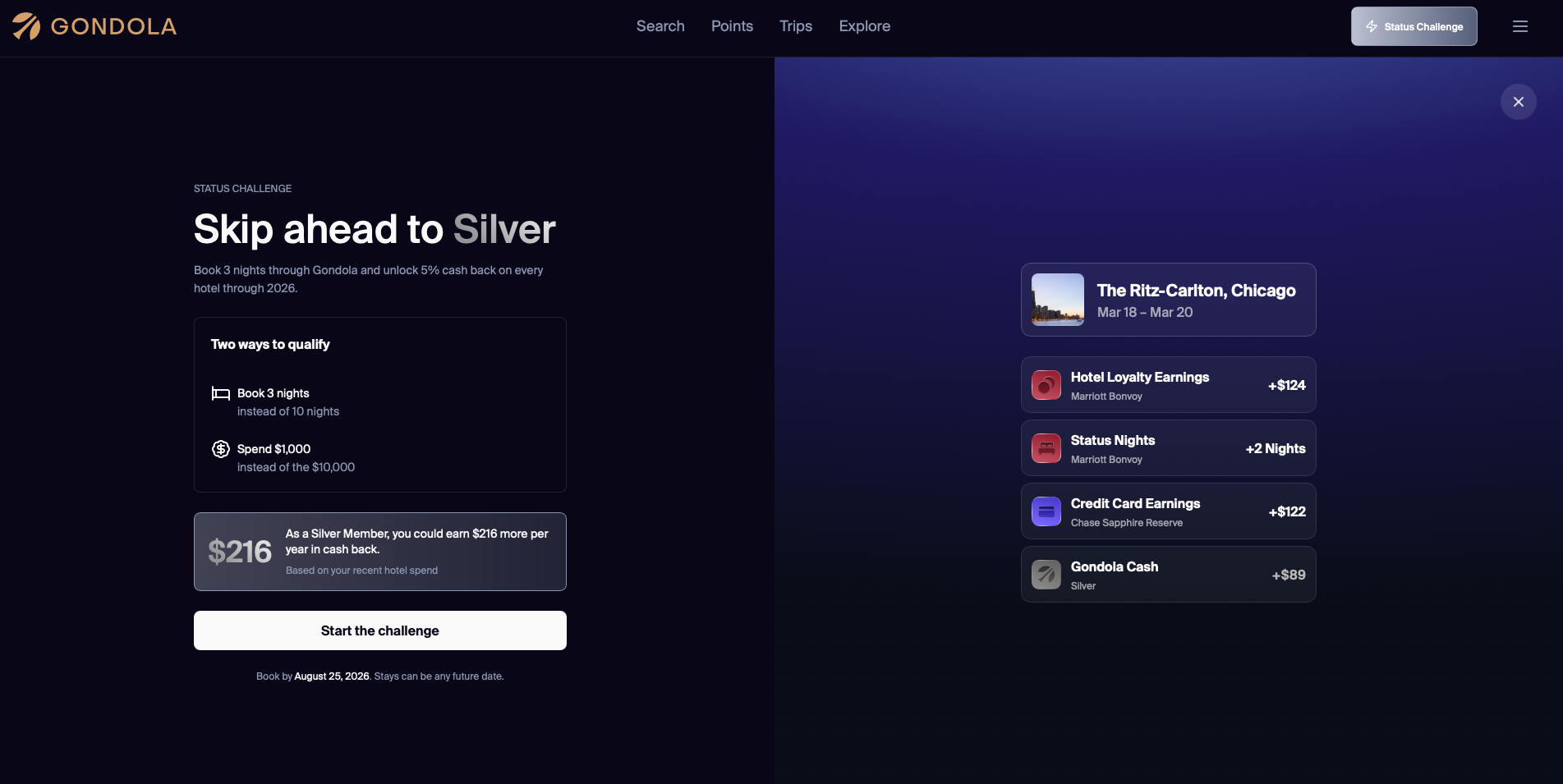
If you don't want to spend $10,000 to earn extra cash back, you're in luck. Gondola is offering a status challenge to skip to Silver. You just need to book three nights or spend $1,000 within seven days of starting the challenge. Your elevated status will be valid through the end of the calendar year.
How Does Gondola Compare To Other Tools?
With so many different travel portals out there, it's really hard to differentiate between them. However, Gondola offers two unique features — auto-rebooking and loyalty-eligible stays.
Even if you don't book your hotel through Gondola, it will still rebook your room for you — or notify you of a price drop if you don't have this feature enabled. This could potentially save you hundreds of dollars or thousands of points. You can enjoy your elite benefits and essentially triple-stack your rewards (Gondola cash, credit card rewards, and hotel loyalty program rewards). Gondola doesn't reduce the rewards rate for loyalty-eligible bookings the way competitors do.
Plus, I've found that Gondola shows you significantly more information than any other travel portal. You can view virtually anything you want to know about a hotel directly in Gondola, from Google reviews to monthly award calendars and everything in between. It breaks down the information in a way that makes it easy to scan through when you're in a rush. It's clear that a lot of thought went into making something truly unique for travelers.

That said, each portal on the market offers something unique. For instance, I can use my Citi Strata Elite℠ Card (Rates & Fees) to book a hotel through the Citi Travel portal to earn 12X
- Earn 75,000 bonus Points after spending $6,000 in the first 3 months of account opening.
- Earn 12 Points per $1 spent on Hotels, Car Rentals, and Attractions booked on cititravel.com and 6 Points per $1 spent on Air Travel booked on cititravel.com
- Earn 6 Points per $1 spent at Restaurants including Restaurant Delivery Services on CitiNights℠ purchases, every Friday and Saturday from 6 PM to 6 AM ET. Earn 3 Points per $1 spent any other time
- Earn 1.5 Points per $1 spent on All Other Purchases
- Up to $300 Annual Hotel Benefit: Each calendar year, enjoy up to $300 off a hotel stay of two nights or more when booked through cititravel.com.
- No Foreign Transaction Fees
- 12X – Earn 12 Points per $1 spent on Hotels, Car Rentals, and Attractions booked on cititravel.com.
- 6X – Earn 6 Points per $1 spent on Air Travel booked on cititravel.com.
- 6X – Earn 6 Points per $1 spent at Restaurants including Restaurant Delivery Services on CitiNights℠ purchases, every Friday and Saturday from 6 PM to 6 AM ET. Earn 3 Points per $1 spent any other time.
- 1.5X – Earn 1.5 Points per $1 spent on All Other Purchases.
Or, I could book a hotel through Rove using a card like the Wells Fargo Autograph Journey® Card (Rates & Fees). I'd earn 5X Wells Fargo Rewards points, and I'd also earn up to 25X Rove Miles per $1 on non-loyalty-eligible bookings. If I opted for loyalty-eligible bookings, I'd earn 5X Rove Miles per $1, plus hotel loyalty points based on the program and my elite status tier.
- Apply Now to take advantage of this offer and learn more about product features, terms and conditions.
- Earn 60,000 bonus points when you spend $4,000 in purchases in the first 3 months - that's $600 toward your next trip.
- Earn unlimited 5X points with hotels, 4X points with airlines, 3X points on restaurants and other travel, and 1X points on other purchases.
- $95 annual fee.
- Book your travel with the Autograph Journey Card and enjoy Travel Accident Insurance, Lost Baggage Reimbursement, Trip Cancellation and Interruption Protection and Auto Rental Collision Damage Waiver.
- Earn a $50 annual statement credit with $50 minimum airline purchase.
- Up to $1,000 of cell phone protection against damage or theft. Subject to a $25 deductible.
- Find tickets to top sports and entertainment events, book travel, make dinner reservations and more with your complimentary 24/7 Visa Signature® Concierge.
- 5X points per $1 spent with hotels
- 4X points per $1 spent with airlines
- 3X points per $1 spent on other travel and restaurants
- 1X points per $1 spent on other purchases
If I don't like either option, I can book my hotel through Gondola, where I'd earn 4X Ultimate Rewards points on hotels using my Chase Sapphire Reserve® (Rates & Fees), hotel loyalty program points, and up to 7% Gondola cash based on my Gondola elite status.

- Earn 100,000 bonus points after you spend $6,000 on purchases in the first 3 months from account opening.
- Get $3,000 in annual value with Sapphire Reserve.
- Earn 8x points on all purchases through Chase Travel℠, including The Edit℠ and 4x points on flights and hotels booked direct. Plus, earn 3x points on dining worldwide & 1x points on all other purchases
- $300 annual travel credit as reimbursement for travel purchases charged to your card each account anniversary year.
- Access over 1,300 airport lounges worldwide with a complimentary Priority Pass™ Select membership, plus every Chase Sapphire Lounge® by The Club with two guests. Plus, up to $120 towards Global Entry, NEXUS, or TSA PreCheck® every 4 years
- Get up to $150 in statement credits every six months for a maximum of $300 annually for dining at restaurants that are part of Sapphire Reserve Exclusive Tables.
- Count on Trip Cancellation/Interruption Insurance, Auto Rental Coverage, Lost Luggage Insurance, no foreign transaction fees, and more.
- Get complimentary subscriptions to Apple TV and Apple Music for a minimum of one year when activated by June 22, 2027, a value of $288 annually.
- Member FDIC
- 8x points on all purchases through Chase Travel℠
- 4x points on flights and hotels booked directly
- 3x points on dining worldwide
- 1x points on all other purchases
Is there a clear winner? Honestly, no.
Gondola is a phenomenal tool, but every award traveler likely has a dozen tools at their disposal at any given time. Gondola has certainly made a case for its spot in the toolbox thanks to direct bookings, auto-save features, and integration with AwardWallet. However, if you prefer transferable miles over cash back, Rove still has an edge, at least in one grading metric.
Related: Hotel Award Search Tools Comparison
Bottom Line
I hadn't heard about Gondola until recently, and I'm very surprised it doesn't get more buzz. Gondola has a clear advantage over other hotel booking tools: it lets you triple-stack rewards, save money through auto-rebooking, and provides more information that's easy to parse when searching for a stay.
Plus, its integration with AwardWallet means you can find available hotels using your actual point balances. While every other tool offers a premium membership, you can access all of these features for free, which makes it leaps and bounds ahead of the competition.
For rates and fees of the cards mentioned in this post, please visit the following links: Citi Strata Elite℠ Card (Rates & Fees), and Chase Sapphire Reserve® (Rates & Fees)